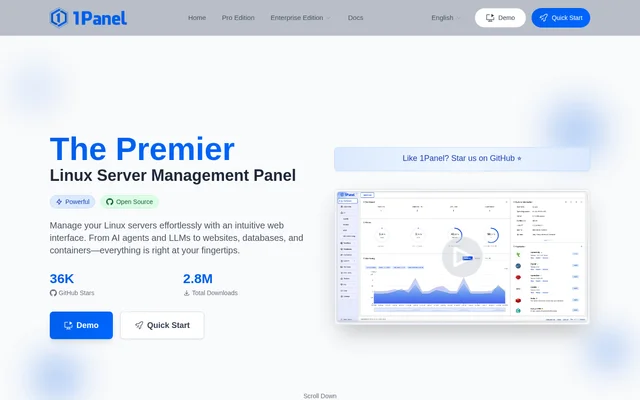
What is 1Panel?
1Panel is an open-source Linux server management panel and lightweight AI management platform from FIT2CLOUD. 1Panel gives Linux server administrators a web interface for operating websites, databases, containers, files, and AI workloads. The product combines conventional server administration with capabilities for managing AI models and agents, rather than treating those workloads as separate management tasks.
1Panel supports host monitoring and visual operations alongside application deployment. The app store lists applications across AI, websites, databases, development, storage, security, and other categories. Examples include Ollama, WordPress, MySQL, Redis, PostgreSQL, and code-server, giving administrators a central place to install applications for different server workloads.
What 1Panel can do
1Panel brings infrastructure operations and AI management into the same browser-based environment. AI capabilities include unified model access and routing, reusable skills, centralized model management, and self-service API key management. Server capabilities cover application installation, website configuration, database administration, container management, security auditing, and backup and recovery.
- 1Panel deploys AI models with Ollama.
- 1Panel provides AI Gateway for unified model access and routing.
- 1Panel provides Skills Hub as a reusable skill marketplace.
- 1Panel manages Docker containers, databases, and server files.
- 1Panel supports WordPress deployment, domain binding, and SSL certificate setup.
- 1Panel includes a WAF firewall and log auditing.
- 1Panel supports backup and recovery with multiple cloud storage targets.
- 1Panel provides a KVM web interface for virtual machine management.
How 1Panel works
1Panel runs on a Linux server and is accessed through a browser after installation. The documented setup starts with a running server using CentOS, Ubuntu, Debian, or another mainstream Linux distribution. An administrator runs the installation script as the root user, allowing the script to download and install 1Panel automatically.
1Panel supplies a dashboard address through the installation script once setup finishes. Administrators open that address in a browser to begin managing the server. The website also provides a demo, Quick Start guidance, documentation, a community forum, and an issue feedback route for exploring the interface or finding help.
Who 1Panel is for
1Panel is for people administering Linux servers that host websites, databases, containers, or AI applications. The combination of visual server operations and an application catalog supports workloads ranging from WordPress hosting to model deployment. Administrators can use the same management interface for infrastructure tasks and the AI services running on their servers.
- 1Panel supports website administrators deploying WordPress with domains and SSL certificates.
- 1Panel supports AI workloads through Ollama deployment and centralized model management.
- 1Panel supports database administration for MySQL, PostgreSQL, Redis, and MongoDB.
- 1Panel supports server maintenance through monitoring, file management, backups, and recovery.
1Panel strengths and limitations
1Panel combines a broad set of administration functions with AI management, reducing the need to treat website hosting, containers, databases, and model deployment as unrelated workflows. The free open-source edition and one-click application installation are practical strengths. Deployment still requires an existing Linux server and root access for the documented installation process.
- 1Panel requires a Linux server rather than offering a general desktop installation.
- 1Panel installation requires running the supplied script as the root user.
- 1Panel Pro editions are paid options.
1Panel FAQ
What is 1Panel?
1Panel is an open-source Linux server management panel and lightweight AI management platform from FIT2CLOUD. 1Panel provides a web interface for managing AI models, websites, databases, containers, files, security operations, and backups.
How do you install 1Panel?
1Panel is installed by running its installation script as the root user on a Linux server. Supported distributions include CentOS, Ubuntu, and Debian. After installation, the script provides an address for accessing the dashboard through a browser.
Can 1Panel deploy AI models and agents?
1Panel supports AI model deployment with Ollama and includes AI Gateway, Skills Hub, and centralized model management. The application catalog also lists agent applications such as MaxKB, OpenClaw, QwenPaw, and Hermes Agent.
Can 1Panel manage WordPress websites?
1Panel supports WordPress deployment through its integration with website builders and its application store. 1Panel also provides one-click domain binding and SSL certificate setup, alongside database, file, and container management for server administration.
What security and backup features does 1Panel include?
1Panel includes a WAF firewall, log auditing, and security operations reports covering audit and compliance. 1Panel also supports one-click backup and recovery with multiple cloud storage targets for storing backup data.
From the community
No reviews yet
Be the first to review this tool. What you write helps the next person choose.