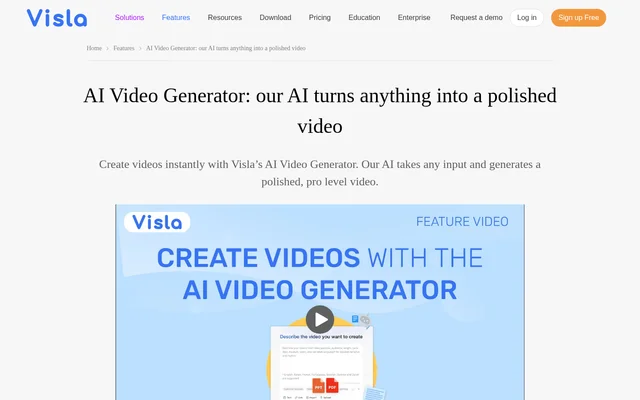
What is AI Video Generator By Visla?
AI Video Generator By Visla is an AI video creation tool that turns written material, recordings, documents, and ideas into complete video drafts. The tool serves marketing, sales, education, customer success, product development, and HR teams. Generated drafts combine visuals, music, voiceovers, and subtitles, giving users a starting point without requiring them to record themselves on camera.
AI Video Generator By Visla handles both generation and subsequent editing. Users can begin with existing content rather than a finished script, then review and change the resulting scenes. The source describes support for storytelling and branding alongside automatic media selection, with a scene-based editor available to refine the draft before sharing.
What AI Video Generator By Visla can do
AI Video Generator By Visla supports several generation paths depending on the source material. Written inputs can become narrated videos, recorded conversations can become summaries, and uploaded images or clips can become montages or narrative videos. Generated content remains editable, so users can adjust the selected media and presentation after the initial draft.
- AI Video Generator By Visla turns ideas, scripts, and raw text into videos.
- AI Video Generator By Visla extracts key information and images from webpage URLs.
- AI Video Generator By Visla summarizes interviews, meetings, and podcasts into short recaps.
- AI Video Generator By Visla adds matching visuals, subtitles, and music to audio recordings.
- AI Video Generator By Visla arranges uploaded clips and images into montages.
- AI Video Generator By Visla supports avatars created from an uploaded photo or a written prompt.
How AI Video Generator By Visla works
AI Video Generator By Visla starts with a prompt and any supporting materials, such as a script, webpage, audio recording, footage, or images. Users then guide the output by choosing language, voiceover, length, pace, visuals, music, aspect ratio, and layout. The generator assembles a draft with footage, background music, subtitles, and other elements suited to the input.
AI Video Generator By Visla opens the generated draft in a scene-based editing environment. Users can swap shots, cut or rearrange scenes, add text and graphics, adjust pacing, and fine-tune voiceovers. Teams can comment on specific scenes and resolve feedback together. Finished videos can be downloaded, shared through an embed code, or sent directly.
Who AI Video Generator By Visla is for
AI Video Generator By Visla is aimed at teams that need to explain, promote, teach, or communicate through video using materials they already have. The source specifically identifies marketing, sales, educators, customer success, product development, and HR and people operations. Supported starting materials include campaign briefs, lecture notes, support scripts, training decks, and voice recordings.
- Marketing teams can convert campaigns, blogs, and briefs into videos.
- Sales teams can create personalized pitches, demos, and follow-ups.
- Educators can turn lessons, tutorials, and training materials into instructional content.
- Customer success teams can produce FAQ videos and walkthroughs.
- Product development teams can explain features, prototypes, and processes.
- HR teams can create onboarding, policy, and internal communication videos.
AI Video Generator By Visla pricing and plans
AI Video Generator By Visla offers a Free plan with core AI video generation features, including creation from text, scripts, links, audio, images, and files. The pricing page lists Pro, Business, and Enterprise plans alongside Free. Paid upgrades provide access to capabilities such as premium stock, custom AI avatars and voices, additional branding kits, and expanded Private Stock handling.
AI Video Generator By Visla strengths and limitations
AI Video Generator By Visla combines flexible source inputs with an editable video workflow. Automatic footage, music, voiceover, and subtitle selection helps turn existing content into a draft, while scene editing preserves control over the result. Branding options and scene-specific feedback support team production, although the Free plan does not include every capability described on the page.
- AI Video Generator By Visla requires an upgrade for premium stock.
- AI Video Generator By Visla reserves custom AI avatar and voice features for paid upgrades.
- AI Video Generator By Visla offers additional branding kits and expanded Private Stock handling through upgrades.
AI Video Generator By Visla FAQ
What is AI Video Generator By Visla?
AI Video Generator By Visla is an AI video creation tool that turns ideas, scripts, webpages, documents, audio, and uploaded media into editable videos. Generated drafts can include stock footage, background music, AI voiceovers, and subtitles, with scene-based editing available afterward.
Is AI Video Generator By Visla free?
AI Video Generator By Visla offers a Free plan with core generation features for text, scripts, links, audio, images, and files. Paid upgrades provide premium stock, custom AI avatar and voice features, additional branding kits, and expanded Private Stock handling.
Can you edit videos made with AI Video Generator By Visla?
AI Video Generator By Visla allows users to edit generated drafts in a scene-based editor. Users can cut or rearrange scenes, swap footage, add text and graphics, adjust pacing, refine voiceovers, and apply branding before downloading or sharing the finished video.
Who is AI Video Generator By Visla for?
AI Video Generator By Visla serves marketing, sales, education, customer success, product development, and HR teams. The tool supports campaign videos, personalized pitches, lessons, support walkthroughs, feature explanations, onboarding materials, and internal communications made from existing content.
Can AI Video Generator By Visla summarize audio and video?
AI Video Generator By Visla can summarize uploaded interviews, meetings, and podcasts into short video recaps. AI Video Generator By Visla can also transform talking recordings or other audio into videos with matching visuals, subtitles, and background music.
Does AI Video Generator By Visla support brand assets?
AI Video Generator By Visla supports uploaded logos, fonts, and brand colors, along with saved defaults and brand kits. AI Video Generator By Visla also supports custom AI avatars and cloned voices for brand consistency, with custom avatar and voice features requiring an upgrade.
From the community
No reviews yet
Be the first to review this tool. What you write helps the next person choose.