What is Atua?
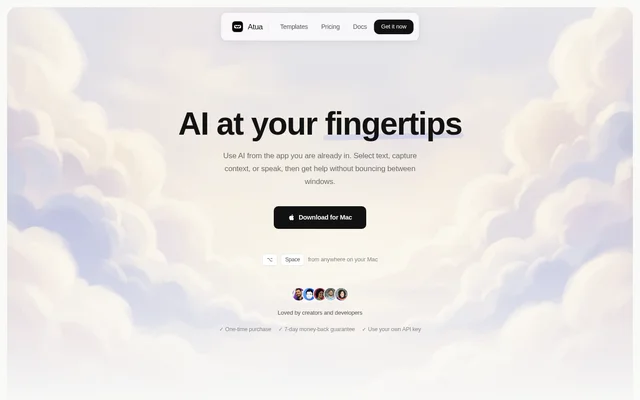
Atua is a Mac AI assistant for using AI inside the app a person is already working in. Atua combines reusable prompts with selected text, screen context, voice input, and connected tools. The website presents Atua for creators and developers who want help without moving between windows.
Atua extends beyond conversational answers by allowing commands to write back, trigger tools, and chain actions. A command can work with context from the current task and connect to another app when an action is needed. Access is provided through a Mac download and a paid lifetime license.
What Atua can do
Atua combines prompt-based text assistance with access to Mac context and tools. Each command can specify a hotkey, model, and output mode, while context references supply material from the current task. Native system tools and MCP servers let commands perform actions as well as return answers.
- Atua uses selected text, screenshots, clipboard contents, window content, screen OCR, and voice transcripts as context.
- Atua supports custom commands for polishing, summarizing, and translating text.
- Atua reads and writes through native Mac tools including Calendar, Reminders, Notes, and Finder.
- Atua connects to GitHub, Postgres, Slack, and other tools through MCP servers.
- Atua provides dictation and Voice Paste that run locally on the Mac.
- Atua can write back, trigger tools, and chain multiple actions.
How Atua works
Atua uses a create-and-run workflow. Users write a prompt, add context such as selected text or screenshots, and connect tools when a command needs to act on another app. Users can then select text and run the command, trigger a shortcut hands-free, or open the bar to ask a question.
Atua supports user-supplied API keys from services including OpenAI, Anthropic, Groq, Mistral, and DeepSeek. Atua also lists Ollama, LM Studio, and any OpenAI-compatible service among its supported options. Model selection is part of command configuration, allowing users to choose the model that fits a particular task.
Who Atua is for
Atua is presented for creators and developers working across Mac apps. The website demonstrates text assistance in Mail, meeting-note summarization through voice input, and code review using selected text with GitHub MCP. These examples connect everyday writing tasks and development work to reusable commands and app context.
- Atua helps creators polish or translate selected text without changing apps.
- Atua helps users summarize meeting notes through a custom command.
- Atua helps developers review PR diffs and post comments through GitHub MCP.
Atua pricing and plans
Atua costs $29 as a one-time payment for a lifetime license, with no subscription. The license includes unlimited custom commands, MCP server support, system tools, Voice Paste using local models, and free updates forever. Atua offers a 7-day money-back guarantee, and users bring their own API key.
Atua strengths and limitations
Atua combines reusable commands, live Mac context, native system tools, and MCP connections in a desktop workflow. Atua requires no account and collects no analytics. The website states that data stays on the Mac and that network requests happen only for AI calls and updates; local voice processing does not mean every AI interaction stays offline.
- Atua is offered as a Mac download.
- Atua requires a paid lifetime license.
- Atua uses users' own API keys for supported AI services.
Atua FAQ
What is Atua?
Atua is a Mac AI assistant that runs custom commands using selected text, screenshots, clipboard contents, voice, and other app context. Atua also connects to native Mac tools and MCP servers so commands can perform actions as well as return answers.
Is Atua free?
Atua is paid software with a $29 one-time payment for a lifetime license. Atua includes unlimited custom commands, free updates forever, and a 7-day money-back guarantee. Users bring their own API key from a supported service.
Which AI providers does Atua support?
Atua supports providers including OpenAI, Anthropic, Groq, Mistral, DeepSeek, xAI, and Perplexity. Atua also lists OpenRouter, Ollama, LM Studio, and any OpenAI-compatible service. Users bring their own API key and can choose a model for each custom command.
Does Atua support MCP integrations?
Atua supports MCP servers for connecting external tools to commands. Atua lists GitHub, Postgres, Slack, and Filesystem, and shows a Notion MCP connection. Commands can use connected tools to write back, trigger actions, and chain multiple actions together.
Does Atua collect analytics or require an account?
Atua requires no account and collects no analytics. Atua states that data stays on the Mac and that network requests happen only for AI calls and updates. Atua also provides voice input and Voice Paste that run locally on the Mac.
Can Atua work inside other Mac apps?
Atua works from any app on the Mac, according to the website. Atua lets users select text and run a command, trigger a shortcut hands-free, or open the bar to ask a question without switching windows.
From the community
No reviews yet
Be the first to review this tool. What you write helps the next person choose.