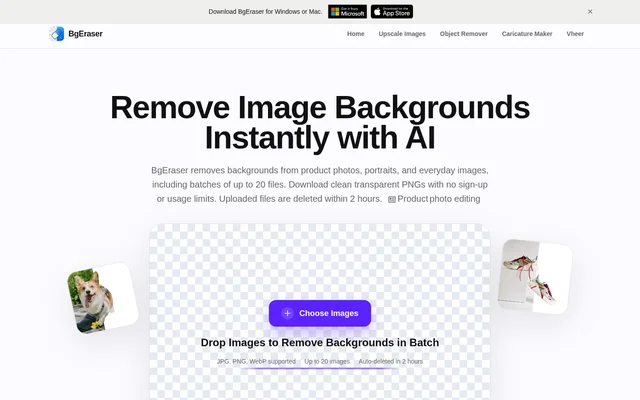
What is BgEraser?
BgEraser is a free browser-based AI background remover for product photos, portraits, graphics, and everyday images. BgEraser separates the subject from the background and creates transparent PNG results. The tool supports image preparation for stores, marketplace listings, social posts, presentations, profile pictures, and design mockups without requiring an account or installed editing software.
BgEraser combines individual image background removal with batch processing in the same workspace. Users can upload multiple files rather than repeat the process separately for each image. BgEraser also provides a solid background color option for images that do not need to remain transparent.
What BgEraser can do
BgEraser provides background removal and output options for subject-focused images, including portraits, products, logos, pets, and apparel. BgEraser uses AI to separate subjects while preserving edges and supports preparing multiple images together. The available capabilities cover uploads, background treatment, transparent output, and downloading processed files.
- BgEraser removes image backgrounds with AI subject separation.
- BgEraser processes batches of up to 20 images.
- BgEraser accepts JPG, PNG, and WebP uploads.
- BgEraser exports processed images as transparent PNG files.
- BgEraser applies a solid background color before download.
- BgEraser downloads batch results together as a ZIP file.
How BgEraser works
BgEraser runs directly in a browser without registration, login, or software installation. Users choose images or drop supported files into the upload area, and BgEraser removes their backgrounds in the workspace. The page also provides sample images for trying background removal before uploading personal files.
BgEraser lets users retain transparency or apply a solid background color before downloading processed images. PNG output preserves transparent backgrounds, while the ZIP download option groups batch results together. Uploaded images and generated results are automatically removed within 2 hours to reduce long-term file storage.
Who BgEraser is for
BgEraser serves people preparing ecommerce assets, design materials, portraits, and everyday visual content. Product sellers can process catalog photos together, while people creating social posts or presentations can prepare subject-focused images with transparent backgrounds. BgEraser also supports commercial projects when users have the right to edit and use the original images.
- BgEraser prepares product photos for catalogs and marketplace listings.
- BgEraser creates transparent portraits for profile pictures.
- BgEraser prepares logos and other graphics for design mockups.
- BgEraser produces image assets for social posts, marketing, and presentations.
BgEraser pricing and access
BgEraser is free to use, with no sign-up or usage limits stated on the page. Access is through the online background eraser rather than an installed application. The free workflow includes batch background removal, transparent PNG downloads, and the option to apply a solid background color before saving processed images.
BgEraser strengths and limitations
BgEraser combines free browser access, batch uploads, transparent output, and automatic file cleanup in a background-removal workflow. BgEraser is designed to handle many complex backgrounds and preserve subject edges, but the page notes that higher-resolution images with a clear subject usually produce the best results. Upload formats and batch size also define the supported workflow.
- BgEraser limits each batch to 20 images.
- BgEraser supports JPG, PNG, and WebP uploads rather than unrestricted file formats.
- BgEraser requires users to hold rights to original images used in commercial projects.
BgEraser FAQ
What is BgEraser?
BgEraser is a free online AI background eraser that removes image backgrounds and creates transparent PNG files. BgEraser supports product photos, portraits, logos, and other subject-focused images, with browser access and no software installation.
Is BgEraser free to use?
BgEraser is free to use with no sign-up or usage limits. BgEraser does not require an account, login, or software installation, and supports background removal, transparent PNG downloads, and solid background color replacement.
Can BgEraser remove backgrounds from multiple images at once?
BgEraser supports batch background removal for up to 20 images in the same workspace. BgEraser lets users upload multiple supported files in one session and download the processed results together as a ZIP file.
What image formats does BgEraser support?
BgEraser supports JPG, PNG, and WebP uploads and downloads processed images as PNG files to preserve transparency. BgEraser also allows users to apply a solid background color before downloading the processed images.
How does BgEraser handle uploaded images?
BgEraser automatically removes uploaded images and generated results within 2 hours. BgEraser describes this cleanup as a way to reduce long-term file storage and help keep background removal work private.
Can BgEraser images be used commercially?
BgEraser allows processed images to be used for commercial projects, provided users have the right to edit and use the original images. Supported commercial uses include product listings, marketing assets, and presentations.
From the community
No reviews yet
Be the first to review this tool. What you write helps the next person choose.