What is BoostBot?
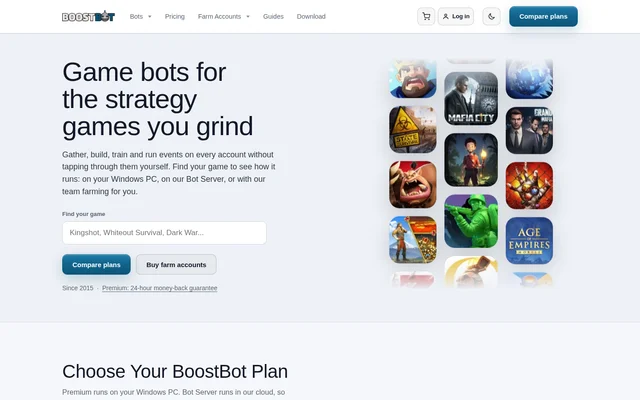
BoostBot is a mobile game bot service for players who want to automate activities in supported games. Its bots perform tasks such as gathering resources, upgrading buildings and protecting a base. Players can run the Windows app themselves, use a hosted Bot Server or choose a managed service for farm accounts. Supported games include Kingshot, Whiteout Survival and Rise of Kingdoms, although available plans differ by game.
What BoostBot can do
BoostBot automates recurring activities that players would otherwise perform themselves in supported mobile games. The service describes mobile game bots as programs that play games for users without the same time restrictions as a human player. The available settings depend on the selected plan, with the free Windows version providing basic settings and Premium unlocking all settings.
- BoostBot can farm or gather resources and materials automatically.
- BoostBot can upgrade buildings automatically.
- BoostBot can complete daily tasks automatically.
- BoostBot can shield and protect a base automatically.
How BoostBot works
BoostBot offers a Windows download that runs a game inside an Android emulator on the user's PC. The computer must stay on while the bot works. The hosted Bot Server instead runs the bot and emulators on BoostBot hardware, includes the licence and can be controlled from a phone, tablet or Mac without a Windows PC.
BoostBot also offers Farm for Me, a managed option in which its team runs the bot on farm accounts after users send their farm logins. The service cycles those accounts, so users cannot play them by hand while it runs. Farm for Me is not intended for an account the user plays themselves.
Who BoostBot is for
BoostBot is for mobile game players who want to automate recurring tasks or manage farm accounts in supported games. The Windows app suits users who can leave their PC running, while the cloud server serves those who prefer hosted hardware. The managed service is aimed at users who want the BoostBot team to run their farm accounts for them.
- Players can automate gathering, building and daily tasks in supported games.
- Farm operators can manage multiple accounts through the Windows app or Bot Server.
- Users without a Windows PC can control a hosted service from a phone, tablet or Mac.
- Farm account owners can use Farm for Me for hands-off bot management.
BoostBot pricing and plans
BoostBot offers a free Windows version with unlimited accounts, basic settings and no card required. Premium costs $14.92 per month, billed $179.00 yearly, and unlocks all settings in the Windows app. A single Premium subscription covers the games in the app menu rather than being sold separately for each game.
BoostBot Bot Server starts at $80 a month billed yearly and includes the licence; the pricing page also lists a Monthly Standard option at $99. Farm for Me starts as low as $8.00 per account per month. Not every game has every plan, so users must check the plans listed for their game.
BoostBot strengths and limitations
BoostBot provides several ways to run mobile game bots, from a free Windows download to hosted and managed options. Unlimited accounts are available in the free Windows version, and the cloud server includes the licence. The choice depends on the game, the user's hardware and whether the account is a farm account or an account the user actively plays.
- The Windows download requires Windows 10 or 11, and the PC must remain on while the bot works.
- The free Windows version includes basic settings rather than all Premium settings.
- Plan availability varies by game.
- Farm for Me is for farm accounts only, not an account the user plays themselves.
Getting started with BoostBot
BoostBot users can begin by checking their game's page to see which plans are available. Players with a compatible Windows PC can download the free version and test the core tasks without providing a card. Users who do not want to keep a PC running can compare Bot Server options, while those seeking hands-off farm account management can consider Farm for Me.
BoostBot FAQ
What is BoostBot?
BoostBot is a mobile game bot service that automates activities such as resource gathering, building upgrades, daily tasks and base shielding. Players can run a Windows app, use a cloud-hosted Bot Server or choose managed botting for farm accounts.
Is BoostBot free?
BoostBot has a free Windows download that supports unlimited accounts and basic settings without requiring a card. BoostBot also offers paid Premium, Bot Server and Farm for Me options, with different settings and hosting arrangements.
Does BoostBot work without a Windows PC?
BoostBot offers Bot Server and Farm for Me options that run on hosted hardware without a Windows PC. Users can control those services from a phone, tablet or Mac. The downloadable app itself requires Windows 10 or 11.
What games does BoostBot support?
BoostBot lists mobile games including Kingshot, Whiteout Survival, Rise of Kingdoms, Ant Legion and Puzzles and Survival. BoostBot does not offer every plan for every game, so players should check the relevant game's page for available options.
What is the difference between BoostBot Premium and Bot Server?
BoostBot Premium unlocks all settings in the Windows app, which runs on the user's PC. BoostBot Bot Server runs the bot and emulators on hosted hardware and includes the licence, so the user's PC does not need to stay on.
Can BoostBot Farm for Me run my main game account?
BoostBot Farm for Me runs farm accounts only, not an account the user plays themselves. BoostBot says the service cycles each farm account every one to two hours, so the account cannot be played by hand while the service runs.
From the community
No reviews yet
Be the first to review this tool. What you write helps the next person choose.