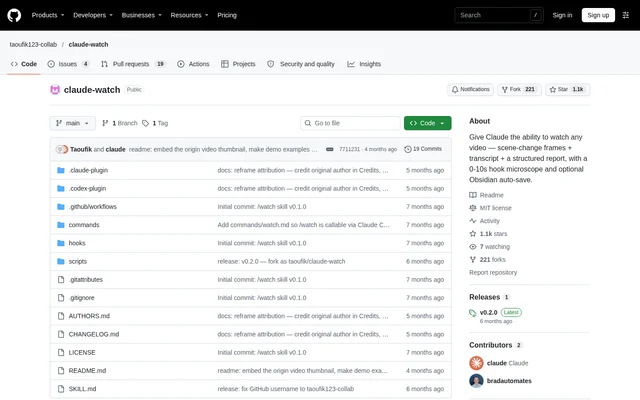
What is claude-watch?
claude-watch is an open-source skill for analyzing videos through Claude using extracted images and timestamped transcripts. The project supports questions about what appears on screen as well as what speakers say. Documented applications include creator-hook analysis, video summaries, ad creative reviews, and debugging recorded interface problems.
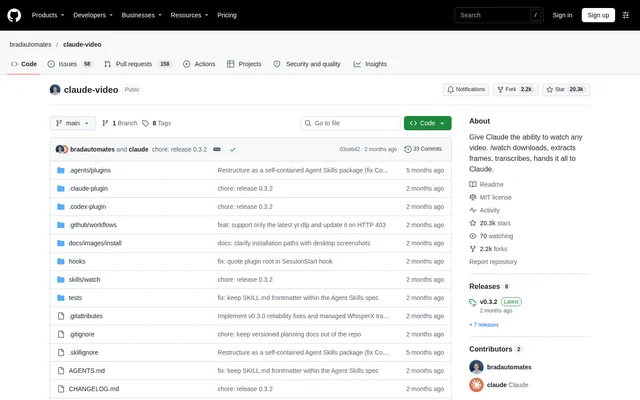
claude-watch is published on GitHub under the MIT license. The repository provides installation paths for Claude Code, claude.ai, Codex, and manual skill setups. The README credits the original claude-video project for the core download, frame extraction, transcription, focused-analysis, and multi-surface installation pipeline.
What claude-watch can do
claude-watch combines visual evidence with spoken content rather than relying only on a video's title or transcript. Scene-change extraction captures detected shots, while a separate opening-hook pass pairs denser frames with word-level transcription. Structured reports give Claude explicit narrative sections to complete before optional saving into an Obsidian vault.
- claude-watch extracts frames at detected scene changes.
- claude-watch examines the opening 10 seconds with dense frames and word-level Whisper transcription.
- claude-watch retrieves timestamped native captions and supports Whisper fallback.
- claude-watch generates reports covering key moments, hook breakdowns, quotations, entities, and concepts.
- claude-watch supports focused analysis through start and end timestamps.
- claude-watch optionally saves reports into Obsidian and offers wiki ingestion.
How claude-watch works
claude-watch starts with a video URL or local file path and a question. Supported URL sources include services handled by yt-dlp, such as YouTube, Loom, TikTok, X, and Instagram. Remote videos download into a temporary working directory, while local files are probed in place without a download.
claude-watch uses ffmpeg to extract images and first attempts to retrieve native captions. When captions are unavailable, audio can go to Groq or OpenAI Whisper. Claude receives timestamped frame paths and transcript text, reads the images, and answers the question. Options control time ranges, image resolution, frame limits, and output location.
Who claude-watch is for
claude-watch serves people who need to examine video content without manually taking notes throughout a recording. The documented examples cover content research, creator techniques, competitor material, and software troubleshooting. Transcript-led summaries suit podcasts or talking-head videos, while extracted images add context when visual details matter to the question.
- Content creators can examine opening hooks, podcast intros, and ad creative.
- Researchers can summarize videos and identify key moments or mentioned tools.
- Developers can inspect screen recordings to locate visible interface failures.
- Obsidian users can preserve video reports as connected knowledge entries.
claude-watch pricing and access
claude-watch is available as an MIT-licensed open-source project rather than a listed subscription service. The README identifies downloads and native captions as free. Whisper fallback requires a user-supplied Groq or OpenAI API key; users can disable Whisper and retain frames-only analysis when captions are unavailable.
claude-watch installation depends on the chosen environment: Claude Code uses marketplace plugin commands, claude.ai accepts the downloadable skill file, and Codex supports cloning into its skills directory. First-run checks help install yt-dlp and ffmpeg. Optional Obsidian saving can be enabled by setting WATCH_VAULT_DIR to the vault location.
claude-watch strengths and limitations
claude-watch offers visual and transcript evidence in the same workflow, with focused analysis for questions about specific moments. Native captions can avoid transcription charges, and Obsidian integration remains optional. The README also makes the sampling trade-off explicit: longer recordings receive sparser coverage, so narrower time ranges can be more useful than whole-video scans.
- claude-watch requires ffmpeg and yt-dlp for its processing workflow.
- claude-watch needs a Whisper API key to transcribe videos without captions.
- claude-watch documents best accuracy under 10 minutes and recommends focused scans for longer videos.
- claude-watch enforces hard caps of 2 fps and 100 frames.
- claude-watch requires Code execution and file creation to be enabled on claude.ai.
claude-watch FAQ
What is claude-watch?
claude-watch is an MIT-licensed open-source video analysis skill that supplies Claude with extracted frames and timestamped transcripts. claude-watch supports video questions, structured summaries, opening-hook analysis, and optional saving of reports into an Obsidian vault.
Is claude-watch free?
claude-watch is available as an MIT-licensed open-source project, and its download and native-caption workflow is free. Optional Whisper transcription requires a Groq or OpenAI API key and provider charges. Disabling Whisper allows frames-only analysis when captions are unavailable.
Which video sources does claude-watch support?
claude-watch accepts URLs supported by yt-dlp, including YouTube, Loom, TikTok, X, and Instagram, plus local video paths. The README lists .mp4, .mov, .mkv, and .webm files. Local files are probed in place rather than downloaded.
How do you install claude-watch?
claude-watch supports Claude Code marketplace installation, a downloadable skill file for claude.ai, and Git cloning for Codex or manual setups. The first run checks dependencies and assists with installing ffmpeg and yt-dlp. claude.ai also requires Code execution and file creation.
Can claude-watch save video notes to Obsidian?
claude-watch can save structured video reports into an Obsidian vault and offer ingestion into the vault's wiki. Configuration uses WATCH_VAULT_DIR or automatic detection of documented vault locations. The saving and ingestion steps skip cleanly when no vault is detected.
What are claude-watch's video analysis limits?
claude-watch documents best accuracy for videos under 10 minutes and warns about sparse scans on longer recordings. The processing workflow caps sampling at 2 fps and 100 frames. Start and end options allow denser analysis of a selected segment.
From the community
No reviews yet
Be the first to review this tool. What you write helps the next person choose.