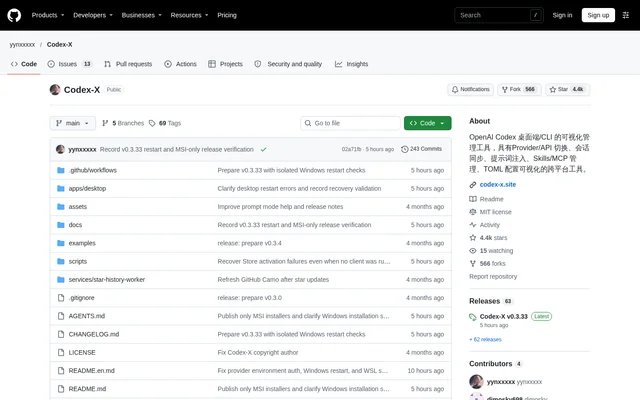
What is Codex-X?
Codex-X is an open-source desktop application that visually manages settings and workflows for OpenAI Codex desktop and Codex CLI. Codex-X serves users whose prompts, provider credentials, sessions and extension settings otherwise sit across separate files. The application brings these operations into a shared interface rather than requiring repeated manual configuration edits.
Codex-X supports macOS, Windows and Linux, with source code published under the MIT license. The repository documents downloadable desktop packages and a development workflow. Codex-X focuses on managing an existing Codex environment, including official login configurations, third-party API settings and locally stored conversation history.
What Codex-X can do
Codex-X combines prompt management with provider controls, session organization and extension administration. The prompt library supports bundled templates, GitHub synchronization, custom categories and Markdown imports. Users can preserve existing instructions by appending managed content or replace the current instructions with selected templates, with backups created before enabling or disabling prompts.
- Codex-X caches synchronized prompt templates for temporary offline use.
- Codex-X saves, copies and switches named official logins and third-party providers.
- Codex-X checks provider connections and retrieves models for testing.
- Codex-X searches local sessions and groups session history by project path.
- Codex-X installs Skills from ZIP files and manages MCP configurations.
- Codex-X displays token usage trends, cache hit rates and model distribution.
How Codex-X works
Codex-X reads the Codex configuration directory by default and exposes config.toml and auth.json through the interface. Environment variables can specify alternative configuration and application-data locations. Provider editing includes the Base URL, API key, model, upstream protocol, headers and complete TOML configuration, with saved changes synchronized to the Codex configuration directory.
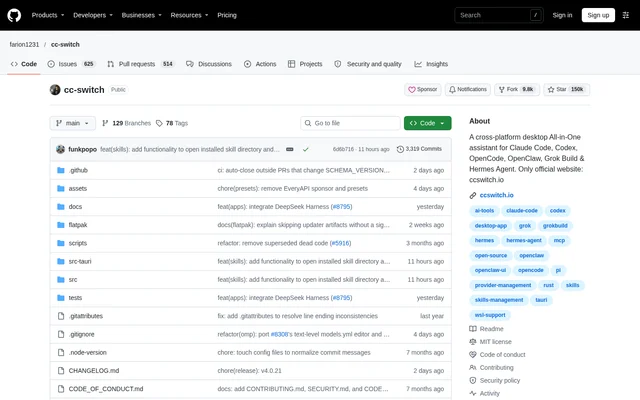
Codex-X can import existing providers from cc-switch and distinguish additions, updates, merges and skipped entries. After enabling a different third-party provider, users create or reopen a Codex session to use the change without restarting the entire Codex client. Session synchronization updates provider settings without changing conversation content.
Who Codex-X is for
Codex-X is for Codex desktop and CLI users who manage multiple instruction sets, provider configurations or extensions. The documented templates cover software maintenance, debugging, code review, writing revision and technical documentation. Project-based session grouping also serves users who need to organize accumulated local Codex history across different working directories.
- Codex-X organizes development and writing prompts into reusable categories.
- Codex-X supports switching provider configurations for different models and tasks.
- Codex-X helps users find sessions by title, project path, provider or ID.
- Codex-X centralizes Skills and MCP controls alongside Codex configuration.
Codex-X pricing and distribution
Codex-X is distributed as an MIT-licensed open-source project, with downloads provided through GitHub Releases. Available packages include macOS builds for Apple Silicon and Intel, Windows MSI and portable packages, and Linux packages. The repository also documents dependency installation, development execution and desktop builds for users working from source.
Codex-X strengths and limitations
Codex-X brings related Codex administration tasks into a visual desktop interface, including prompt controls, provider testing, configuration previews and extension management. Local template caching supports temporary offline access, while automatic backups protect important writes. The repository also identifies operational constraints around deleting sessions, updating portable builds and installing unsigned macOS packages.
- Codex-X permanently deletes selected sessions and their derived sub-sessions; deletion is not recoverable.
- Codex-X requires manual downloads to update Windows portable builds.
- Codex-X unsigned or unnotarized macOS packages can trigger Gatekeeper warnings.
- Codex-X provides read-only viewing and export for WSL sessions on Windows.
Codex-X FAQ
What is Codex-X?
Codex-X is an open-source, cross-platform desktop management tool for OpenAI Codex desktop and Codex CLI. Codex-X provides visual controls for prompt templates, official logins, third-party API providers, local sessions, Skills, MCP and Codex configuration files.
How is Codex-X licensed and downloaded?
Codex-X is published under the MIT license, with desktop installation packages available through GitHub Releases. Codex-X also provides source code and documented commands for installing dependencies, running the development environment and building the desktop application.
Which operating systems does Codex-X support?
Codex-X supports macOS, Windows and Linux. Codex-X provides macOS packages for Apple Silicon and Intel, Windows MSI and portable packages, and Linux packages in DEB, RPM and AppImage formats. Windows portable builds use manual downloads for updates.
Can Codex-X switch API providers?
Codex-X can save, copy and switch named official Codex login configurations and third-party API providers. Codex-X supports connection detection, model retrieval and testing, and provider imports from cc-switch. A newly enabled third-party provider applies when a Codex session is created or reopened.
Can Codex-X manage custom prompts?
Codex-X supports custom prompts through Markdown imports, manual editing, categories and individual enablement controls. Codex-X can append managed prompts while preserving existing instructions or replace the current instructions, and synchronized templates are cached locally for temporary offline use.
Does Codex-X manage Skills and MCP?
Codex-X provides a dedicated interface for Skills and MCP management. Codex-X can import existing Skills, install Skills from ZIP files, check Skill updates and enable or disable individual entries. MCP configurations can be previewed before import, with Codex configuration maintained when entries are enabled or disabled.
From the community
No reviews yet
Be the first to review this tool. What you write helps the next person choose.