What is DNSFilter?
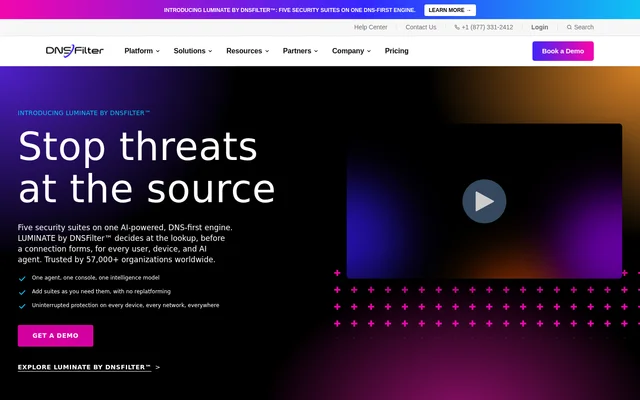
DNSFilter is a protective DNS service that checks domain requests against security and content policies before a connection is made. DNSFilter is intended for organizations that want to block threats such as phishing and malware or restrict access to unwanted content. Unlike web filtering tools that inspect pages after a connection is made, DNSFilter makes its decision at the DNS lookup, before page content loads.
What DNSFilter can do
DNSFilter combines AI-based threat detection with controls for individual domains, content categories, and applications. Administrators can apply shared rules across policies rather than maintaining separate copies of the same block and allow lists. Reporting provides a view of network activity with more detailed logs for investigating individual DNS queries.
- DNSFilter blocks requests to malicious and unwanted domains.
- DNSFilter uses AppAware to show which applications are in use and block their associated domains.
- DNSFilter applies Universal Lists across policies.
- DNSFilter exports DNS query logs as CSV files.
- DNSFilter uses CyberSight to surface shadow IT and report on AI usage.
How DNSFilter works
DNSFilter supports network deployment through a router, DHCP configuration, or firewall. Roaming Clients extend DNS protection to devices that leave the office, with clients listed for Windows, macOS, iOS, Android, and Chrome. A native DNS relay can route private and public requests. Microsoft Entra and Active Directory integrations let administrators use identity to inform filtering policies.
DNSFilter offers API access and a Zapier integration for connecting DNSFilter data and actions to other applications. The MCP Connector provides another way to work with DNSFilter: administrators can investigate DNS activity and manage their account in plain language from a compatible assistant. The connector uses the administrator's own DNSFilter credentials and permissions.
Who DNSFilter is for
DNSFilter serves enterprises, small and midsize businesses, managed service providers, and educational institutions. Business IT teams can use DNSFilter for office networks and devices that leave those networks. Managed service providers can administer multiple customer environments through a partner program that includes multi-tenancy and branding. Qualified educational institutions can request per-student pricing with mobile Roaming Client support.
- Protect employees from malicious domains on and off the office network.
- Apply content filtering to guest and public Wi-Fi.
- Manage separate DNS filtering environments for MSP customers.
- Review DNS activity during security investigations.
DNSFilter pricing and plans
DNSFilter offers Core and Plus on monthly and annual subscriptions. Core has a monthly minimum of $23 or an annual minimum of $240. Plus has a monthly minimum of $62.50 or an annual minimum of $750. Enterprise pricing is available by quote. MSP pricing starts at $150/month, while qualified educational institutions can request a quote. The 14-day free trial includes generally available capabilities.
DNSFilter strengths and limitations
DNSFilter can enforce domain policies before a site loads without requiring additional hardware or a browser plug-in. Shared lists help administrators keep domain rules consistent across policies, while Roaming Clients extend filtering outside the office. DNSFilter makes decisions at the domain lookup rather than inspecting individual pages after a connection, and some capabilities require add-ons or a separate quote.
- Core and Plus subscriptions have minimum spends.
- Enterprise pricing and minimums are available only by request.
- Streaming raw logs to a SIEM is a paid add-on.
Getting started with DNSFilter
DNSFilter offers a guided product tour for creating content, threat, and application filtering policies and deploying them to a site. Organizations can also start a free trial or request a demo. To deploy DNSFilter, administrators can point their network DNS to the service or install the Roaming Client on devices that need protection away from the office.
DNSFilter FAQ
What is DNSFilter used for?
DNSFilter is used to block malicious domains, unwanted sites, and applications at the DNS layer. DNSFilter checks lookup requests against security and content policies before a connection forms, and administrators can review DNS activity in reports and query logs.
Is DNSFilter free?
DNSFilter is a paid service with a 14-day free trial that includes generally available capabilities. Core and Plus have minimum subscription spends, and Enterprise pricing is available by quote. Managed service providers and qualified educational institutions have separate pricing programs.
Who is DNSFilter for?
DNSFilter is designed for professional environments, including enterprises, small and midsize businesses, managed service providers, and educational institutions. DNSFilter offers MSP partner plans with multi-tenancy and branding, as well as per-student quotes for qualified educational institutions.
Does DNSFilter protect devices outside the office?
DNSFilter protects devices outside the office through its Roaming Clients, which let DNS filtering follow users off the network. DNSFilter lists clients for Windows, macOS, iOS, Android, and Chrome.
Does DNSFilter have an API or MCP integration?
DNSFilter offers API access, a Zapier integration, and an MCP Connector. DNSFilter's MCP Connector lets administrators investigate DNS activity and manage their account from a compatible AI assistant using their own DNSFilter credentials and permissions.
From the community
No reviews yet
Be the first to review this tool. What you write helps the next person choose.