What is DuckDuckGPT?
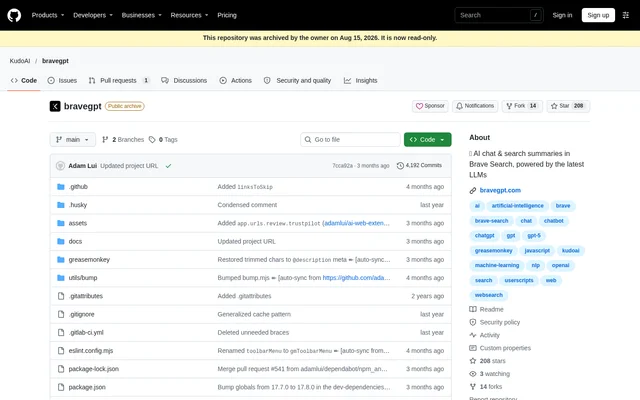
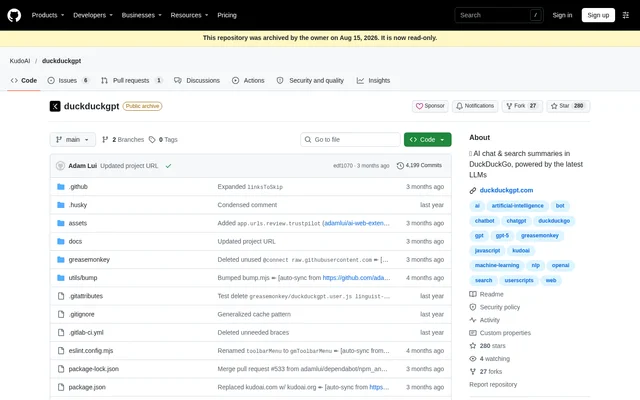
DuckDuckGPT is an open-source userscript that brings AI chat and search summaries into DuckDuckGo. DuckDuckGPT serves search users who want to engage an AI bot alongside their searches rather than use a separate chat destination. The project describes its responses as powered by large language models. The supplied GitHub repository belongs to KudoAI and now displays an archive notice and a migration link to Codeberg.
What DuckDuckGPT can do
DuckDuckGPT combines conversational assistance and search summaries within the DuckDuckGo browsing workflow. DuckDuckGPT also offers a response mode that changes whether a ChatGPT account is needed. Browser and userscript-manager compatibility determine which setup to use, and Streaming Mode is not supported by every listed manager.
- DuckDuckGPT adds AI chat to DuckDuckGo.
- DuckDuckGPT provides AI-generated search summaries.
- DuckDuckGPT offers Proxy API Mode for text responses without a chatgpt.com account.
- DuckDuckGPT supports desktop and mobile browser configurations.
- DuckDuckGPT offers Streaming Mode with compatible userscript managers.
How DuckDuckGPT works
DuckDuckGPT installation begins with a compatible userscript manager, followed by the DuckDuckGPT userscript. DuckDuckGPT documentation then directs users to visit duckduckgo.com, type a search, and engage the bot. Listed manager options include Tampermonkey, ScriptCat, Violentmonkey, OrangeMonkey, Stay, and Userscripts, depending on the browser. Supported browser families include Chrome, Edge, Firefox, and Safari, with additional mobile browser configurations listed in the compatibility table.
- DuckDuckGPT requires Developer Mode when using Tampermonkey or OrangeMonkey in a Chromium browser.
- DuckDuckGPT requires search-results access permission for userscript managers installed in Opera.
- DuckDuckGPT disables Proxy API Mode by default and requires a ChatGPT account while that mode remains disabled.
Who DuckDuckGPT is for
DuckDuckGPT is for DuckDuckGo users who want AI-generated responses and summaries within their search experience. DuckDuckGPT can also serve people searching from supported mobile browsers, including listed Android and Apple-device configurations. The documented workflow focuses on entering searches and interacting with a bot, so the relevant audience is browser-based search users rather than teams seeking a separate business application.
- DuckDuckGPT supports chatting with an AI bot during a DuckDuckGo search.
- DuckDuckGPT supports reviewing AI-generated search summaries.
- DuckDuckGPT supports requesting text responses through Proxy API Mode without a ChatGPT account.
DuckDuckGPT pricing and access
DuckDuckGPT is distributed as an open-source userscript through the installation link in its documentation. DuckDuckGPT does not have a product-specific paid plan or subscription price stated in the supplied repository text. The installation path is to obtain a suitable userscript manager and then install the script. The repository also directs visitors to the project's new Codeberg location because the GitHub copy is archived and read-only.
DuckDuckGPT strengths and limitations
DuckDuckGPT combines AI chat and search summaries with broad documented browser compatibility, including desktop and mobile options. DuckDuckGPT also provides a proxy response option that removes the ChatGPT account requirement. The main constraints concern installation and manager compatibility: users must choose a supported setup, some browsers require additional permissions, and the listed managers do not all support Streaming Mode.
- DuckDuckGPT does not support Streaming Mode through Violentmonkey or OrangeMonkey.
- DuckDuckGPT requires a ChatGPT account unless Proxy API Mode is enabled.
- DuckDuckGPT's GitHub repository is read-only following its archive and migration notice.
DuckDuckGPT FAQ
What is DuckDuckGPT?
DuckDuckGPT is an open-source browser userscript that adds AI chat and search summaries to DuckDuckGo. DuckDuckGPT works through a compatible userscript manager and provides documented configurations for desktop and mobile browsers.
How do you install DuckDuckGPT?
DuckDuckGPT is installed by first adding a compatible userscript manager, then installing the DuckDuckGPT userscript from the project documentation. DuckDuckGPT users then visit duckduckgo.com, enter a search, and engage the bot. Some browser configurations require extra permissions or Developer Mode.
Does DuckDuckGPT require a ChatGPT account?
DuckDuckGPT requires a ChatGPT account when Proxy API Mode is disabled, which is the default setting. DuckDuckGPT can return text responses without a chatgpt.com account when Proxy API Mode is enabled.
Does DuckDuckGPT work on mobile browsers?
DuckDuckGPT lists mobile configurations for browsers including Edge and Firefox on Android, Safari on Apple devices, and several additional mobile browsers. DuckDuckGPT requires a compatible userscript manager, so the installation choice depends on the browser and operating system.
Why does DuckDuckGPT Streaming Mode not work in Violentmonkey?
DuckDuckGPT documentation states that Violentmonkey and OrangeMonkey do not support Streaming Mode. DuckDuckGPT users who need streaming must choose a different compatible userscript manager from the browser-specific installation options.
Has DuckDuckGPT moved from GitHub?
DuckDuckGPT has migrated to https://codeberg.org/KudoAI/duckduckgpt, according to the repository notice. DuckDuckGPT's GitHub repository is archived and read-only, while the README points visitors to the new project location.
From the community
No reviews yet
Be the first to review this tool. What you write helps the next person choose.