What is ERBuilder?
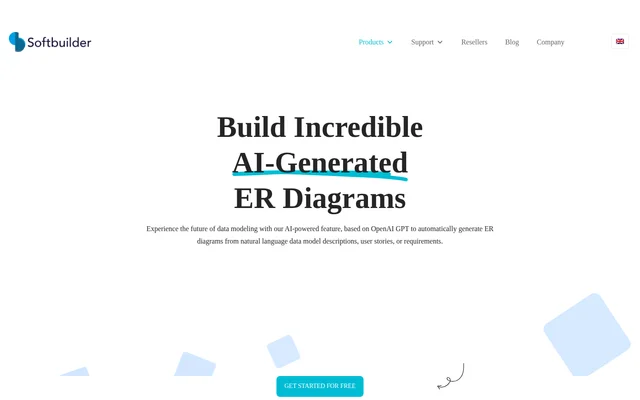
ERBuilder is a data modeling tool for data modelers and data architects, with an AI feature that generates entity-relationship diagrams from written input. ERBuilder uses OpenAI GPT to interpret natural language data model descriptions, user stories, or requirements. The resulting ER diagram can be reviewed and adjusted in the user interface, keeping model editing and AI generation within the same workflow.
What ERBuilder can do
ERBuilder supports both creating diagrams and revising existing data models with generative AI. ERBuilder accepts a few sentences or key details about the intended model rather than requiring a completed diagram as input. For existing models, ERBuilder analyzes new descriptions or requirements and suggests modifications that users can review and approve before accepting the changes.
- ERBuilder generates entity-relationship diagrams from natural language descriptions.
- ERBuilder accepts user stories and requirements as inputs.
- ERBuilder lets users review and modify generated diagrams.
- ERBuilder suggests changes to existing models based on new requirements.
- ERBuilder allows users to review and approve suggested model updates.
How ERBuilder works
ERBuilder requires users to activate the generative AI feature through the user interface using a purchased generative AI key. After activation, users enter data model descriptions, user stories, or requirements in the inputs window. ERBuilder generates an ER diagram from that input, which users can then inspect and modify. Updating an existing model follows a similar process, with suggested changes presented for review and approval.
Who ERBuilder is for
ERBuilder is intended for data modelers and data architects. ERBuilder's Professional edition is described as supporting advanced data modeling, while the Enterprise edition is positioned for expert data modeling and documentation. The AI workflow supports tasks that begin with written descriptions or changing requirements, including creating an initial diagram and revising an existing model to reflect new information.
- ERBuilder turns written data model descriptions into ER diagrams.
- ERBuilder converts user stories into diagram inputs for data modeling.
- ERBuilder helps revise existing models when requirements change.
ERBuilder pricing and plans
ERBuilder offers Professional subscriptions at $139/year and Enterprise subscriptions at $399/year. Perpetual workstation licenses cost $279 for Professional and $799 for Enterprise, with support and maintenance included for a year. ERBuilder also offers perpetual floating licenses for concurrent users. A free 15-day trial requires no credit card, while the generative AI feature requires activation with a purchased generative AI key.
ERBuilder can be purchased through FastSpring, bank wire transfer, or authorized resellers. FastSpring accepts credit cards, PayPal, and checks. Subscription licenses include support and upgrades during the subscription period and require renewal for continued use. Perpetual licenses allow continued software use without renewing support and upgrades, although access to those services ends when coverage is not renewed.
ERBuilder strengths and limitations
ERBuilder combines natural language diagram generation with user review, editing, and approval of suggested updates. ERBuilder supports several written input types and provides license options for individual workstations or concurrent use across machines. Licensing and activation impose practical constraints: AI access needs a purchased key, workstation licenses are machine-bound, and floating licenses require machines to share the same physical or virtual network.
- ERBuilder requires a purchased generative AI key to activate AI access.
- ERBuilder workstation licenses require rehosting before use on another machine.
- ERBuilder floating licenses track simultaneous users and require a shared network.
- ERBuilder subscription licenses require annual renewal for continued software use.
ERBuilder FAQ
What is ERBuilder?
ERBuilder is a data modeling tool for data modelers and data architects. ERBuilder includes an OpenAI GPT-based feature that generates entity-relationship diagrams from natural language descriptions, user stories, or requirements, with options to review and edit the results.
Is ERBuilder free?
ERBuilder is paid software with a free 15-day trial that requires no credit card. ERBuilder offers subscription, perpetual workstation, and perpetual floating licenses. Access to the generative AI feature requires activation using a purchased generative AI key.
How does ERBuilder generate ER diagrams with AI?
ERBuilder generates ER diagrams after users activate the AI feature with a purchased generative AI key and enter descriptions, user stories, or requirements in the inputs window. ERBuilder uses OpenAI GPT to generate the diagram, which users can review and modify.
Can ERBuilder update an existing data model?
ERBuilder can suggest updates to an existing data model from a new description, user stories, or requirements. ERBuilder analyzes the input and proposes modifications to the existing ER diagram, allowing users to review and approve the suggested changes through the user interface.
What licensing options does ERBuilder offer?
ERBuilder offers subscription, perpetual workstation, and perpetual floating licenses. ERBuilder workstation licenses are tied to a machine, while floating licenses permit installation across machines and track concurrent users. Floating-license machines must be on the same physical or virtual network.
From the community
No reviews yet
Be the first to review this tool. What you write helps the next person choose.