What is Filmora?
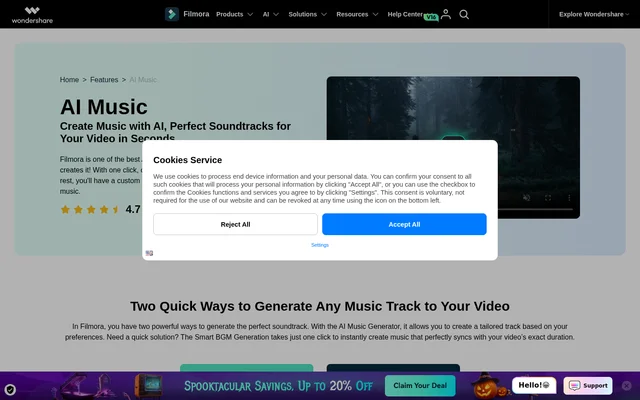
Filmora is a video editor with AI tools for generating background music tailored to video content. Filmora serves filmmakers, video editors, social media creators, podcasters and marketing teams that need soundtracks without manually searching for suitable tracks. Music generation sits within the editing workflow alongside transitions, text overlays and filters.
Filmora provides preference-based AI Music Generation and automatic Smart BGM Generation. The preference-based approach uses choices such as genre, mood and video type. The automatic approach analyzes the video and creates music to fit its duration and tone. The page also describes generated music as royalty-free and suitable for commercial projects.
What Filmora can do
Filmora combines soundtrack generation with controls for refining the result inside a video project. Filmora offers a prompt library organized around genres, moods and instruments, plus Normal and Advanced music generation modes. Users can preview tracks and change their preferences when the generated music does not match the intended scene.
- Filmora generates music from selected genres, moods and video types.
- Filmora matches background music to video duration, emotional tone and rhythm.
- Filmora provides curated music prompts that users can select and adjust.
- Filmora creates natural loops and smooth soundtrack endings.
- Filmora adjusts music volume, balances audio levels and applies fades.
- Filmora supports audio formats including MP3, AAC, OGG, AIFF, WAV and FLAC.
How Filmora music generation works
Filmora exposes AI Music Generator through the Music tab in its media library. Users choose a genre, mood and video type, then preview the generated track against their video. Users can adjust the genre, mood or keywords and generate another track when the first result does not suit the content.
Filmora offers a separate Smart BGM Generation workflow for automatic matching. Users import a video, drag the video to the timeline and select Smart BGM Generation from the toolbar. Filmora generates music matched to the video's duration and mood, after which users can adjust volume and change the track's start or end points.
Who Filmora is for
Filmora targets both experienced video editors and beginners who need background music without musical expertise. Filmora's stated audiences include production teams, YouTubers, streamers, podcasters, advertising agencies and businesses. The page describes applications ranging from short social clips to films and documentaries, as well as music for retail and office environments.
- Filmora creates soundtracks for vlogs, tutorials, cooking videos and gaming content.
- Filmora supplies background music for TikTok, Instagram Reels and YouTube Shorts.
- Filmora generates music for advertisements and promotional campaigns.
- Filmora supports custom soundscapes for films, TV shows and commercials.
- Filmora creates music for stores and offices.
Filmora strengths and limitations
Filmora combines music generation, soundtrack timing and audio adjustments within its video editor. Filmora's page states that generated music can be used for monetized videos, online courses and commercial projects without recurring music fees. Automatic matching and editable prompts provide distinct routes for users who want either quick fitting or more control over the musical direction.
- Filmora's described music workflows depend on its installed software or mobile app.
- Filmora's listed purchase offer does not identify a billing period.
- Filmora's page does not specify trial limits or included AI music generation allowances.
Filmora FAQ
What is Filmora?
Filmora is a video editor with AI music generation tools for creating custom background soundtracks. Filmora lets users select genres, moods and video types, or use Smart BGM Generation to automatically match music to a video's duration and emotional tone.
Can Filmora music be used commercially?
Filmora describes its generated music as royalty-free and ready for commercial use. The page explicitly includes monetized YouTube videos, online courses and commercial projects, and states that generated music can be used across multiple platforms and projects without recurring fees.
How does Filmora match music to a video?
Filmora uses Smart BGM Generation to analyze a video's emotional tone, scene transitions, rhythm and duration. Users import their video to the timeline and select the feature, then adjust the generated track's volume or start and end points as needed.
Can Filmora generate music on mobile?
Filmora provides music creation through its mobile app on iOS and Android. The page describes using the app to create custom royalty-free music for social media videos, including content made while traveling.
Can Filmora AI music be customized?
Filmora lets users choose a genre, mood and video type before generating music. Filmora also provides editable prompts, track previews and regeneration with changed preferences, alongside volume balancing, fade-in and fade-out controls for fitting the soundtrack into a video.
From the community
No reviews yet
Be the first to review this tool. What you write helps the next person choose.