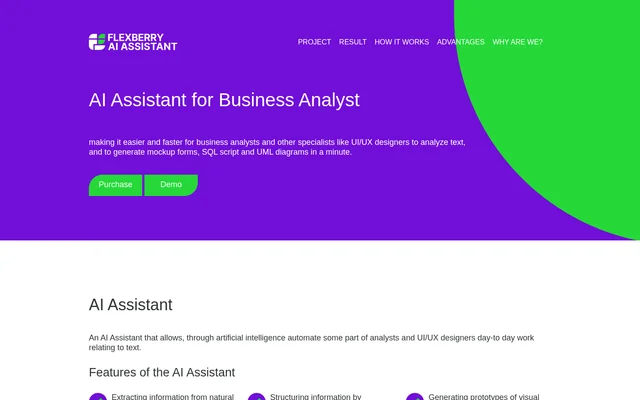
What is Flexberry AI Assistant?
Flexberry AI Assistant is an AI tool that helps business analysts and UI/UX designers turn written requirements into artifacts for an information system. Flexberry AI Assistant starts with natural-language text and uses the information it extracts to organize project details and generate prototypes. The product page describes the tool as a way to automate parts of day-to-day analysis and design work, not as a replacement for the people doing that work.
What Flexberry AI Assistant can do
Flexberry AI Assistant supports both requirements analysis and prototype generation. Its analysis features organize information, build project metadata, and help assess whether requirements are complete. The product page identifies form mockups, SQL scripts, and UML diagrams as outputs the tool can currently generate. The examples include list and edit forms, a class diagram, and a database result.
- Flexberry AI Assistant extracts information from natural-language text.
- Flexberry AI Assistant categorizes information and builds project metadata.
- Flexberry AI Assistant checks requirements for completeness.
- Flexberry AI Assistant generates list and edit form mockups.
- Flexberry AI Assistant generates SQL scripts and UML diagrams.
- Flexberry AI Assistant generates standard text for project documentation.
How Flexberry AI Assistant works
Flexberry AI Assistant takes input through a text field on its demo page. Users paste a description into the field and submit it for processing. When the results appear on the page, the mockup output shows a list form and an edit form for each class recognized in the text. The tool does not always show the results immediately: in some cases, they are sent later to the specified email address.
Who Flexberry AI Assistant is for
Flexberry AI Assistant is intended primarily for business analysts and UI/UX designers who work with written descriptions of proposed systems. Business analysts can use the tool to structure requirements and prepare project documentation, while designers can use generated list and edit forms as starting points for interface prototypes. The page also presents a minimum viable product as a use case for prototyping a proposed solution.
- Assess a requirements statement for completeness.
- Create list and edit form prototypes.
- Prepare a UML class diagram or generate a SQL script.
- Draft standard text for project documentation.
Flexberry AI Assistant pricing and plans
Flexberry AI Assistant is presented through a demo page and a separate purchase request form. The product page does not list a price, describe subscription plans, or state whether the demo is free. The demo is the access route described for submitting text and seeing example outputs, while the purchase request form is the route shown for purchase inquiries.
Flexberry AI Assistant strengths and limitations
Flexberry AI Assistant can turn written requirements into several kinds of project artifacts, from interface mockups to database scripts and class diagrams. That makes the tool useful for early analysis and prototyping. The product page notes that development is ongoing to expand the range of text the tool can analyze, and describes the tool as an aid to human work rather than a substitute for it.
- The range of text the tool can analyze is still being expanded.
- Some results arrive by email rather than immediately on the demo page.
- The product page does not specify pricing or plan terms.
Flexberry AI Assistant FAQ
What is Flexberry AI Assistant?
Flexberry AI Assistant is an AI tool that analyzes written requirements and generates prototypes for information systems. Flexberry AI Assistant can produce form mockups, SQL scripts, and UML diagrams, and is intended to assist with analysis and design work rather than replace it.
Who is Flexberry AI Assistant for?
Flexberry AI Assistant is designed for business analysts and other specialists such as UI/UX designers who work with written requirements. Business analysts can use the tool to organize project information and check requirements for completeness, while designers can use the generated form mockups for prototyping.
What types of mockups does Flexberry AI Assistant generate?
Flexberry AI Assistant generates both list form and edit form mockups for each class recognized in the submitted text. The mockups are among the outputs described on the product page, alongside SQL scripts and UML diagrams.
How does the Flexberry AI Assistant demo work?
Flexberry AI Assistant processes text submitted through a field on the demo page. Flexberry AI Assistant may display the results immediately on the page or send them later to the specified email address.
How much does Flexberry AI Assistant cost?
Flexberry AI Assistant does not have a price listed on the supplied product page. The page shows a demo and a purchase request form but does not specify plan terms or state whether the demo is free.
From the community
No reviews yet
Be the first to review this tool. What you write helps the next person choose.