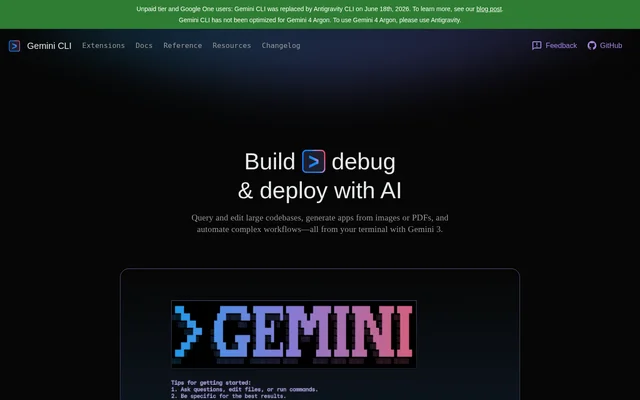
What is Gemini CLI?
Gemini CLI is an AI coding tool that runs in the terminal and uses Gemini models to help developers build, debug, and deploy software. Gemini CLI is available to individual developers as well as professional and enterprise users. Authentication affects which models and quotas apply, so the available access options differ between personal accounts, organizational accounts, and API-based usage.
What Gemini CLI can do
Gemini CLI supports software development tasks beyond generating code. Developers can ask questions about a large codebase or edit it from the terminal. Gemini CLI can also use an image or a PDF as input for app generation and automate complex workflows.
- Gemini CLI queries large codebases.
- Gemini CLI edits code from the terminal.
- Gemini CLI helps developers build, debug, and deploy software.
- Gemini CLI generates apps from images or PDFs.
- Gemini CLI automates complex workflows.
How Gemini CLI works
Gemini CLI runs in the terminal and supports authentication through a Google account, a Gemini API key, or Vertex AI. With Gemini Code Assist for individuals, Gemini CLI selects models from the Gemini model family. Access through an unpaid Gemini API key is restricted to the Flash model.
Gemini CLI reports usage during and after a terminal session. The /stats model command shows a snapshot of the current session’s token usage and information about applicable quota limits. When a session ends, Gemini CLI displays a model usage summary.
Who Gemini CLI is for
Gemini CLI is for developers who want AI assistance within their terminal workflow. Free access is intended for experimentation and light use. Professional and enterprise users can choose supported subscriptions for higher daily quotas and predictable costs, or use pay-as-you-go access for long-running tasks or when they need more flexibility.
- Investigate a large codebase before making changes.
- Generate an app from an image or PDF.
- Debug software from the terminal.
- Automate a complex development workflow.
Gemini CLI pricing and plans
Gemini CLI offers free access with up to 1,000 model requests per user per day through Gemini Code Assist for individuals, or up to 250 with an unpaid Gemini API key. Vertex AI Express mode provides 90 days before billing needs to be enabled, with models and quotas that vary by account.
Gemini CLI supports fixed-price plans with higher quotas. Google AI Pro and Gemini Code Assist Standard offer up to 1,500 model requests per user per day. Google AI Ultra, Gemini Code Assist Enterprise, and Workspace AI Ultra offer up to 2,000. Pay-as-you-go access is available through a Gemini API key or Vertex AI, with costs varying by model and token usage.
Gemini CLI strengths and limitations
Gemini CLI combines codebase queries, editing, app generation, and automation in the terminal. Its access options support both developers who want to try it without paying and teams that want fixed subscription costs. Usage reporting helps developers track token consumption, which matters on plans where charges depend on usage.
- Requests are subject to per-user, per-minute limits and service availability.
- The unpaid Gemini API key only provides access to the Flash model.
- Google AI Plus and Workspace AI Standard/Plus are not supported.
- Pay-as-you-go costs vary with model and token usage.
Gemini CLI FAQ
What is Gemini CLI?
Gemini CLI is a terminal-based AI coding assistant that helps developers build, debug, and deploy software. Gemini CLI can query and edit large codebases, generate apps from images or PDFs, and automate complex workflows.
Is Gemini CLI free?
Gemini CLI has a free tier through Gemini Code Assist for individuals that allows up to 1,000 model requests per user per day with Google sign-in. An unpaid Gemini API key allows up to 250 daily requests per user and is limited to the Flash model.
Who is Gemini CLI for?
Gemini CLI is for individual developers and professional or enterprise users who want AI coding assistance from the terminal. Free access is intended for experimentation and light use, while supported subscriptions offer higher daily quotas and predictable costs.
Can you use Gemini CLI with a Gemini API key?
Gemini CLI supports both unpaid and paid Gemini API keys. An unpaid key is limited to the Flash model, while paid API access uses pay-as-you-go billing, with quotas that vary by pricing tier and costs that depend on the model and token usage.
How do you check token usage in Gemini CLI?
Gemini CLI shows current session token usage and information about applicable quota limits through the /stats model command. Gemini CLI also displays a summary of model usage when the session ends.
From the community
No reviews yet
Be the first to review this tool. What you write helps the next person choose.