What is Genjustsu Open Source Workflow?
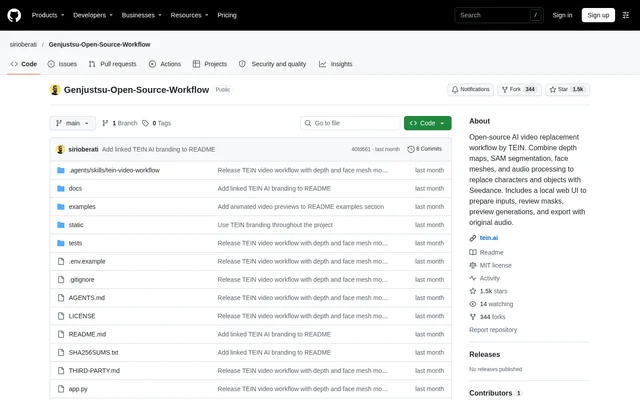
Genjustsu Open Source Workflow is an open-source AI video replacement project by TEIN, available as a GitHub repository with a local web interface. Genjustsu Open Source Workflow combines preparation, visual review, remote generation, and export for users replacing characters or objects in existing footage. The code and documentation carry the MIT license.
Genjustsu Open Source Workflow uses Seedance through Enhancor rather than running the default generation setup entirely on local hardware. The local application prepares inputs and collects results, while users or agents handle visual quality checks and creative review. Completed exports restore the entire original source soundtrack instead of retaining generated audio.
What Genjustsu Open Source Workflow can do
Genjustsu Open Source Workflow provides depth-based preparation alongside optional facial tracking modes. The advanced pipeline combines colored depth with SAM masks, while the fast face mesh path skips depth and SAM calls. Both paths retain review requirements and use the same draft-first generation process, reference inputs, and original-audio restoration.
- Genjustsu Open Source Workflow creates colored depth and subject masks for video preparation.
- Genjustsu Open Source Workflow supports image references through Seedance Edit.
- Genjustsu Open Source Workflow supports video identity references through Omni.
- Genjustsu Open Source Workflow separates vocals and music using Demucs on Replicate.
- Genjustsu Open Source Workflow requires explicit approval before 1080p generation.
- Genjustsu Open Source Workflow restores the complete source soundtrack in final previews.
How Genjustsu Open Source Workflow works
Genjustsu Open Source Workflow accepts users' MP4 or MOV clips through the local interface. Users prepare the footage, inspect the full mask and prepared video, approve the exact artifacts, add character references, and review the prompt before creating a draft. An accepted draft can then receive an explicitly approved HD upgrade.
Genjustsu Open Source Workflow can be installed manually or with a coding agent following the included setup runbook. Setup requires Python, Rubber Band, dependencies, and provider credentials in the environment file. The launcher supplies a callback-only cloudflared tunnel when no custom webhook is configured, while the interface and media remain on localhost.
Who Genjustsu Open Source Workflow is for
Genjustsu Open Source Workflow serves users who want to replace video subjects while reviewing preparation and generation stages themselves or with a coding agent. Agent operation requires video and file inspection, Python execution, and network access. No particular agent vendor is required, and an agent service is not bundled or silently started.
- Video creators can replace characters using their own clips and reference images.
- Users can guide replacement with a video identity reference.
- Single-speaker video users can choose the fast face mesh path.
- Coding-agent users can delegate setup, preparation, and result collection while retaining approval.
Genjustsu Open Source Workflow pricing and access
Genjustsu Open Source Workflow provides MIT-licensed code and documentation, but generation requires users' own Enhancor and Replicate credentials and funded or enabled accounts. The repository does not include API keys or existing jobs. TEIN artwork and example media are excluded from the MIT grant, and third-party services retain their own terms.
Genjustsu Open Source Workflow strengths and limitations
Genjustsu Open Source Workflow combines a local review interface, artifact-bound approvals, separate draft and HD results, and complete source-audio restoration. The default hosted setup needs no local GPU or model weights. Saved Seedance and HD collection resumes after a server restart without resubmitting those requests, although interrupted remote preparation requires inspection before retrying billed stages.
- Genjustsu Open Source Workflow requires local dependencies and external provider accounts.
- Genjustsu Open Source Workflow is a single-user localhost application, not a multi-user hosted service.
- Genjustsu Open Source Workflow requires WSL2 for native Windows users.
- Genjustsu Open Source Workflow limits fast face mesh use to a single centered speaker.
- Genjustsu Open Source Workflow documents live installation testing on macOS ARM64, not other operating systems.
Genjustsu Open Source Workflow FAQ
What is Genjustsu Open Source Workflow?
Genjustsu Open Source Workflow is an open-source AI video replacement project by TEIN with a local web interface. Genjustsu Open Source Workflow prepares depth maps, segmentation masks, and optional face meshes for Seedance generation through Enhancor, then restores the original soundtrack in final exports.
Is Genjustsu Open Source Workflow free?
Genjustsu Open Source Workflow offers code and documentation under the MIT license, but generation requires users' own funded or enabled Enhancor and Replicate accounts. Example videos, TEIN artwork, names, and logos are excluded from the MIT grant, and external services retain their own terms.
Does Genjustsu Open Source Workflow need a local GPU?
Genjustsu Open Source Workflow does not require a local GPU or local model weights for the default hosted setup. Genjustsu Open Source Workflow still requires local Python packages and Rubber Band, along with provider keys and a webhook connection for generation.
Does Genjustsu Open Source Workflow preserve original audio?
Genjustsu Open Source Workflow restores the entire original source soundtrack in final exports, discarding generated audio. Genjustsu Open Source Workflow uses pitched isolated vocals during preparation, but both the completed draft and approved HD preview use source audio.
Can Genjustsu Open Source Workflow run on Windows?
Genjustsu Open Source Workflow directs native Windows users to WSL2, while macOS and Linux launch scripts are included. Genjustsu Open Source Workflow documents a tested clean installation on macOS ARM64 and states that other operating system installations have not been live-tested.
Can a coding agent operate Genjustsu Open Source Workflow?
Genjustsu Open Source Workflow supports coding-agent setup and operation through included instructions and skills. The agent must inspect video and files, run Python, and access the network. No specific vendor is required, and users retain explicit approval over HD generation.
From the community
No reviews yet
Be the first to review this tool. What you write helps the next person choose.