What is GPT Workspace?
GPT Workspace is an AI agent and Chrome extension for working inside Google Docs, Sheets, Slides, Gmail, and Drive. GPT Workspace brings ChatGPT, Claude, and Gemini into these applications so users can request help with content and routine tasks where their work already lives. The page also shows assistance with website content.
GPT Workspace combines writing assistance with actions on spreadsheets, presentations, and files. The examples go beyond generating text: the assistant adds formulas to cells, changes slide formatting, inserts email replies, and moves files into folders. These workflows position GPT Workspace as an assistant for everyday Google Workspace tasks.
What GPT Workspace can do
GPT Workspace provides different capabilities within each supported application. The page describes formula generation and data cleaning in Sheets, writing and translation in Docs, presentation generation in Slides, and contextual replies in Gmail. Demonstrations also show follow-up requests that refine an earlier result, such as shortening a draft or changing slide text.
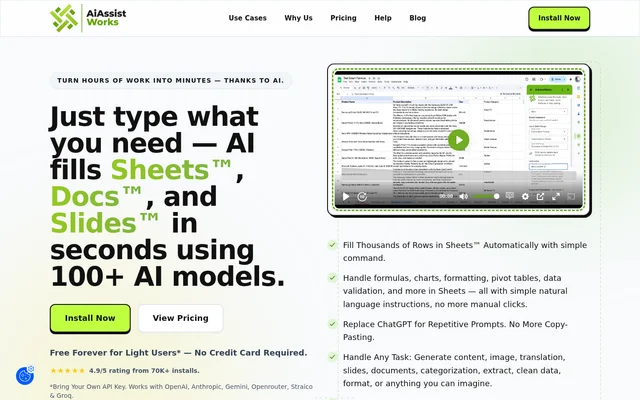
- GPT Workspace writes formulas, cleans spreadsheet data, and generates content at scale.
- GPT Workspace generates, rewrites, proofreads, and translates document content.
- GPT Workspace creates presentations with layouts, content, and visuals from a prompt.
- GPT Workspace changes slide formatting and adds speaker notes.
- GPT Workspace summarizes email threads and suggests replies.
- GPT Workspace moves Google Drive files into folders.
- GPT Workspace summarizes website articles and translates summaries.
How GPT Workspace works
GPT Workspace is accessed through a Chrome extension, with an installation link on the product page. The demonstrated interface lets users type requests alongside the application they are using. Requests include adding a growth column, creating a financial presentation, summarizing a document, and drafting a follow-up email. The interface also displays shortcuts using slash and at-sign commands.
GPT Workspace supports iterative requests within the demonstrated conversation. A user can ask for a draft, request a shorter or friendlier version, and then add another detail. Spreadsheet and presentation examples show changes being applied within the document, while the Gmail demonstration shows a suggested reply being inserted into an email.
Who GPT Workspace is for
GPT Workspace is aimed at Google Workspace users whose work involves documents, spreadsheets, presentations, email, and stored files. The examples include financial reporting, customer feedback, client follow-ups, project proposals, and marketing presentations. These examples illustrate office workflows rather than a separate specialist application that requires moving content out of Google apps.
- GPT Workspace helps spreadsheet users add formulas and summarize business data.
- GPT Workspace helps document writers shorten, polish, and translate drafts.
- GPT Workspace helps presentation creators build decks and add speaker notes.
- GPT Workspace helps email users summarize threads and prepare replies.
GPT Workspace pricing and access
GPT Workspace has a no-charge offer in the page’s structured product listing. A customer review published on the same page mentions a monthly subscription and opportunities to receive credits. The supplied text does not include a plan comparison, paid subscription prices, or usage allowances, so the exact relationship between free access, credits, and subscriptions is not explained.
GPT Workspace strengths and limitations
GPT Workspace offers coverage across several Google applications rather than focusing only on document drafting. The page demonstrates both content generation and direct changes to working files, including spreadsheet formulas, slide formatting, and folder organization. The described browser access is through Chrome, and the supplied pricing information is insufficient to compare subscription options or credit allowances.
- GPT Workspace uses a Chrome extension for the described browser workflow.
- GPT Workspace does not state paid subscription prices in the supplied text.
- GPT Workspace does not specify credit allowances in the supplied text.
GPT Workspace FAQ
What is GPT Workspace?
GPT Workspace is a Chrome AI extension that brings ChatGPT, Claude, and Gemini into Google Docs, Sheets, Slides, Gmail, and Drive. GPT Workspace helps users write content, edit spreadsheets, create presentations, draft email replies, and organize files within their existing Google Workspace applications.
Is GPT Workspace free?
GPT Workspace has a no-charge offer in the page’s structured product listing. A published customer review also mentions a monthly subscription and credits. The supplied page does not explain free usage allowances, paid subscription prices, or how credits relate to the available access options.
What can GPT Workspace do in Google Sheets?
GPT Workspace writes formulas, cleans data, and generates content at scale inside Google Sheets. The page demonstrates adding a growth column, inserting totals formulas, and reporting changes in spreadsheet values without requiring the user to switch to another tab.
Can GPT Workspace create Google Slides presentations?
GPT Workspace creates Google Slides presentations from prompts, including layouts, content, and visuals. The page also demonstrates changing slide backgrounds, increasing text sizes, adding KPI cards, and inserting speaker notes across a presentation.
How does GPT Workspace help with Gmail?
GPT Workspace reads Gmail email threads, provides summaries, and generates suggested replies inside Gmail. The demonstrated workflow lets users insert a reply and refine email drafts with follow-up instructions, such as making the wording shorter or friendlier.
Which AI models and Google apps does GPT Workspace support?
GPT Workspace brings ChatGPT, Claude, and Gemini into Google Docs, Sheets, Slides, Gmail, and Drive. GPT Workspace is listed as a Chrome browser extension, and the page also demonstrates summarizing and translating article content on a website.
From the community
No reviews yet
Be the first to review this tool. What you write helps the next person choose.