What is HyperFrames?
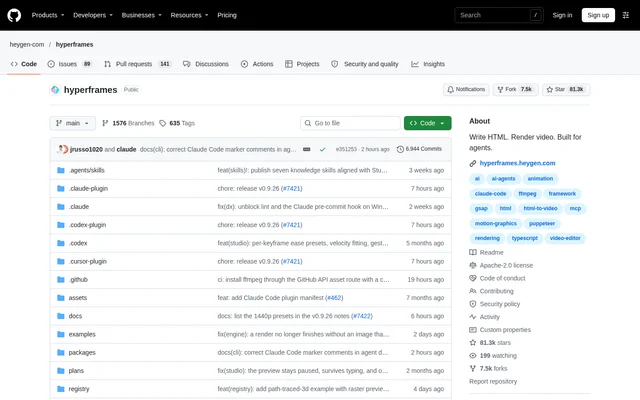
HyperFrames is an open-source framework for creating deterministic MP4 videos from HTML, CSS, media, and seekable animations. HyperFrames supports developers working directly with a CLI and people using AI coding agents to produce videos. The project also provides a rendering core for hosted authoring workflows, alongside the free HyperFrames Studio app available for macOS, Windows, and Linux.
HyperFrames uses HTML as the video composition format rather than requiring a separate visual authoring format. Timing and track information are expressed through data attributes, while supported animation libraries control motion. The repository includes an Apache-2.0 license, documentation, examples, agent skills, and reusable visual components for HTML-native video creation.
What HyperFrames can do
HyperFrames combines composition authoring, reusable visual elements, project checks, previews, and video rendering. HyperFrames can assemble text, video, audio, captions, and animated graphics within a timed composition. The component catalog supplies editable source for common visual elements, while agent skills describe the production workflow and help coding agents select the relevant tools.
- HyperFrames renders HTML compositions into deterministic MP4 videos.
- HyperFrames previews projects in a browser with live reload.
- HyperFrames scaffolds, lints, inspects, and renders projects through the CLI.
- HyperFrames supplies editable titles, transitions, captions, charts, and maps.
- HyperFrames supports GSAP, CSS, Lottie, Three.js, Anime.js, and WAAPI animations.
- HyperFrames mixes audio and places media on timed tracks.
How HyperFrames works
HyperFrames projects define video content in HTML with data attributes for timing and tracks. Seekable animations let the renderer move to individual frames in headless Chrome. FFmpeg then encodes the frames and handles video output. HyperFrames supports local rendering and Docker rendering, and the source states that identical input produces the same video.
HyperFrames offers a manual workflow beginning with npx hyperframes init my-video, followed by browser preview and MP4 rendering commands. Agent users can install skills or a versioned Claude Code plugin instead. The documented agent loop covers planning, writing valid HTML, connecting animations, adding media, linting, previewing, and rendering. Manual CLI use requires Node.js 22+ and FFmpeg.
Who HyperFrames is for
HyperFrames serves developers, coding agent users, and teams building automated video content workflows. HyperFrames provides skills for Claude Code, Codex, Cursor, Gemini CLI, IBM Bob, and other agents that support skills. The documented examples range from product communication and code demonstrations to social content, explanatory videos, and reusable motion graphics.
- HyperFrames creates product launch videos and feature announcements.
- HyperFrames produces code walkthroughs with animated diffs, narration, and captions.
- HyperFrames builds data visualizations, chart races, and map animations.
- HyperFrames creates social videos with kinetic captions, overlays, and music.
- HyperFrames supports document explainers and automated content pipelines.
HyperFrames pricing and plans
HyperFrames is free and open source, and HyperFrames Studio is also free to use. The Studio Pro plan adds HeyGen video, image, voice, and music models. The source also marks the reverse-any-video and style-sampling skills as HyperFrames Pro features. Access options include the repository, local CLI, agent plugins and skills, and downloadable desktop applications.
HyperFrames strengths and limitations
HyperFrames combines an open-source rendering engine, editable components, browser previews, and coding agent workflows. Deterministic rendering makes repeatable output an explicit part of the framework. HyperFrames also has technical requirements: manual CLI use needs Node.js 22+ and FFmpeg, and animations must be seekable. Some capabilities are reserved for Pro, including video reconstruction and style-sampling skills.
HyperFrames FAQ
What is HyperFrames?
HyperFrames is a free, open-source framework that turns HTML, CSS, media, and seekable animations into deterministic MP4 videos. HyperFrames can be used through a local CLI, AI coding agent skills, or as a rendering core behind hosted authoring workflows.
Is HyperFrames free?
HyperFrames is free and open source, and HyperFrames Studio is free to use. The Studio Pro plan adds HeyGen video, image, voice, and music models. The video reconstruction and style-sampling skills are marked as HyperFrames Pro features.
Which AI coding agents does HyperFrames support?
HyperFrames provides skills that work with Claude Code, Codex, Cursor, Gemini CLI, IBM Bob, and other coding agents supporting skills. HyperFrames also documents a versioned Claude Code plugin and standalone skill installation for workflows including OpenCode.
What does HyperFrames require for local rendering?
HyperFrames requires Node.js 22+ and FFmpeg for the documented manual CLI workflow. HyperFrames previews compositions in a browser, seeks frames in headless Chrome, and encodes video with FFmpeg. Local rendering and Docker rendering are supported.
What can you create with HyperFrames?
HyperFrames can create product launch videos, narrated code walkthroughs, animated charts and maps, social videos, and document explainers. HyperFrames also supports reusable motion graphics for automated content pipelines, with editable catalog components for captions, overlays, titles, and transitions.
Which animation libraries work with HyperFrames?
HyperFrames supports GSAP, CSS, Lottie, Three.js, Anime.js, WAAPI, and custom frame adapters for seekable animation. HyperFrames defines compositions in HTML with timing and track data attributes, allowing the renderer to seek each frame before video encoding.
From the community
No reviews yet
Be the first to review this tool. What you write helps the next person choose.