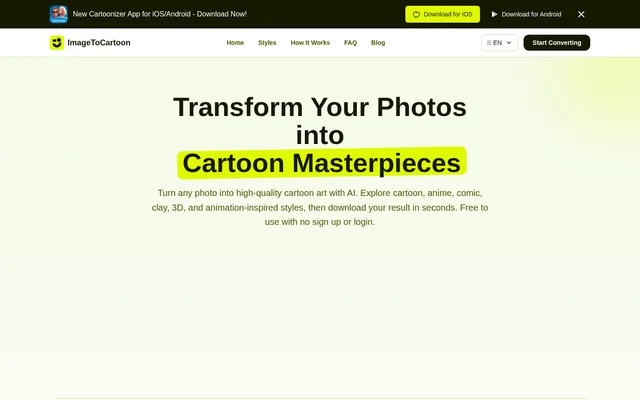
What is ImageToCartoon?
ImageToCartoon is a browser-based AI image converter that turns photos into cartoon-style artwork. ImageToCartoon serves people making profile pictures, avatars, pet cartoons, social posts, prints, and creative projects. The service is free to use without registration or login, and the page states that no design skills or software download are required.
ImageToCartoon supports a range of subjects rather than only face close-ups. The website explicitly includes portraits, group photos, full-body pictures, and animal photos. Generated images can be used for personal or commercial projects, provided the user has the necessary rights to the original photo and respects applicable laws and third-party rights.
What ImageToCartoon can do
ImageToCartoon applies AI-powered artistic styles to uploaded photos and provides downloadable results. The style library includes classic cartoons, anime, manga, comics, watercolor, clay-style effects, pop art, and animation-inspired portraits. The converter also offers aspect-ratio controls, including an option to match the input image, for different image layouts.
- ImageToCartoon converts photos into cartoon and illustration styles.
- ImageToCartoon accepts uploaded files, clipboard images, and image URLs.
- ImageToCartoon detects multiple faces in group photos.
- ImageToCartoon cartoonizes full-body pictures and animal photos.
- ImageToCartoon lets users select an aspect ratio.
- ImageToCartoon provides downloadable images for social media, printing, and creative use.
How ImageToCartoon works
ImageToCartoon follows an upload, style selection, conversion, and download workflow. Users can click to upload, drag and drop a photo, paste an image from the clipboard, or provide an image URL. Supported upload formats are JPG, PNG, and WebP, with files up to 10MB. Users then choose a style and start the cartoon conversion.
ImageToCartoon runs directly in a browser on PC, Mac, tablet, or smartphone, including iPhone and Android devices. The page identifies Vheer as the model provider and says processing usually takes a few seconds. After generation, users download the cartoon result for their intended personal or permitted commercial use.
Who ImageToCartoon is for
ImageToCartoon is intended for people who want stylized images without manual editing or design skills. The stated uses range from personal avatars and pet gifts to social media posts, printed images, and creative artwork. Support for group photos and full-body shots also makes the converter relevant beyond individual selfie transformations.
- ImageToCartoon turns selfies into cartoon avatars and profile pictures.
- ImageToCartoon creates pet cartoons for custom avatars or gifts.
- ImageToCartoon produces stylized images for social posts.
- ImageToCartoon prepares cartoon artwork for prints and creative projects.
ImageToCartoon pricing and access
ImageToCartoon is offered free of charge. The website states that users can upload a photo, adjust settings, and download a cartoonized version without signing up or paying fees. Access does not require an account, login, payment details, or app installation; the conversion workflow is available directly through the website.
ImageToCartoon strengths and limitations
ImageToCartoon combines free browser access with several input methods, multiple artistic styles, and support for people and animal photos. The website also states that uploaded images are used only to create the cartoon result. Original images and generated results are automatically deleted from its systems within 2 hours, making downloading important for keeping a copy.
- ImageToCartoon limits uploaded files to JPG, PNG, and WebP formats.
- ImageToCartoon sets a 10MB maximum upload size.
- ImageToCartoon requires source-photo ownership or permission for permitted commercial use.
- ImageToCartoon does not retain originals or generated results beyond the stated deletion window.
ImageToCartoon FAQ
What is ImageToCartoon?
ImageToCartoon is a browser-based AI photo-to-cartoon converter that turns uploaded photos into cartoon, anime, manga, comic, clay-style, and other artistic images. ImageToCartoon supports avatars, pet portraits, group photos, full-body pictures, social posts, and creative artwork.
Is ImageToCartoon free?
ImageToCartoon is free to use and does not require sign-up, login, or payment details. Users can upload a photo, choose a style, generate a cartoon image, and download the result without paying fees or installing software.
What image formats does ImageToCartoon support?
ImageToCartoon supports JPG, PNG, and WebP images up to 10MB. ImageToCartoon provides file upload, drag-and-drop, clipboard paste, and image URL input, followed by style selection, AI conversion, and result download.
Does ImageToCartoon store uploaded photos?
ImageToCartoon states that uploaded images are used only to create cartoon results and that original images and generated results are automatically deleted from its systems within 2 hours. ImageToCartoon does not require registration, login, or payment details.
Can ImageToCartoon images be used commercially?
ImageToCartoon allows generated cartoon images to be used for personal or commercial projects when users own or have permission to use the original photo. Commercial use must also comply with applicable laws and third-party rights.
Does ImageToCartoon work on mobile phones?
ImageToCartoon works directly in a browser on iPhone, Android, tablets, PC, and Mac. ImageToCartoon requires no app installation or software download, so users can upload photos and create cartoon images from supported mobile or desktop devices.
From the community
No reviews yet
Be the first to review this tool. What you write helps the next person choose.