What is Invoke AI?
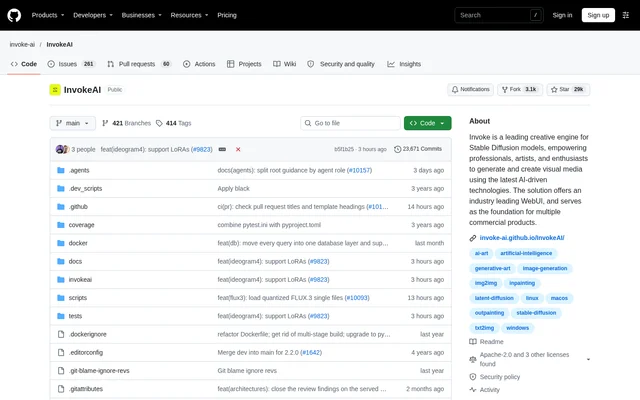
Invoke AI is an open-source creative engine for generating and editing visual media with AI models. Invoke AI serves professionals, artists, and enthusiasts who want to generate images, refine existing visuals, and build production workflows. The project provides a web-based interface and also serves as the foundation for multiple commercial products.
Invoke AI supports Stable Diffusion alongside other model families, including Flux, Qwen Image, and Z-Image. The repository describes a local application that combines image generation, canvas editing, workflow management, and image organization. These capabilities support both direct visual editing and the development of customized generation pipelines.
What Invoke AI can do
Invoke AI brings generation, editing, and organization tools into a single workspace. The Unified Canvas supports core generation capabilities alongside inpainting, outpainting, and brush tools. Workflow management adds a node-based approach for users who need customized pipelines, while gallery tools help preserve images and recover the prompts or settings associated with them.
- Invoke AI generates and refines images with supported AI models.
- Invoke AI edits imagery with inpainting, outpainting, and brush tools.
- Invoke AI lets users develop and share node-based generation workflows.
- Invoke AI stores, organizes, and remixes images through boards and galleries.
- Invoke AI recalls prompts and workflow settings from image metadata.
- Invoke AI includes upscaling tools and model and embedding managers.
- Invoke AI supports object segmentation and selection with SAM / SAM2.
How Invoke AI works
Invoke AI is obtained by downloading the launcher and installing the application on compatible hardware. Invoke AI runs a locally hosted web server and React interface. The repository links to installation and update guidance, documentation, and tutorials, with an FAQ for common installation problems and Discord for further help.
Invoke AI allows images to be dragged and dropped onto image-based interface elements within the application. Image metadata helps users recall important prompts and settings during subsequent work. Users can also combine nodes into custom generation pipelines and share those workflows for production use cases described by the project.
Who Invoke AI is for
Invoke AI is intended for professionals, artists, and enthusiasts working with visual media. The canvas can augment AI-generated imagery as well as sketches, photography, and renders. Users who need repeatable production workflows can develop custom generation pipelines, while users managing image collections can store, access, and remix content within the workspace.
- Artists can augment sketches and AI-generated images with canvas tools.
- Visual media professionals can refine photography and renders.
- Workflow creators can develop and share customized generation pipelines.
- Image creators can organize and remix content in boards and galleries.
Invoke AI pricing and access
Invoke AI is free to use under a commercially friendly license, with access through a downloadable launcher and local installation. The repository lists an Apache-2.0 license and additional licenses. Open-source development is supported by sponsors, and the repository provides contribution guidance for documentation, features, bug fixes, testing, and code reviews.
Invoke AI strengths and limitations
Invoke AI combines local operation, canvas-based editing, and configurable node workflows. Support for multiple model families and image metadata gives users several ways to create, revise, and revisit visual work. Installation depends on compatible hardware, and the model list identifies API-only options rather than presenting every supported model as locally available.
- Invoke AI requires installation on compatible hardware.
- Invoke AI lists Nano Banana, GPT Image, and Wan as API-only.
- Invoke AI supports ckpt, diffusers, and only some gguf models.
Invoke AI FAQ
What is Invoke AI?
Invoke AI is an open-source creative engine for generating and editing visual media with AI models. Invoke AI includes a locally hosted web interface, a Unified Canvas, node-based workflows, and gallery management for professionals, artists, and enthusiasts.
Is Invoke AI free?
Invoke AI is free to use under a commercially friendly license. Invoke AI is available through a downloadable launcher for installation on compatible hardware, and the repository lists an Apache-2.0 license alongside additional licenses.
What can you use Invoke AI for?
Invoke AI can generate and refine images, augment sketches and photography, edit renders, and build custom generation workflows. Invoke AI includes inpainting, outpainting, brush tools, upscaling, and gallery management for storing and remixing visual content.
Does Invoke AI run locally?
Invoke AI runs a locally hosted web server and React interface after installation on compatible hardware. Invoke AI provides a launcher for installation, although the supported model list identifies Nano Banana, GPT Image, and Wan as API-only options.
Which models does Invoke AI support?
Invoke AI supports Stable Diffusion, Flux, CogView, Qwen Image, Z-Image, and other models listed in the repository. Invoke AI also supports ckpt, diffusers, and some gguf models, while Nano Banana, GPT Image, and Wan are listed as API-only.
Can Invoke AI create node-based workflows?
Invoke AI supports node-based workflow creation and management through its web interface. Invoke AI lets users develop and share customized generation pipelines for production use cases, combining node-based workflows with image-generation and editing tools.
From the community
No reviews yet
Be the first to review this tool. What you write helps the next person choose.