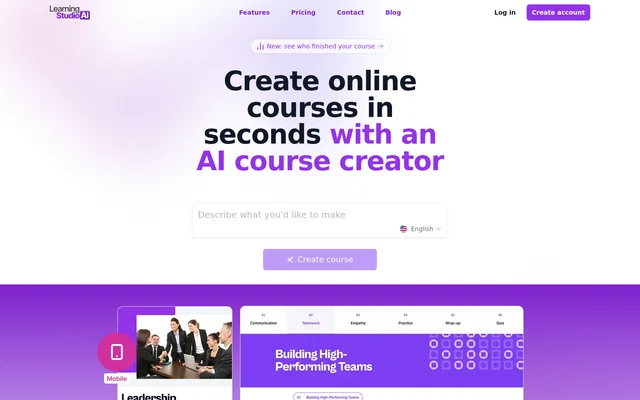
What is LearningStudioAI?
LearningStudioAI is a web-based AI course creator and eLearning authoring tool for educators, training teams, coaches, and course creators. LearningStudioAI converts a topic or existing document into a structured online course containing lessons, quizzes, images, and narration. Authors can edit the generated material rather than starting with a blank course editor.
LearningStudioAI combines course authoring with publishing and learner tracking. A hosted course link can report learner completion and quiz scores without a learning management system. Authors who already use an LMS can export SCORM packages, while PDF downloads provide another way to distribute or archive course content.
What LearningStudioAI can do
LearningStudioAI supports course creation from initial outline through distribution. The editor includes AI tools for expanding explanations, summarizing passages, rewriting text, and generating additional sections. Authors can also adjust themes, layouts, navigation, and colors, and add uploaded or externally hosted media to their lessons.
- LearningStudioAI generates courses from topics and uploaded documents.
- LearningStudioAI creates lessons, quizzes, images, and narration.
- LearningStudioAI supports videos from YouTube, Vimeo, and direct uploads.
- LearningStudioAI generates courses in 20 languages and narration in 9 languages.
- LearningStudioAI tracks views, completion, active time, and quiz scores.
- LearningStudioAI exports PDF, SCORM 1.2, and SCORM 2004 files.
How LearningStudioAI works
LearningStudioAI authors sign in using Google or an email address and password. Course creation starts with a topic description or a PDF, PowerPoint, Word, or text file. The AI proposes chapters and lessons, and the author can rename, add, or remove outline items before generating the course.
LearningStudioAI keeps generated courses editable in a block-based editor. Authors can refine content, add multimedia, and publish through a hosted link or embedded player. An optional identification setting collects learner names and emails. Developers can also create and export courses programmatically through the REST API, with webhooks and a Zapier integration.
Who LearningStudioAI is for
LearningStudioAI serves people who teach, train, or sell knowledge, including universities, educators, L&D teams, HR teams, coaches, and independent course creators. The documented use cases cover converting existing teaching materials, building employee training, and publishing courses for sale. Learners do not need an account unless the author enables the sign-in gate.
- Educators can convert academic materials into courses for distance learning.
- Corporate trainers can create onboarding and compliance courses.
- Course creators can build lessons and quizzes for publication or sale.
- Training teams can monitor individual completion without an LMS.
LearningStudioAI strengths and limitations
LearningStudioAI combines document conversion, editable course generation, and learner analytics in a single authoring workflow. Hosted tracking does not require an LMS, while SCORM exports can report completion and scores to an existing LMS. Authors retain ownership of their courses and can modify, publish, or sell the content.
- LearningStudioAI does not provide HTML or xAPI export.
- LearningStudioAI does not include a team workspace, SSO, or SAML.
- LearningStudioAI limits monthly AI course creation according to the subscription.
- LearningStudioAI makes shared links and embeds inaccessible after cancellation.
- LearningStudioAI deletes courses after 15 days following cancellation, keeping only 3 free-tier courses.
LearningStudioAI FAQ
What is LearningStudioAI?
LearningStudioAI is an AI course creator and eLearning authoring tool that turns topics and documents into editable online courses. LearningStudioAI generates outlines, lessons, quizzes, images, and narration, with publishing through hosted links, embedded players, PDF downloads, or SCORM packages.
Is LearningStudioAI free?
LearningStudioAI offers free signup and access to try the editor, but AI course generation and public API access require a paid subscription starting at $39/month. The pricing page explicitly states that no free trial is currently available.
Can LearningStudioAI turn a PDF into a course?
LearningStudioAI can turn PDF, Word, PowerPoint, and text files into structured courses. Authors review the proposed outline before generating and editing lessons. Document limits are 60,000 characters on Starter, 240,000 on Pro, and 500,000 on Enterprise.
Can LearningStudioAI track course completion without an LMS?
LearningStudioAI provides built-in learner analytics through shared course links without requiring an LMS. Reports include views, learner progress, active time, completion, and quiz scores. Authors can require learner identification to associate activity with names and email addresses.
Which export formats does LearningStudioAI support?
LearningStudioAI exports courses as PDF files or SCORM 1.2 and SCORM 2004 packages for compliant learning management systems, including Moodle, TalentLMS, and Docebo. LearningStudioAI also supports hosted links and embedded course players, but does not provide HTML or xAPI export.
Does LearningStudioAI have an API or integrations?
LearningStudioAI provides a REST API for creating and exporting courses programmatically, along with webhooks and a Zapier integration. Public API access requires a paid plan. Authors can also publish SCORM packages to compatible learning management systems.
From the community
No reviews yet
Be the first to review this tool. What you write helps the next person choose.