What is Letterly?
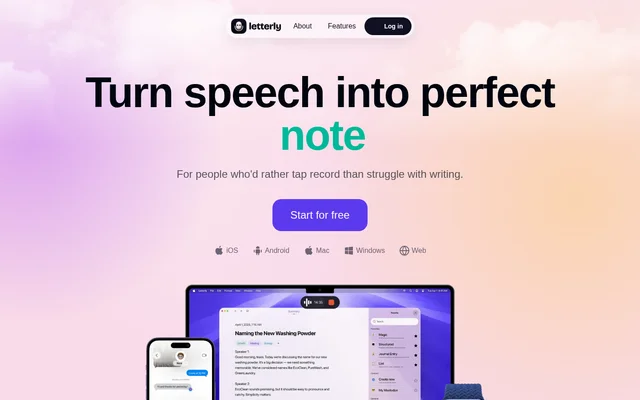
Letterly is a speech-to-text and AI writing app for people who would rather speak than type. It can put dictated text directly into a message or email, save spoken ideas as notes, or turn a recorded conversation into a transcript and recap. These options cover both writing tasks and conversations that users want to revisit later.
What Letterly can do
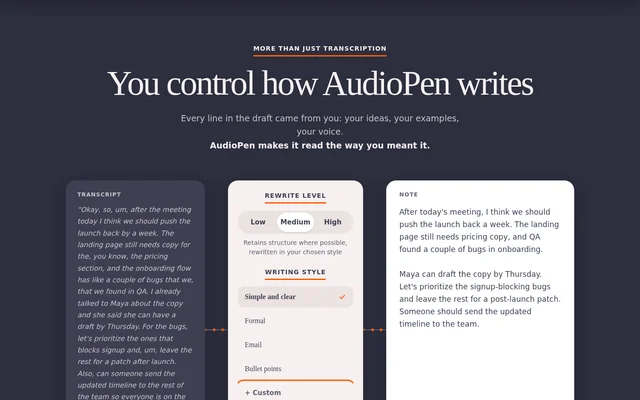
Letterly can rework the same recording into different kinds of text, such as a personal note, an email, or a social post. Users can pick a preset rewrite style or describe their own. For recorded conversations, Letterly can separate speakers in the transcript and generate a summary.
- Letterly inserts dictated text into apps such as Slack and Gmail.
- Letterly transcribes uploaded audio and video.
- Letterly lets users search, tag, and edit notes.
- Letterly detects language changes while a user is speaking.
- Letterly translates notes into 90+ languages.
How Letterly works
Letterly supports dictation directly in apps such as Notion and recording inside its own app. A user can dictate a reply in the field where it belongs or record a rough draft in Letterly and choose a rewrite format afterward. The app syncs across iOS, Android, Mac, Windows, and the web.
Letterly provides a Share action for sending notes and supports Zapier and webhooks for integrations with other apps. Its MCP connection lets users manage, search, or ask questions about notes from compatible AI tools. The website names Claude, ChatGPT, and Cursor as examples.
Who Letterly is for
Letterly is for people who want to capture their thoughts aloud, whether they need a quick reply, a draft for later editing, or a record of a longer conversation. The website shows everyday uses such as journaling and making lists alongside work and study uses such as recapping meetings and lectures.
- Dictate an email or chat reply without leaving the app.
- Save a spoken idea as a note or journal entry.
- Record an interview and review the speaker-separated transcript.
- Turn spoken ideas into a social post or article draft.
Letterly pricing and plans
Letterly is free to start, according to its website. The page offers sign-up and lists iOS, Android, Mac, Windows, and web access, but it does not describe paid plans or which capabilities are included in free access. The free-start offer therefore does not establish that every listed feature is free.
Letterly strengths and recording limits
Letterly supports recording without an internet connection and uses live sync across supported devices. The website says recordings and AI rewrites are unlimited in number, but a single long recording can run for up to 90 minutes. The website also states that users' words are not used to train AI.
Getting started with Letterly
Letterly offers sign-up from its website. To capture an idea for later, users can open Letterly, record in the app, and select a rewrite style suited to the intended output. For a quick reply, users can dictate in the app where they would normally type. Existing audio or video can be uploaded for transcription instead.
Letterly FAQ
What is Letterly?
Letterly is a speech-to-text app that turns dictation and recordings into written text. Users can dictate directly into apps such as Gmail and Slack, capture ideas as notes, or produce speaker-separated transcripts and summaries from recorded conversations.
Is Letterly free?
Letterly is free to start, according to its website. The page invites users to sign up and lists access on iOS, Android, Mac, Windows, and the web, but it does not describe paid plans or what is included in free access.
Can Letterly transcribe and summarize meetings?
Letterly can transcribe meeting recordings, separate the transcript by speaker, and generate summaries. The website also lists lectures and interviews as uses for this workflow and says long recordings can run for up to 90 minutes.
Does Letterly work offline?
Letterly can record audio without an internet connection. The website describes offline support for recording specifically and does not say that AI rewrites, translation, or other processing features are available offline.
What integrations does Letterly support?
Letterly supports Zapier and webhooks for sending notes to other apps. Letterly also offers an MCP connection for managing, searching, or asking questions about notes from AI tools such as Claude, ChatGPT, and Cursor.
From the community
No reviews yet
Be the first to review this tool. What you write helps the next person choose.