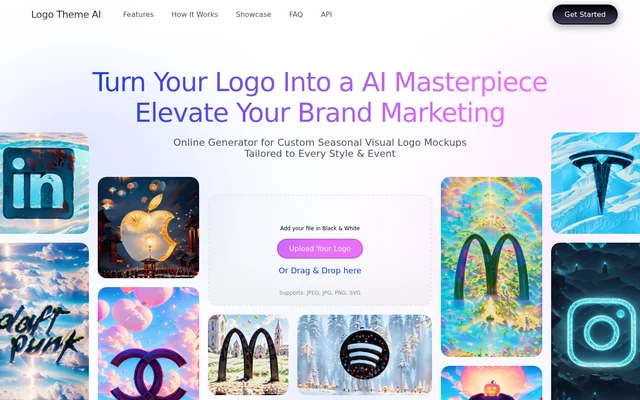
What is Logo Theme AI?
Logo Theme AI is an online generator that adapts an existing brand logo to a season, event, or visual theme. The source material is a logo the user already has, and the result is a themed mockup to preview and download. Logo Theme AI is designed for people who maintain brand visuals, including those without design skills, and can produce treatments for formats such as avatars, banners, and app icons.
What Logo Theme AI can do
Logo Theme AI offers more than 200 mockup templates and lets users define custom themes when the presets do not fit the look they want. The theme library covers occasions such as New Year's Day, St. Patrick's Day, and Halloween. The site also describes ongoing additions based on current trends, seasons, and upcoming events.
- Logo Theme AI adapts logos for holidays and events.
- Logo Theme AI uses custom instructions to guide the theme.
- Logo Theme AI generates avatar, banner, and app icon designs.
- Logo Theme AI offers themes for Instagram, Facebook, Twitter, and newsletters.
- Logo Theme AI sends personalized logo updates by email based on events.
How Logo Theme AI works
Logo Theme AI starts with a black-and-white logo that users select or drag into the upload area. The upload interface lists JPEG, JPG, PNG, and SVG as supported file types. Users specify the intended format, such as an avatar or a banner, then select a preset theme or customize one. After generation, users can preview the result and download it for use in their branding.
Who Logo Theme AI is for
Logo Theme AI is intended for people who update a brand's appearance across marketing channels and digital products. A social media team might use a themed avatar or banner to mark a holiday, while a newsletter team could adapt the logo for the same occasion. App teams can use the generator to refresh an existing icon in response to a season or trend.
- Create a Valentine's Day or Christmas logo mockup.
- Refresh a social media avatar or banner for an event.
- Adapt a logo for a seasonal newsletter.
- Create a themed version of an existing app icon.
Logo Theme AI pricing and online access
Logo Theme AI does not list prices, plan names, or free-tier details on its product page. The page presents the tool as an online generator, displays a logo upload area, and includes a Get Started entry point. The page describes downloads and event-based email updates but does not say whether those capabilities have separate pricing or require a particular plan.
Logo Theme AI strengths and limitations
Logo Theme AI combines presets with custom themes, so users can start from a template or guide the AI toward a particular visual treatment. The preview step lets users review the result before downloading it for a campaign or channel. The workflow is geared toward adapting an existing asset rather than creating a brand identity from scratch, and the upload instructions specify a black-and-white version of the logo.
- The workflow starts from an existing logo.
- The upload instructions specify a black-and-white file.
- The upload area lists JPEG, JPG, PNG, and SVG as supported formats.
Logo Theme AI FAQ
What is Logo Theme AI?
Logo Theme AI is an online generator that uses AI to adapt an existing logo to a season, event, or custom theme. Users can generate and preview a mockup, then download a version for uses such as a social media avatar, banner, or app icon.
What file formats does Logo Theme AI accept?
Logo Theme AI accepts JPEG, JPG, PNG, and SVG logo uploads. The upload interface asks for a black-and-white version of the logo and lets users either select the file or drag and drop it.
Can Logo Theme AI create a custom logo theme?
Logo Theme AI lets users customize a theme and guide the AI rather than relying only on preset designs. Users can set the elements they want, generate a mockup, and preview the result before downloading it.
Can Logo Theme AI make banners and app icons?
Logo Theme AI can adapt an uploaded logo into a banner or app icon, and it also supports avatars. Users specify the format and choose a preset or custom theme before generating the design.
Can Logo Theme AI email seasonal logo updates?
Logo Theme AI offers to send personalized logo updates by email based on events. The product page describes this as a way to receive updated logos that reflect events and occasions.
From the community
No reviews yet
Be the first to review this tool. What you write helps the next person choose.