What is Luw.ai?
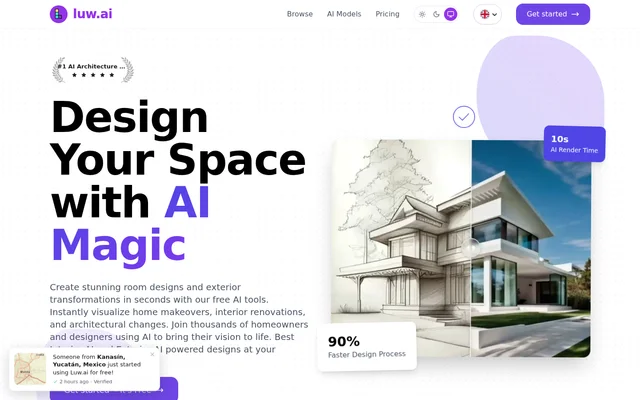
Luw.ai is an AI rendering platform for creating architectural and interior design visualizations from existing images and design ideas. Luw.ai serves professional architects and designers as well as homeowners, students, and people without prior design experience. The suite covers interior redesign, exterior transformations, image editing, and model generation.
Luw.ai brings rendering and related design tools together across Web, iOS, and macOS. The website describes workflows for turning room photographs into redesigns, converting sketches into rendered concepts, and transforming modeling screenshots into presentation images. Users can also explore design recommendations through ArchiGPT, an architecture-focused chat assistant.
What Luw.ai can do
Luw.ai combines visualization tools with targeted editing, furnishing, and export capabilities. Luw.ai supports both broad redesigns and smaller changes to selected parts of an image. The suite also includes tools for generating models, creating patterns, expanding cropped architectural photographs, and converting photographs into editable vector exports.
- Luw.ai redesigns interiors and exteriors from photographs or reference images.
- Luw.ai converts hand-drawn sketches into rendered designs.
- Luw.ai edits selected image regions with Magic Wand and written prompts.
- Luw.ai removes furniture and stages empty room photographs.
- Luw.ai generates 3D models from text or images.
- Luw.ai reconstructs room photos for furniture placement with 3DSpace AI.
- Luw.ai creates vector SVG exports of furniture, facades, or products.
How Luw.ai works
Luw.ai accepts inputs appropriate to the selected tool, including room photos, sketches, text descriptions, and screenshots of modeling views. For Sketch AI, users upload an image and select render styles. For Magic Wand, users mask or highlight an area and describe the desired change while preserving the rest of the image.
Luw.ai can render screenshots from modeling software including Autodesk 3ds Max, Revit, SketchUp, and Blender; this workflow does not require a stated direct integration with those applications. Luw.ai also provides API and MCP access for use inside Claude, ChatGPT, Cursor, or a user's own application. Shared projects support separate viewing, downloading, and editing permissions.
Who Luw.ai is for
Luw.ai addresses professional design work and personal space planning. Architects and designers can develop visual concepts from sketches or CAD exports, while homeowners can explore renovation ideas from photographs. Students and users without coding knowledge are also named audiences. Real estate teams can use room staging and shared projects for property-related design work.
- Luw.ai helps architects visualize concepts from sketches, photos, or CAD exports.
- Luw.ai helps homeowners explore room renovations and exterior changes.
- Luw.ai helps real estate teams furnish empty room photos for listings.
- Luw.ai lets design teams share renders with clients and stakeholders.
Luw.ai pricing and plans
Luw.ai offers a free plan with 2 credits every day, basic models, and 512×512 outputs. Unused daily credits do not carry over. Free outputs contain watermarks and are limited to non-commercial use. The free plan includes the tools other than Video AI and Enhancement, while paid plans provide broader access.
Luw.ai lists Pro at $19 per month, Max at $39 per month, and Ultra at $79 per month. These plans include 200, 500, and 1,200 monthly renders respectively, plus 4K output, no watermark, all AI tools, MCP and API access, and commercial licensing. Team subscriptions start at $299 per month.
Luw.ai strengths and limitations
Luw.ai supports multiple starting points for design visualization rather than requiring a single modeling workflow. Selected-region editing, project permissions, and local browser file viewers extend the suite beyond generating renders. Luw.ai's free viewers open supported model and CAD formats locally without uploads or accounts, separately from the rendering plans.
- Luw.ai requires an active paid plan for commercial use of generated designs.
- Luw.ai restricts free outputs to watermarked images at 512×512 resolution.
- Luw.ai free credits expire if unused that day.
- Luw.ai's free plan excludes Video AI and Enhancement.
Luw.ai FAQ
What is Luw.ai?
Luw.ai is an AI rendering and design suite for creating interior, exterior, and architectural visualizations. Luw.ai accepts photos, sketches, text prompts, and modeling screenshots, with additional tools for image editing, floor planning, furniture placement, and 3D model generation.
Is Luw.ai free?
Luw.ai offers a free plan with 2 daily credits, basic models, and watermarked 512×512 outputs for non-commercial use. Unused credits expire each day. Paid individual plans start at $19 per month and include commercial licensing, higher-resolution output, and broader tool access.
Can Luw.ai designs be used commercially?
Luw.ai permits commercial use of generated designs when the user has an active paid plan. Free-version outputs are restricted to non-commercial use and include watermarks. Paid individual plans list a commercial license, while team plans list extended licensing or white-label access.
Does Luw.ai work with SketchUp, Revit, and Blender?
Luw.ai generates renders from screenshots of modeling views, including those created in Autodesk 3ds Max, Revit, SketchUp, and Blender. Users capture their view and submit the screenshot for rendering; the website describes screenshot compatibility rather than direct plugins for these applications.
Does Luw.ai have an API or MCP access?
Luw.ai provides API and MCP access for using design tools inside Claude, ChatGPT, Cursor, or a user's own application. Pro, Max, and Ultra list both MCP and API access, and the team plans also list API access.
Can Luw.ai open 3D and CAD files without uploading them?
Luw.ai offers free browser viewers that open supported files locally without uploads or an account. Listed formats include GLB, glTF, OBJ, STL, FBX, PLY, 3MF, DAE, USDZ, DXF, IFC, and SVG. The DXF viewer retains layers and measures distances.
From the community
No reviews yet
Be the first to review this tool. What you write helps the next person choose.