What is Magiclight.AI?
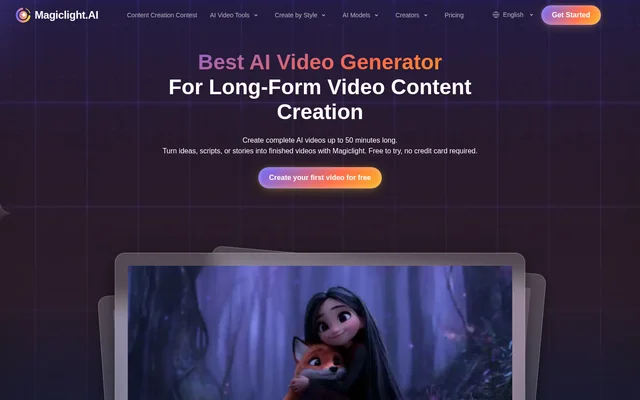
Magiclight.AI is an AI video generator for creators who want to turn an idea, script, or story into a complete video rather than a standalone clip. It supports multi-scene productions up to 50 minutes long. Character continuity helps preserve a character’s appearance across scenes, while automated transitions adjust lighting, perspective, and style as the video moves between scenes.
What Magiclight.AI can do
Magiclight.AI supports both full video production and smaller tasks within a project. A creator can start from a story or script, animate an existing illustration, or generate visuals to accompany music. The same workflow includes tools for refining the video and adding voiceovers, lip sync, and subtitles.
- Turn a written script or story into a scene-based video.
- Generate video from a text description.
- Animate still images and illustrations.
- Create videos with AI avatar presenters.
- Generate visuals that match a music track’s mood and rhythm.
- Clone a creator’s voice for voiceovers.
- Sync character mouth movements to spoken audio.
- Generate subtitles automatically.
How Magiclight.AI works
Magiclight.AI lets creators start with an input such as a text description or a written script, or use a story template instead of starting from a blank page. Templates provide a structure for the selected format, and the story-to-video tool turns the material into scenes.
Magiclight.AI combines video generation, voice tools, editing, and export in one workflow. After generating the visuals, creators can refine the video in a guided editor, add spoken audio, sync mouth movements, or generate subtitles. Magiclight.AI is available on the web and through apps for iOS and Android.
Who Magiclight.AI is for
Magiclight.AI is intended for video creators making stories, cartoons, lessons, and explainers. Story templates support specific formats such as kids’ stories, faith messages, and comedy skits. Educators can use the lesson and explainer formats for topics such as science or history, while animators can use image-to-video generation to bring existing illustrations into a scene.
- Produce animated kids’ stories.
- Make science lessons or historical explainers.
- Turn a faith message into a story video.
- Create cartoons or comedy skits.
- Animate illustrations for a video scene.
Magiclight.AI pricing and plans
Magiclight.AI offers a free plan with limited credits and no credit card requirement. The iOS and Android apps are free to download with optional in-app purchases. The pricing page lists Standard, Plus, Pro, Ultra, and Ultimate plans, with monthly and yearly billing options.
Magiclight.AI lists Standard at $7.50 per month when billed annually at $90, with 8,000 credits per month. Paid plans vary in their monthly credit allowances and in how many animations or videos can run at the same time. The paid plan comparison lists watermark-free 1080p HD video, support for 50-minute videos, and a general commercial license.
Magiclight.AI strengths and limitations
Magiclight.AI combines long-form video generation with character continuity, automated transitions, and tools for editing and audio. That combination is useful for stories in which the same characters appear across multiple scenes. The 50-minute limit applies to an individual video, while plan allowances separately list overall video generation and image-to-video generation.
- The free plan includes limited credits.
- Individual videos are limited to 50 minutes.
- Plans differ in monthly credits and parallel video limits.
Magiclight.AI FAQ
What is Magiclight.AI?
Magiclight.AI is an AI video generator that turns ideas, scripts, and stories into multi-scene videos. It supports animated stories, lessons, explainers, and other formats, with tools for character continuity, automated transitions, and video editing.
Is Magiclight.AI free?
Magiclight.AI offers a free plan with limited credits and no credit card requirement. The mobile apps are free to download with optional in-app purchases. Paid subscriptions are available with monthly or yearly billing.
How long can a Magiclight.AI video be?
Magiclight.AI supports individual videos up to 50 minutes long. The pricing page lists overall video generation and image-to-video generation allowances separately, and those allowances vary by paid plan.
Can Magiclight.AI keep characters consistent across scenes?
Magiclight.AI is designed to keep characters’ appearance and personality consistent across scenes. Its automated transitions also adjust lighting, perspective, and style to help maintain visual continuity between video segments.
Can Magiclight.AI add voiceovers and subtitles?
Magiclight.AI can generate voiceovers using voice cloning, sync character mouth movements to spoken audio, and generate subtitles automatically. These tools are part of the same workflow as video generation, editing, and export.
From the community
No reviews yet
Be the first to review this tool. What you write helps the next person choose.