What is Mava?
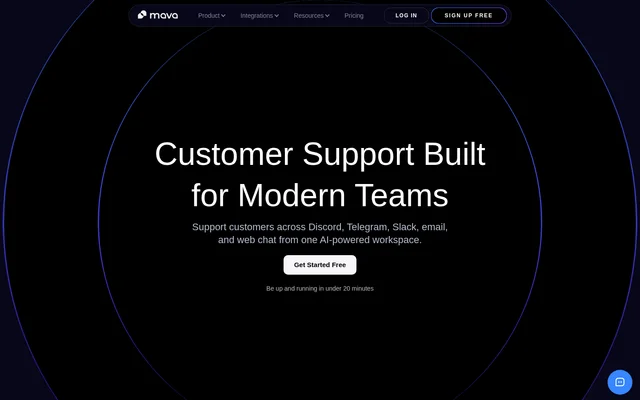
Mava is an AI-powered customer support tool that combines community messaging, email, and web chat in a shared workspace. Mava helps internal support teams manage tickets and automate repetitive answers while retaining human control. Supported channels include Discord, Telegram, Slack, email, and website chat.
Mava began as a Discord and Telegram ticket bot and now also supports teams outside those communities. Mava can operate as a standalone shared inbox for email and web chat, so teams can start with their existing channels and add others as their support needs change.
What Mava can do
Mava combines ticket management, AI responses, website chat, and support reporting. Mava can use existing knowledge bases and support content to answer questions in public channels or private tickets, with human handover when needed. The shared inbox includes status tracking and custom views to help teams organize incoming requests.
- Mava collects support tickets from connected channels in a shared inbox.
- Mava answers repetitive questions in public channels with AI.
- Mava supports AI responses within private tickets.
- Mava lets teams test AI questions directly in the dashboard.
- Mava provides a website chat widget with customization options.
- Mava tracks response times, AI resolution rates, ticket volume, and customer satisfaction.
How Mava works
Mava connects to community channels through native Discord, Telegram, and Slack integrations. Mava also supports an existing support email address and a website chat widget. Conversations enter the shared inbox, where agents can track ticket status and work together rather than manage each channel separately.
Mava trains AI using a team's existing knowledge base and support content. After training, teams can ask test questions in the dashboard to identify gaps before going live. Mava also lets teams fine-tune responses and adjust workflows. Higher plans add capabilities such as training on Discord replies, scripted AI replies, and API access.
Who Mava is for
Mava serves teams that support customers in community channels, particularly Discord and Telegram, as well as teams handling email and website chat. Mava offers plans described for solo users, early-stage teams, growing teams, companies needing advanced setups, and high-volume projects. Mava is software for an internal team rather than a staffing service.
- Community teams can use Mava for private ticketing and public AI answers.
- Customer support teams can use Mava to combine email and website conversations.
- Support managers can use Mava to monitor performance and customer satisfaction.
Mava pricing and plans
Mava offers a free plan with 30 support requests per month, 1 seat, all channels, and AI support. Monthly workspace subscriptions cost $39 for Founder, $99 for Growth, $199 for Scale, and $599 for Enterprise. Mava also lists yearly billing options and custom arrangements for additional requests or requirements.
Mava limits agents on Free and Founder, while Growth and higher plans include unlimited seats. AI capabilities are included in all plans at no additional charge. Paid plans advertise a 14-day trial without a card. Mava counts a private ticket or an AI-answered public Discord or Telegram question as a support request.
Mava strengths and limitations
Mava combines community support and conventional support channels without requiring teams to use Discord or Telegram. Mava also provides dashboard testing and human handover alongside AI automation. Access to advanced capabilities depends on the subscription, so teams need to compare request allowances, agent limits, analytics history, and integration requirements.
- Mava limits agents on Free and Founder.
- Mava restricts SDK, webhooks, and API access to Scale and Enterprise.
- Mava reserves rule-based and time-based automations for Enterprise.
- Mava does not provide outsourced support agents.
Mava FAQ
What is Mava?
Mava is an AI-powered customer support tool that brings Discord, Telegram, Slack, email, and web chat conversations into a shared inbox. Mava combines ticket management, automated answers, human handover, and support analytics for internal support teams.
Is Mava free?
Mava offers a free plan with 30 support requests per month, 1 seat, all channels, and AI-powered responses. Mava also offers paid workspace subscriptions with larger request allowances and additional capabilities, plus a 14-day trial with no card required.
Does Mava work without Discord or Telegram?
Mava works as a standalone shared inbox for email and web chat, even when a team does not use Discord or Telegram. Mava supports starting with any combination of channels and adding more as support needs grow.
Can teams test Mava AI before going live?
Mava lets teams test questions directly in the dashboard after training the AI on their knowledge base. Mava uses this testing workflow to help teams identify and fill content gaps before deploying AI answers to customers.
Does Mava have an API?
Mava includes SDK, webhooks, and API access on Scale and Enterprise plans. Mava also provides native Discord, Telegram, and Slack integrations, alongside email and web chat support, with advanced integration capabilities depending on the subscription.
How does Mava count support requests?
Mava counts a support request as a private ticket from any channel, including email and web chat, or a question answered by the AI bot in a public Discord channel or Telegram group. Mava displays usage in Plans & Billing within settings.
From the community
No reviews yet
Be the first to review this tool. What you write helps the next person choose.