What is MCP Inspector?
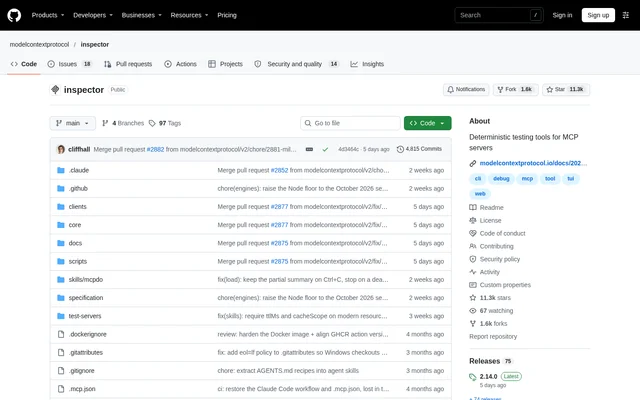
MCP Inspector is an open-source developer tool for inspecting Model Context Protocol servers and supporting deterministic server testing. MCP Inspector serves developers who need interactive inspection or repeatable command-line checks. The project distributes its clients together in the @modelcontextprotocol/inspector package, with source code, test servers, configuration guidance, and development instructions available in the public repository.
What MCP Inspector can do
MCP Inspector offers several interfaces for different testing contexts rather than requiring every task to run in a browser. The web client combines a Vite, React, and Mantine application with a Node backend. The CLI supports scripted checks, while the terminal interface supports interactive work. The experimental mcpdo client focuses on reusing named connections.
- MCP Inspector provides a web interface for server inspection.
- MCP Inspector supports command-line automation and CI workflows.
- MCP Inspector provides an interactive terminal UI built with Ink.
- MCP Inspector supports connect, list, call, and assert smoke-testing workflows.
- MCP Inspector offers JSON output for shell-based result checks.
- MCP Inspector includes experimental connection reuse through mcpdo.
How MCP Inspector works
MCP Inspector launches its default web interface with npx @modelcontextprotocol/inspector. Adding --cli selects the command-line client, and --tui selects the terminal interface. These clients share the mcp-inspector launcher; mcpdo is a separate binary included in the same package. Server configuration documentation explains which servers MCP Inspector connects to and the configuration file format.
MCP Inspector documents a connect, list, call, and assert workflow for shell scripts and CI jobs, including JSON output, jq, exit codes, and non-interactive OAuth handling. Separate guides cover running the container image, configuring HTTPS for the web interface, and controlling runtime behavior through environment variables.
Who MCP Inspector is for
MCP Inspector is intended for developers working with MCP servers, including those who need automated checks in CI or fast agent feedback loops. MCP Inspector also documents an MCP App review workflow that starts in the CLI and moves to a one-shot web session. The available interfaces accommodate browser-based inspection, terminal interaction, and scripted testing.
- MCP Inspector helps developers inspect MCP server behavior.
- MCP Inspector supports teams running server smoke tests in CI.
- MCP Inspector supports automated MCP App review workflows.
- MCP Inspector lets terminal users inspect servers interactively.
MCP Inspector pricing and access
MCP Inspector is distributed as an open-source project through a public repository and an npm package. The repository describes a transition from the MIT License to Apache-2.0: new code contributions use Apache-2.0, documentation excluding specifications uses CC-BY-4.0, and contributions without relicensing consent remain under MIT. The supplied project text does not describe subscription plans or commercial pricing.
MCP Inspector strengths and limitations
MCP Inspector combines interactive interfaces with a scriptable client and documented testing workflows. MCP Inspector also provides secret-storage options covering an operating system keychain, a local file, and memory-only storage. Secret handling requires attention in headless sessions and containers because the default fallback file is unencrypted unless an encryption key is supplied.
- MCP Inspector requires a supported patched Node release for local development.
- MCP Inspector marks mcpdo as experimental.
- MCP Inspector can store secrets unencrypted when no keychain or encryption key is available.
- MCP Inspector accepts external contributions through issues rather than pull requests.
MCP Inspector FAQ
What is MCP Inspector?
MCP Inspector is an open-source developer tool for inspecting Model Context Protocol servers. MCP Inspector provides a web interface, a scriptable command-line client, an interactive terminal UI, and an experimental connection CLI for server testing and inspection.
How do you run MCP Inspector?
MCP Inspector runs through the @modelcontextprotocol/inspector package using npx. The default command opens the web interface, while --cli and --tui select the command-line and terminal clients. The experimental mcpdo binary is included in the same package.
Can MCP Inspector test MCP servers in CI?
MCP Inspector supports CI through a scriptable command-line client. MCP Inspector documents a connect, list, call, and assert smoke-testing workflow, including JSON output with jq, exit-code handling, and keeping OAuth non-interactive for automated jobs.
Where does MCP Inspector store secrets?
MCP Inspector stores OAuth tokens, OAuth client secrets, and stdio environment values in the OS keychain when available. Without a keychain, MCP Inspector falls back to ~/.mcp-inspector/secrets.json, which is unencrypted unless a key is supplied. Documentation also covers memory-only storage.
What is the experimental mcpdo client in MCP Inspector?
MCP Inspector includes mcpdo as an experimental connection CLI in the same package. The client connects once and then runs multiple commands against a named connection through an implicit local daemon, using a separate binary from the shared web, CLI, and TUI launcher.
From the community
No reviews yet
Be the first to review this tool. What you write helps the next person choose.