What is MLJAR Studio?
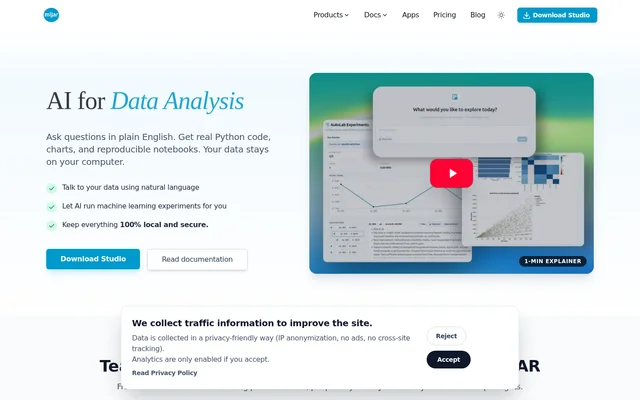
MLJAR Studio is an AI-assisted workspace for analyzing data with Python and reproducible notebooks. MLJAR Studio serves data analysts, data scientists, researchers, and teams that want control over their data and code. Users ask questions in plain English and receive generated Python analysis, charts, and notebook-based results.
MLJAR Studio emphasizes local execution rather than sending analysis data to external services. Generated code remains visible and editable, making results reproducible from the underlying Python workflow. The workspace combines conversational analysis, notebook assistance, automated machine learning experiments, and options for sharing results as interactive applications.
What MLJAR Studio can do
MLJAR Studio combines an AI Data Analyst with AutoML, AutoLab Experiments, and AI-assisted notebooks. These core capabilities are included across Free, Pro, and Business plans. The tools cover dataset exploration, Python development, model experimentation, and publishing notebook results through Mercury.
- MLJAR Studio generates and runs Python analysis from natural-language questions.
- MLJAR Studio suggests Python snippets, data transformations, and visualizations.
- MLJAR Studio tunes machine learning models and discovers useful features.
- MLJAR Studio compares models, tracks experiments, and generates explanations and reports.
- MLJAR Studio converts notebooks into interactive web apps through Mercury.
- MLJAR Studio supports self-hosted sharing on users' own infrastructure.
How MLJAR Studio works
MLJAR Studio is available through a download and provides documentation for using the workspace. Within a notebook, users can ask questions about their data, review generated Python, edit the analysis, and control execution. The experiment agent improves notebooks step by step by testing ideas and searching for better models.
MLJAR Studio uses Mercury, an open-source framework, to turn notebooks into web applications. Teams can share dashboards, reports, and tools on their own servers without cloud services. Local LLM workflows with Ollama and connections using personal OpenAI or other provider keys require the separate perpetual license.
Who MLJAR Studio is for
MLJAR Studio targets people who explore datasets, run machine learning experiments, and need reproducible results. The source identifies analysts, data scientists, researchers handling sensitive data, and teams avoiding external data exposure. Notebook assistance is described as suitable for beginners and experts, with generated code available for inspection.
- Data analysts can explore datasets through questions and visualizations.
- Data scientists can compare models and iterate on reproducible experiments.
- Researchers can keep sensitive analysis local while preserving auditability.
- Teams can share notebook-based dashboards and reports on their own infrastructure.
MLJAR Studio pricing and plans
MLJAR Studio has a Free plan with no time limit, Pro at $20 per month, and Business at $60 per month. All include the same core AI and machine learning capabilities. Free provides 50 monthly prompts, Pro provides 500, and Business provides 2,000; publishing allowances also increase with paid plans.
MLJAR Studio also offers a $199 perpetual license for Ollama and own-provider-key workflows. The purchase includes continued use of the purchased version and one year of updates. Newer releases after that update period require an update renewal, while the purchased version remains available for continued use.
MLJAR Studio strengths and limitations
MLJAR Studio combines local Python execution, transparent code, and reproducible notebooks with automated analysis and model experimentation. Mercury adds a route from notebook results to self-hosted applications. Access conditions differ by workflow: the Free plan includes core capabilities, while local LLM and own-provider-key connections require a separate purchase.
- MLJAR Studio subscription plans have monthly prompt allowances and publishing limits.
- MLJAR Studio Free includes public Mercury publishing but no private Mercury web apps.
- MLJAR Studio requires the perpetual license for Ollama and personal provider keys.
- MLJAR Studio includes updates for one year with the perpetual license.
MLJAR Studio FAQ
What is MLJAR Studio?
MLJAR Studio is an AI-assisted data analysis workspace that generates Python code from plain-language questions, runs analysis locally, and creates reproducible notebooks. MLJAR Studio also supports automated machine learning experiments and notebook-to-web-app publishing through Mercury.
Is MLJAR Studio free?
MLJAR Studio offers a Free plan with no time limit and the same core AI and machine learning capabilities as Pro and Business. The Free plan includes 50 prompts per month, 10 published conversations, and 1 public Mercury web app.
Can MLJAR Studio run local LLMs with Ollama?
MLJAR Studio supports local LLM workflows with Ollama, but requires the $199 perpetual license for this capability. The license also enables personal OpenAI or other provider keys and includes continued use of the purchased version with one year of updates.
Who is MLJAR Studio for?
MLJAR Studio is for data analysts exploring datasets, data scientists running experiments, researchers working with sensitive data, and teams seeking controlled AI workflows. MLJAR Studio provides visible Python code, reproducible notebooks, and local execution for these audiences.
Can MLJAR Studio turn notebooks into web apps?
MLJAR Studio converts notebooks into interactive web applications using Mercury, an open-source framework. Users can share dashboards, reports, and tools with colleagues and self-host results on their own infrastructure. Public and private app allowances depend on the selected plan.
What changes between MLJAR Studio Free, Pro, and Business?
MLJAR Studio Free, Pro, and Business differ in monthly prompt allowances, published conversation limits, and Mercury web app capacity rather than core capabilities. Pro and Business increase usage limits and add private web app capacity; prompt allowances reset monthly.
From the community
No reviews yet
Be the first to review this tool. What you write helps the next person choose.