What is Moises App?
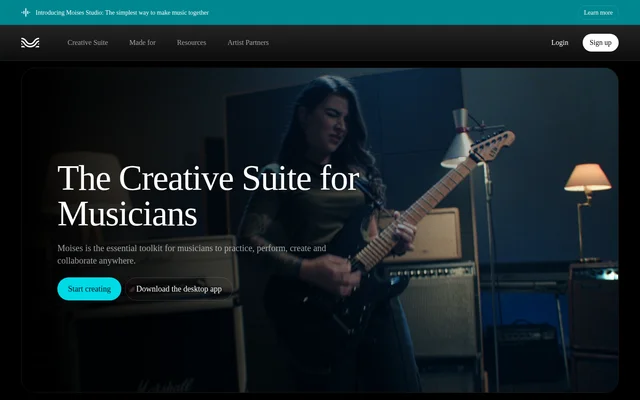
Moises App is a creative suite for musicians that combines music practice, performance, production, and collaboration tools. Moises App helps users work with existing songs through stem separation and learning tools, while also supporting recording and shared music sessions. The suite is available in a browser and through desktop and mobile applications, allowing musicians to access its tools across different devices.
What Moises App can do
Moises App combines tools for isolating song parts with features for learning, recording, and collaborative creation. Stem separation covers vocals and instruments, while practice controls let musicians focus on particular parts of a recording. Moises Studio adds shared arranging, recording, and editing, and the performance recording feature combines audio and video capture for export and social sharing.
- Moises App separates audio into 27 stem types, including vocals, guitar, bass, drums, piano, keys, winds, and strings.
- Moises App lets musicians mute the part they play or solo the part they are learning.
- Moises App provides Chord Finder, Speed Changer, and Lyric Transcription tools.
- Moises App supports real-time arranging, recording, and editing through Moises Studio.
- Moises App records performance audio and video for export and sharing.
How Moises App works
Moises App starts its song-practice workflow with an audio upload. Musicians can separate the recording into stems, then mute or solo parts to create a practice accompaniment or study an individual instrument. For collaborative work, Moises Studio runs directly in the browser and lets bandmates, producers, or co-writers work on the same session in real time without installation, file handoffs, or version conflicts.
Who Moises App is for
Moises App serves musicians who practice with recordings, performers who capture their playing, and collaborators who arrange or produce music together. The source specifically names bandmates, producers, and co-writers as users of its shared browser sessions. Performance capture also supports people who want to share music on social media to teach, entertain, or build a following.
- Moises App helps instrumentalists practice against recordings with their own part muted.
- Moises App helps learners isolate the musical part they want to study.
- Moises App gives bandmates and co-writers a shared browser session for music creation.
- Moises App helps performers capture videos for teaching and social sharing.
Moises App pricing and plans
Moises App uses a freemium model with a free tier and paid subscriptions. The free tier includes a limited number of uploads each month and access to selected features. Full functionality and unlimited uploads require an upgrade to a paid subscription. Moises App directs users to log in to view the full pricing and features table; the supplied page does not list subscription prices.
Moises App strengths and limitations
Moises App brings stem-based practice, browser collaboration, and performance capture into the same creative suite. Access through web, desktop, iPhone, iPad, and Android applications supports use across devices. Moises App also states that user data is never used for model training and that its models are trained only on licensed materials with the music owner's approval.
- Moises App limits monthly uploads on the free tier.
- Moises App reserves full functionality and unlimited uploads for paid subscribers.
- Moises App requires login to view detailed pricing and feature comparisons.
Moises App FAQ
What is Moises App?
Moises App is a creative suite for musicians to practice, perform, produce, and collaborate. Moises App includes stem separation, Chord Finder, Speed Changer, Lyric Transcription, performance recording, and real-time browser sessions for arranging, recording, and editing music together.
Is Moises App free?
Moises App offers a free tier with a limited number of monthly uploads and access to selected features. Moises App requires a paid subscription for full functionality and unlimited uploads, with detailed pricing and feature comparisons available after logging in.
Which devices support Moises App?
Moises App is available as a web app that runs directly in a browser and as applications for desktop, iPhone, iPad, and Android. Moises App also offers browser-based music collaboration through Moises Studio without requiring installation.
Can Moises App separate vocals and instruments?
Moises App separates audio into 27 stem types, including vocals, guitar, bass, drums, piano, keys, winds, and strings. Moises App lets musicians mute the part they play or solo a part they want to learn.
Can musicians collaborate in Moises App?
Moises App supports real-time music collaboration through Moises Studio. Moises App lets bandmates, producers, and co-writers arrange, record, and edit the same session in a browser without installation, file handoffs, or version conflicts.
Does Moises App train models on user data?
Moises App states that user data is never used to train its models. Moises App says its models are trained only on licensed materials and that music is not used for training without the owner's full approval.
From the community
No reviews yet
Be the first to review this tool. What you write helps the next person choose.