What is MyShell?
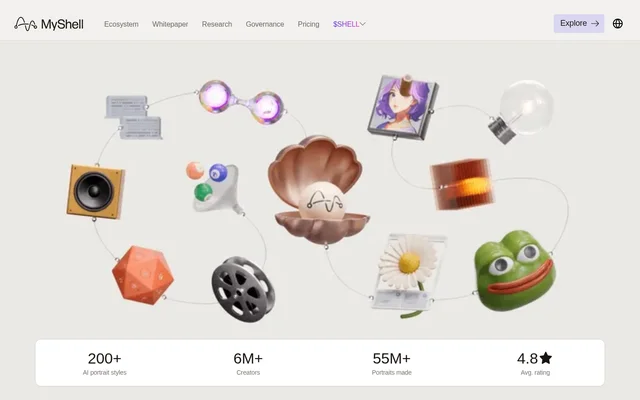
MyShell is an AI creative service focused on transforming photos into portraits, visual effects and short videos. MyShell serves casual users and digital creators through MyShell Art, which the website describes as a graphical interface for creative image generation. The portrait studio is powered by Shell Agent and advertises 200+ styles.
MyShell also supports AI agent creation through ShellAgent, an open-source, modular framework designed for building agents without coding. This gives MyShell a broader scope than portrait editing alone: creators can produce visual content, assemble agent workflows and make deployed agents available for other people to use through MyShell.
What MyShell can do
MyShell groups portrait tools into professional, artistic, fashion and trending collections. The listed tools cover headshots, illustrated effects, appearance changes and video generation. MyShell also presents practical bot examples alongside its creative tools, including Telegram utilities for downloading videos and extracting audio.
- MyShell turns selfies into studio headshots and painterly portraits.
- MyShell offers object replacement and light effect tools.
- MyShell includes pixel art, cartoon, sepia and glitch effects.
- MyShell provides virtual makeup, hairstyle and clothing-change tools.
- MyShell lists storyboard and one-image film generators.
- MyShell supports no-code AI agent creation through ShellAgent.
- MyShell describes Telegram bots for video downloads and audio extraction.
How MyShell works
MyShell describes its portrait workflow as turning a selfie into a selected visual style. MyShell Art uses a graphical interface for portraits, filters and short videos. The website organizes available looks into style collections, allowing users to explore professional portraits, artistic treatments, fashion changes and trending effects.
MyShell describes a separate agent-building workflow in ShellAgent. Creators initialize a state, choose widgets, set variables and transitions, and connect state blocks by drawing lines. Completed agents can be exported as JSON files, shared with coworkers or dragged into MyShell Workshop for deployment so others can use them through MyShell.
Who MyShell is for
MyShell explicitly addresses casual users and digital creators who want to generate visual content through a graphical interface. MyShell also addresses people who want to build AI agents without coding. The examples range from personal portrait transformations and pet illustrations to shareable agent workflows and practical Telegram bots.
- MyShell helps users create studio-style headshots from selfies.
- MyShell lets creators explore fashion editorials and illustrated portrait treatments.
- MyShell provides pet cartoon styles for gifts, merchandise and social media.
- MyShell supports builders creating Telegram download and audio-extraction bots.
MyShell pricing and access
MyShell advertises free access to portrait creation, including a portrait-generator topic that describes free, unlimited creation. The featured Telegram bot examples have their own access descriptions: the Instagram downloader is described as free forever, while the YouTube downloader and audio extractor mention a free plan or free tier. The supplied page does not list paid plan prices.
MyShell strengths and workflow considerations
MyShell combines photo transformations, short video tools and no-code agent building within the same website. MyShell Art emphasizes graphical creative workflows, while ShellAgent provides configurable states and widgets plus JSON export. Agent creation still involves defining workflow elements, and the deployment route described on the page uses MyShell Workshop.
MyShell FAQ
What is MyShell?
MyShell is an AI creative service for generating portraits, filters and short videos from photos. MyShell also offers ShellAgent, an open-source framework for building AI agents without coding and deploying them through MyShell Workshop.
Is MyShell free?
MyShell advertises free portrait creation. MyShell also features Telegram bot tools described as free forever, available on a free plan or offering a free tier. The supplied page does not provide paid subscription prices.
What kinds of photos can MyShell create?
MyShell creates studio headshots, painterly portraits, fashion editorials and other stylized images from selfies. MyShell also lists cartoon, pixel art, sepia and glitch effects, along with virtual makeup, hairstyle and clothing-change tools.
Can MyShell build AI agents without coding?
MyShell supports no-code agent building through ShellAgent. Creators choose widgets, initialize states, configure variables and transitions, and connect blocks into workflows. Completed agents can be exported as JSON files for sharing or deployed through MyShell Workshop.
Can MyShell create Telegram bots?
MyShell describes Telegram bot creation through ShellAgent using plain-English instructions. Featured examples include Instagram and YouTube downloaders and an audio extractor. The YouTube downloader example explicitly states that coding and API keys are not required.
Who is MyShell for?
MyShell is for casual users and digital creators making portraits, filters and short videos. MyShell also serves people who want to build AI agents without coding, share agent workflows or create Telegram utility bots.
From the community
No reviews yet
Be the first to review this tool. What you write helps the next person choose.