What is next-ai-draw-io?
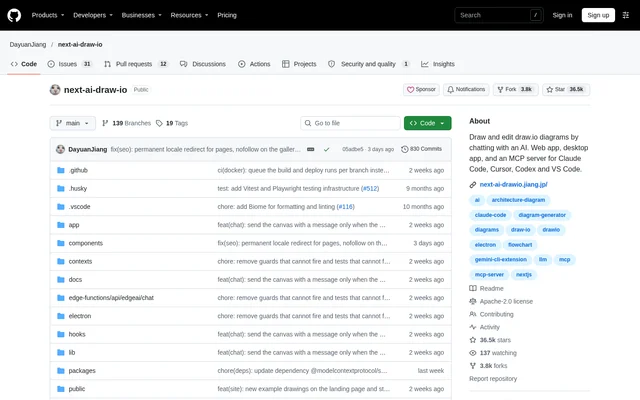
next-ai-draw-io is an open-source project that creates and edits draw.io diagrams through AI conversation. Users describe a diagram in a sentence, and the AI draws on a standard draw.io canvas. The project supports architecture diagrams, flowcharts, sequence diagrams and other visual documentation for systems and processes.
next-ai-draw-io is available as a browser-based application, a desktop application for Windows, macOS and Linux, and an MCP server for AI agents. The repository uses the Apache-2.0 license. Diagrams remain editable through ordinary draw.io interactions, so users can combine generated content with manual changes rather than working only through chat.
What next-ai-draw-io can do
next-ai-draw-io handles diagram generation, targeted editing and file export within the same canvas. The AI receives the current canvas, including manual edits, with every message. Each AI change becomes a version that users can compare or restore, while changed shapes are highlighted during editing.
- next-ai-draw-io generates diagrams from natural-language descriptions.
- next-ai-draw-io redraws uploaded screenshots and sketches.
- next-ai-draw-io converts PDF, Markdown, code and other text files into diagrams.
- next-ai-draw-io changes only selected shapes when users request selection-based edits.
- next-ai-draw-io includes AWS, Azure, GCP and Kubernetes icon libraries.
- next-ai-draw-io supports animated connectors and diagrams with several pages.
- next-ai-draw-io exports .drawio, .png, .svg and .drawio.svg files.
How next-ai-draw-io works
next-ai-draw-io can be opened through the online demo without installation. Users enter a prompt, review the diagram and continue editing through chat or direct canvas interactions. Selecting shapes limits an AI request to those elements. Version cards provide thumbnails for comparing changes, restoring earlier results or undoing an AI edit.
next-ai-draw-io also connects to AI clients through MCP, including Claude Code, Claude Desktop, Cursor, Codex and VS Code. The MCP package opens diagrams in a browser, includes a screenshot tool for inspecting rendered results and saves diagrams locally. The bundled draw.io editor allows the MCP preview to work offline.
Who next-ai-draw-io is for
next-ai-draw-io supports people explaining technical systems and business workflows through diagrams. The repository examples cover cloud infrastructure, Kubernetes deployments, database relationships, expense claims and customer journeys. These examples make the project relevant to developers, system architects and people documenting processes who want editable diagrams rather than static generated images.
- next-ai-draw-io can illustrate AWS architecture and Kubernetes deployments.
- next-ai-draw-io can map entities and relationships for an online shop.
- next-ai-draw-io can document approval processes and customer journeys.
- next-ai-draw-io can create authentication flowcharts from an AI-agent conversation.
next-ai-draw-io pricing and access
next-ai-draw-io is distributed as an open-source project under Apache-2.0, with an online demo, desktop installers and self-hosting instructions. The demo has a usage limit. Users can lift that limit by opening the chat settings and entering their own model provider and API key, which remains in the browser rather than being stored on the server.
next-ai-draw-io supports local installation through the repository and deployment through Docker, Vercel, Cloudflare Workers and Tencent EdgeOne Pages. Local setup involves installing dependencies and configuring a provider and API key. Supported providers include OpenAI, Anthropic, Google AI and Ollama, alongside an OpenAI-compatible preset for other endpoints.
next-ai-draw-io strengths and limitations
next-ai-draw-io combines conversational diagramming with direct shape editing, portable exports and recoverable AI changes. Multiple access methods allow users to work in a browser, a desktop application or an AI coding client. Local models through Ollama and self-hosted deployment provide alternatives to using the public demo with a hosted provider.
- next-ai-draw-io limits usage on the hosted demo unless users supply their own provider and API key.
- next-ai-draw-io requires capable models to produce long, strictly formatted draw.io XML; small models tend to produce broken diagrams.
- next-ai-draw-io requires dependency installation and provider configuration for local development.
next-ai-draw-io FAQ
What is next-ai-draw-io?
next-ai-draw-io is an open-source AI diagramming project that creates and edits draw.io diagrams through chat. Users can generate diagrams from descriptions, modify shapes manually or through AI requests, and export the results as editable draw.io files or images.
Is next-ai-draw-io free?
next-ai-draw-io is an open-source project licensed under Apache-2.0. The online demo has a usage limit, which users can lift by supplying their own provider and API key. Desktop downloads and self-hosting instructions are also available.
Does next-ai-draw-io work with Claude Code or Cursor?
next-ai-draw-io provides an MCP server for Claude Code, Cursor, Codex, VS Code and other compatible clients. The MCP workflow draws diagrams in a browser and supports selection-aware editing, version history, screenshots, exports and local auto-save.
Can next-ai-draw-io run locally?
next-ai-draw-io supports local installation, self-hosting and desktop applications for Windows, macOS and Linux. The repository documents dependency installation and provider configuration, along with Docker and offline deployment options. Ollama is supported for connecting local models.
Can next-ai-draw-io turn images or documents into diagrams?
next-ai-draw-io can redraw uploaded screenshots and sketches as diagrams and generate diagrams from PDF, Markdown, code and other text files. The resulting diagrams remain editable on the draw.io canvas and can be exported in supported diagram or image formats.
Where does next-ai-draw-io store browser-entered API keys?
next-ai-draw-io keeps API keys entered through the browser on the user's machine. The repository states that these keys stay in the browser and are never sent to the server for storage. Users configure their provider and key in the chat panel settings.
From the community
No reviews yet
Be the first to review this tool. What you write helps the next person choose.