What is OneAudio?
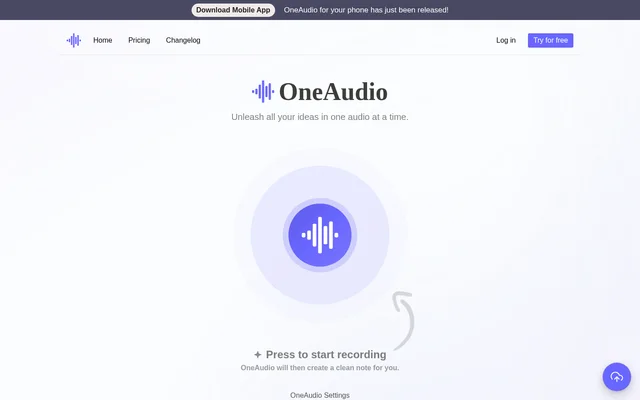
OneAudio is an AI audio note tool that creates clean notes from spoken recordings. OneAudio serves people who want to capture, manage and transform ideas without starting from a written draft. The website presents recording as the starting point: users press to record, and OneAudio then creates a clean note.
OneAudio uses the OpenAI GPT 4.1 model on every listed plan, including the free option. OneAudio also offers a mobile app for phones and settings for recording and summary languages. Access is available through a no-cost plan or paid monthly subscriptions with different audio allowances and features.
What OneAudio can do
OneAudio combines audio capture with note creation and summary management. OneAudio provides recording and language settings, while the paid plans add ways to work with existing audio files and revise summaries. The listed capabilities cover capturing an idea, keeping its audio and organizing the resulting note.
- OneAudio creates clean notes after users record audio.
- OneAudio lets users select recording and summary languages.
- OneAudio offers a mobile app for phones.
- OneAudio supports audio file uploads on Plus and Amplify.
- OneAudio supports downloading original audio files on Plus and Amplify.
- OneAudio includes note bookmarking on Plus and Amplify.
- OneAudio rewrites summaries using AI on Plus and Amplify.
How OneAudio works
OneAudio presents a press-to-record workflow followed by automatic clean-note creation. OneAudio settings let users select the recording and summary languages. Users with Plus or Amplify can also upload an audio file rather than relying only on a new recording, and can download the original audio files.
OneAudio separates usage allowances by plan, so the available recording length and monthly audio capacity depend on the subscription. OneAudio paid plans also include bookmarking notes and rewriting summaries using AI. These options provide ways to organize notes and revise the generated summaries after audio capture.
Who OneAudio is for
OneAudio is aimed at people who need help organizing ideas, including those starting with a free audio note workflow. OneAudio describes Plus as a plan for transforming ideas and sharing them online. The stated uses focus on capturing spoken thoughts, managing audio notes and working with summaries.
- OneAudio helps people capture spoken ideas as clean notes.
- OneAudio supports organizing notes with bookmarks on paid plans.
- OneAudio supports preparing summaries for sharing online.
- OneAudio lets paid users work with uploaded audio files.
OneAudio strengths and limitations
OneAudio offers a free starting point and paid options that expand note storage, audio capacity and summary controls. OneAudio includes the same named AI model across all listed plans. The main constraints are the free plan's storage and monthly usage caps, plus individual recording limits that remain in place even on Amplify.
- OneAudio Free allows only 5 saved audio notes.
- OneAudio Free includes up to 10 minutes of audio per month.
- OneAudio Plus caps monthly audio at 1,200 minutes.
- OneAudio Amplify limits each recording to 40 minutes despite unlimited monthly minutes.
- OneAudio lists uploads, downloads, bookmarks and AI summary rewriting on paid plans rather than Free.
OneAudio FAQ
What is OneAudio?
OneAudio is an AI audio note tool that turns recordings into clean notes. OneAudio includes recording and summary language settings, uses OpenAI GPT 4.1 across its listed plans, and offers a mobile app for phones.
Can OneAudio upload audio files and rewrite summaries?
OneAudio includes audio file uploads and AI summary rewriting on the Plus and Amplify plans. OneAudio also lists original audio downloads and note bookmarking on those plans; these features are not listed under the Free plan.
Does OneAudio offer unlimited audio recording?
OneAudio Amplify includes unlimited minutes of audio per month, but each recording is limited to 40 minutes. OneAudio Plus allows up to 1,200 monthly audio minutes and 30 minutes per recording, while Free allows 10 monthly minutes and 5 minutes per recording.
Who is OneAudio for?
OneAudio is for people who want help capturing and organizing spoken ideas. OneAudio describes its Free plan as suitable for those starting out, while Plus is positioned for transforming ideas and sharing them online.
From the community
No reviews yet
Be the first to review this tool. What you write helps the next person choose.