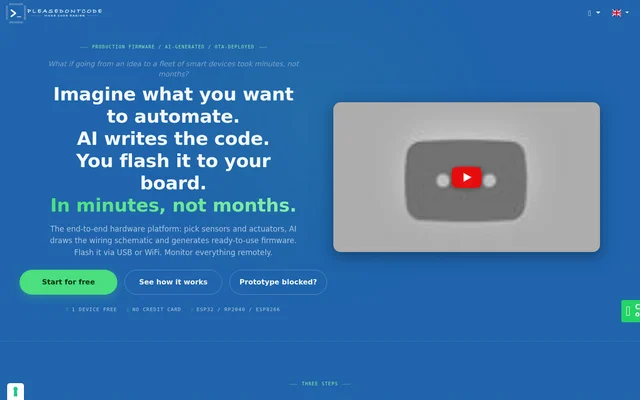
What is Please Don't Code?
Please Don't Code is an AI firmware development platform that takes a description of a device and produces embedded code and a matching wiring schematic. It serves startups, companies, independent professionals, and small hardware shops working on prototypes or deployed devices. The product comes from ITALCODY, founded by Francesco Colucci in Turin, Italy.
What Please Don't Code can do
Please Don't Code combines board-specific code generation with firmware deployment and device monitoring. It uses the selected board's pin map and core to generate firmware with compatible libraries and pin assignments that match the schematic. It can also compile the firmware and attempt to fix build errors before flashing.
- Generate firmware from a description in chat.
- Draw wiring schematics using Fritzing components and export them as SVG.
- Compile firmware with arduino-cli and attempt to fix build errors.
- Flash a compiled firmware build over USB from the browser.
- Send firmware updates over WiFi after the initial USB setup.
- Display device status and firmware versions in a real-time dashboard.
- Add charts, buttons, and sliders for remote monitoring and control.
How Please Don't Code works
Please Don't Code starts with board selection in the browser editor. Users choose a board, add sensors and actuators, and describe the intended behavior in chat. They can also upload existing code as a starting point. Further changes create versions that users can return to if they need to undo an edit.
Please Don't Code prepares the firmware when the user selects Flash. For USB deployment, desktop Chrome or Edge prompts the user to select the board's serial port. For Programming Over The Air, or POTA, the platform adds WiFi connectivity and update logic to the code. The first installation uses USB, and later updates can be sent over WiFi.
Who Please Don't Code is for
Please Don't Code is intended for startups testing hardware ideas, companies automating processes without a dedicated embedded team, and independent developers or small hardware shops building products for clients. Writing code is not required to start, although the site notes that basic programming knowledge helps when customizing projects with more complex algorithms.
- Build a prototype that reads temperature and displays it on an OLED screen.
- Test joystick inputs and display their values.
- Create firmware for a WiFi-controlled relay.
- Update devices already installed at a client site.
Please Don't Code pricing and plans
Please Don't Code offers a free plan with 3 credits per month and 1 device, with no credit card required. Generating a schematic, generating or modifying code in AI chat, and successfully finalizing firmware each use 1 credit. A failed finalization does not use a credit, and users can re-flash an unchanged build without spending another credit.
Please Don't Code offers paid plans with more credits, more devices, simultaneous over-the-air updates across fleets, and other features. The free and BASIC plans share projects in the public community section. The PRO and PREMIUM plans keep projects private and accessible only to the user.
Please Don't Code strengths and limitations
Please Don't Code keeps wiring and firmware together so users can refer to the schematic for the same pin assignments used in the code. Its build step compiles the firmware for the selected board, and its version history allows users to return to earlier edits. The workflow depends on board support, and a wireless deployment still needs an initial USB flash.
- USB flashing requires desktop Chrome or Edge.
- Over-the-air updates require a first installation over USB.
- Project privacy is limited to PRO and PREMIUM plans.
Please Don't Code FAQ
What is Please Don't Code?
Please Don't Code is a browser-based platform for generating embedded firmware and matching wiring schematics from a chat description. It compiles firmware for supported boards, flashes builds over USB, and provides WiFi updates and remote device dashboards.
Is Please Don't Code free?
Please Don't Code has a free plan with 3 credits per month and 1 device, with no credit card required. The free plan includes code generation, compilation, USB flashing, and wireless updates. Paid plans provide more credits and devices.
Which boards does Please Don't Code support?
Please Don't Code supports 35+ boards, including ESP32 DevKit V1, ESP8266 NodeMCU V1.0, Arduino Uno, Arduino Nano ESP32, and XIAO ESP32S3. Users select their board in the editor before generating code.
Can Please Don't Code update firmware over WiFi?
Please Don't Code can update firmware over WiFi through Programming Over The Air, or POTA. Enabling POTA adds WiFi connectivity and update logic to the firmware. After an initial USB flash, users can send subsequent updates wirelessly.
Are Please Don't Code projects private?
Please Don't Code keeps projects private on the PRO and PREMIUM plans, where they are accessible only to the user. The free and BASIC plans instead include public sharing of projects in the community section.
From the community
No reviews yet
Be the first to review this tool. What you write helps the next person choose.