What is ReadEasy.ai?
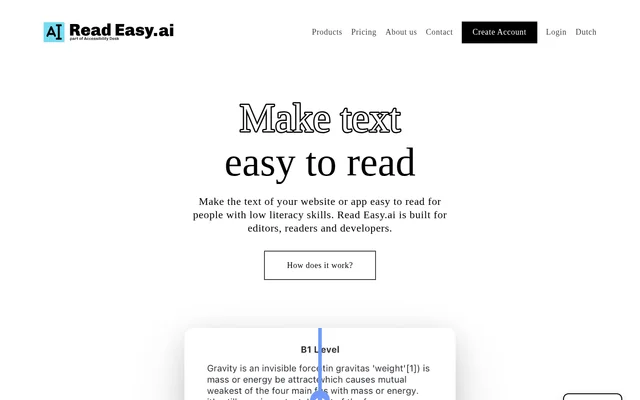
ReadEasy.ai is a text simplification and readability tool for making website, app and document content easier to understand. ReadEasy.ai is built for editors, readers and developers, with a focus on people who have low literacy skills or reading disabilities. Access is available through browser and Office tools, alongside a developer API.
ReadEasy.ai approaches readability from both the writing and reading sides. Editors can check whether their text is simple enough and receive feedback about difficult wording. Readers can simplify online text through Chrome, while developers can bring readability features into their own applications.
What ReadEasy.ai can do
ReadEasy.ai combines text simplification with feedback that helps writers understand readability problems. ReadEasy.ai provides real-time suggestions through Microsoft Office add-ins and supports multiple languages across its offering. The developer API includes readability analysis and dyslexia-focused optimization for text intended for a range of audiences.
- ReadEasy.ai simplifies text on websites through its Chrome extension.
- ReadEasy.ai provides real-time feedback in Microsoft Word and Outlook.
- ReadEasy.ai identifies difficult words and sentences and explains why they need changing.
- ReadEasy.ai supports English, Spanish, German, Dutch and Portuguese.
- ReadEasy.ai offers API-based readability analysis and dyslexia-focused optimization.
How ReadEasy.ai works
ReadEasy.ai offers different access routes depending on the task. Readers can download the Chrome plugin and simplify website text with a click. Editors use the Microsoft Word or Outlook add-ins to receive readability feedback while writing. Developers can consult the linked API documentation to integrate readability capabilities into applications.
ReadEasy.ai lists compatibility with React, React Native, Swift, Vue.js, WordPress and custom development solutions. The API brings features from the Microsoft add-ins into other applications, including multilingual support and readability analysis. The website also provides registration links for the listed subscription plans.
Who ReadEasy.ai is for
ReadEasy.ai serves readers who need simpler online text, editors preparing accessible content and developers building readability features into websites or apps. ReadEasy.ai specifically addresses low literacy skills and reading disabilities, rather than presenting its tools solely as general writing assistance. Its Office, browser and API options support these distinct tasks.
- Readers can use ReadEasy.ai to simplify website content.
- Editors can use ReadEasy.ai to check text for people with reading disabilities.
- Email writers can use ReadEasy.ai for readability suggestions in Outlook.
- Developers can use ReadEasy.ai to add readability analysis to applications.
ReadEasy.ai strengths and limitations
ReadEasy.ai provides access across reading, editing and application development workflows. ReadEasy.ai also explains difficult words and sentences, giving editors information about what needs changing and why. Multilingual support and a free plan make the tools available for different language needs and limited-volume use, although request allowances constrain usage.
- ReadEasy.ai limits the Free plan to 5 requests per month.
- ReadEasy.ai applies monthly request allowances to every listed plan.
- ReadEasy.ai lists priority phone support only for Small Business and Enterprise.
ReadEasy.ai FAQ
What is ReadEasy.ai?
ReadEasy.ai is a readability and text simplification tool for readers, editors and developers. ReadEasy.ai simplifies website text, provides writing feedback through Microsoft Word and Outlook add-ins, and offers an API for adding readability features to applications.
Is ReadEasy.ai free?
ReadEasy.ai offers a Free plan with up to 5 requests per month, including the Microsoft Word plugin, Microsoft Outlook plugin and Google Chrome extension. ReadEasy.ai also offers paid Personal, Small Business and Enterprise plans with higher monthly request allowances.
Which languages does ReadEasy.ai support?
ReadEasy.ai supports multiple languages, including English, Spanish, German, Dutch and Portuguese. ReadEasy.ai also lists multilingual support among its Chrome extension capabilities and developer API features for making text easier to understand.
Does ReadEasy.ai have an API?
ReadEasy.ai offers a developer API with readability analysis, multilingual support and dyslexia-focused optimization. ReadEasy.ai lists compatibility with React, React Native, Swift, Vue.js, WordPress and custom development solutions, and links to API documentation.
How does ReadEasy.ai help editors?
ReadEasy.ai helps editors check whether text is simple enough for people with reading disabilities. ReadEasy.ai provides feedback on difficult words and sentences, explains why they are difficult, and offers real-time suggestions through Microsoft Word and Outlook add-ins.
From the community
No reviews yet
Be the first to review this tool. What you write helps the next person choose.