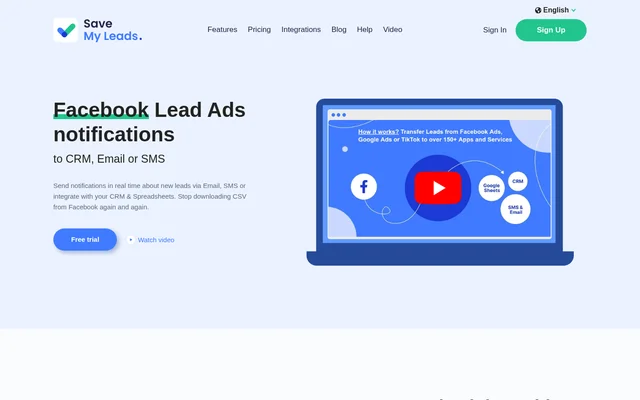
What is SaveMyLeads?
SaveMyLeads is a no-code service for automating the handling of Facebook Lead Ads submissions. SaveMyLeads sends new lead information to CRM systems, spreadsheets, email marketing services and notification channels. The service is intended for businesses handling enquiries and for marketers, agencies and freelancers running lead generation campaigns for clients.
SaveMyLeads replaces repeated CSV downloads and manual transfers with automatic delivery of lead data. The page also describes personalised email and SMS responses that acknowledge an enquiry or request more information. These workflows connect the information submitted through a Facebook lead form with the tools used to manage subsequent contact.
What SaveMyLeads can do
SaveMyLeads supports notifications, record creation, mailing list updates and task creation based on incoming Facebook leads. Named destinations include HubSpot, Zoho CRM, Google Sheets, Airtable, Slack and Telegram. SaveMyLeads also supports sending lead data to a custom URL when the receiving system supports the webhook format.
- SaveMyLeads sends new lead notifications by email or SMS.
- SaveMyLeads sends personalised automatic responses to enquiries.
- SaveMyLeads creates contacts, deals or tickets in HubSpot.
- SaveMyLeads adds lead information to Google Sheets and Airtable.
- SaveMyLeads adds subscribers to MailChimp and MailerLite.
- SaveMyLeads sends Slack messages to an individual or channel.
- SaveMyLeads creates tasks in Asana, Trello and Meistertask.
- SaveMyLeads transfers lead data to webhook-compatible systems.
How SaveMyLeads works
SaveMyLeads uses submitted Facebook lead forms as the starting point for the workflows described on the page. After a prospect submits a form, the selected integration transfers the information or performs an action in the destination service. Depending on the integration, transferred details can include a name, email address, phone number or other submitted information.
SaveMyLeads describes these connections as no-code workflows and provides a ready-made integration template for transferring Facebook leads to Airtable. Notification workflows can deliver messages to a marketer, a client, a Slack channel or a Telegram group. Agencies can also personalise the sender address used for client notifications.
Who SaveMyLeads is for
SaveMyLeads explicitly addresses marketers, agencies and freelancers running lead generation advertising for clients. SaveMyLeads also supports businesses that need to route Facebook enquiries into contact databases, mailing lists and follow-up workflows. Client notifications do not require clients to have access to SaveMyLeads, allowing agencies to distribute incoming leads without manual forwarding.
- Agencies can send new lead notifications directly to clients.
- Marketers can receive email or SMS alerts about submissions.
- Businesses can create CRM records from Facebook lead forms.
- Teams can create follow-up tasks from incoming enquiries.
SaveMyLeads pricing and trial access
SaveMyLeads offers a free trial, and the page includes sign-up and sign-in options. The supplied text does not state subscription prices, plan allowances, trial duration or whether ongoing free access is available. SaveMyLeads therefore has a stated trial access option, but the available text does not establish the terms of continued use.
SaveMyLeads strengths and available scope
SaveMyLeads combines lead delivery, automatic acknowledgements and downstream record creation across several types of business tools. Its stated strengths include no-code operation, named integrations and client notifications without manual forwarding. The supplied page focuses on Facebook Lead Ads workflows and does not provide detailed plan limits or technical requirements for individual integrations.
SaveMyLeads FAQ
What is SaveMyLeads?
SaveMyLeads is a no-code automation service for Facebook Lead Ads. SaveMyLeads sends new lead notifications, transfers submitted information to CRM systems and spreadsheets, adds mailing list subscribers, and supports personalised email and SMS responses.
Is SaveMyLeads free?
SaveMyLeads offers a free trial. The supplied page text does not state trial duration, subscription prices or whether a permanent free plan is available, so ongoing access terms cannot be established from this text.
Which tools does SaveMyLeads integrate with?
SaveMyLeads lists integrations with Google Sheets, Airtable, HubSpot, Zoho CRM, MailChimp, MailerLite, Slack, Telegram, Asana, Trello and other services. SaveMyLeads also transfers Facebook lead data to custom URLs for systems that support webhooks.
Can SaveMyLeads send automatic email and SMS replies?
SaveMyLeads supports personalised automatic email and SMS responses to incoming leads. These responses can acknowledge receipt of an enquiry, tell a prospect that contact will follow, or ask the prospect for more information.
Can agencies use SaveMyLeads to notify clients?
SaveMyLeads allows marketers, agencies and freelancers to configure new lead notifications for clients, including clients without access to SaveMyLeads. SaveMyLeads also supports personalising the sender address used for those notifications, removing the need for manual forwarding.
Does SaveMyLeads require coding?
SaveMyLeads describes its service as Zero Code and states that supported workflows can be automated without programmers. The page includes automatic CRM contact creation, SMS sending and lead data transfers among its no-code examples.
From the community
No reviews yet
Be the first to review this tool. What you write helps the next person choose.