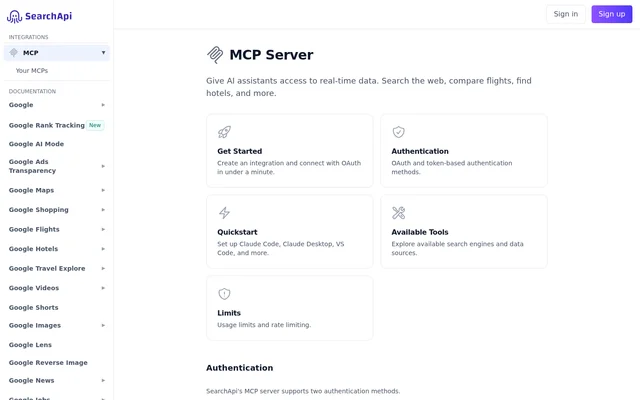
What is SearchApi?
SearchApi is an MCP server that gives AI assistants access to real-time search data. SearchApi connects supported clients to web search, travel information, shopping results, maps, and other sources. The documented examples cover both general assistant tasks and developer workflows, including researching news, finding accommodation, checking products, and exploring GitHub repositories.
SearchApi provides a shared MCP endpoint with client-specific setup instructions. SearchApi documents connections for Claude Code, Claude Desktop, VS Code, Cursor, Codex, Zed, Windsurf, and OpenCode. Authentication options include OAuth for compatible clients and a token header for clients or server-to-server integrations that need another access method.
What SearchApi can do
SearchApi exposes search and detail tools that users can invoke through an AI assistant. SearchApi's tool cards include example prompts for specific sources and tasks, ranging from broad web queries to property availability, product information, and directions. The listed capabilities include search results as well as source-specific detail lookups.
- SearchApi searches Bing, DuckDuckGo, and Google News.
- SearchApi finds flights, flight deals, hotels, and Airbnb properties.
- SearchApi retrieves Amazon product details and seller offers.
- SearchApi searches maps and retrieves place details, reviews, and directions.
- SearchApi searches GitHub repositories and retrieves profile and trending information.
- SearchApi searches Google Patents and job listings.
How SearchApi works
SearchApi uses https://www.searchapi.io/mcp as the base MCP URL. SearchApi recommends OAuth when the client supports that method. The first connection opens a browser window for sign-in and selection of an MCP integration to authorize. Later connections reuse the stored token, while OAuth tokens expire and rotate automatically.
SearchApi also accepts an MCP token through the X-MCP-Token header. SearchApi directs users to obtain that token from the MCP integrations dashboard and warns against placing credentials in URLs. For stdio-only clients, the documented mcp-remote bridge connects to the remote endpoint and requires Node.js for npx.
Who SearchApi is for
SearchApi supports people who want their AI assistants to retrieve current information and developers configuring MCP clients. SearchApi's examples describe travel planning, shopping comparisons, local discovery, news research, and software project research. These examples focus on finding information and retrieving details rather than completing purchases or reservations.
- SearchApi helps travelers compare flight dates and find accommodation.
- SearchApi helps shoppers inspect product details and seller offers.
- SearchApi helps researchers find news, patents, and repository information.
- SearchApi helps assistant users locate businesses and retrieve reviews.
SearchApi strengths and limitations
SearchApi combines a range of data sources with documented authentication and client setup paths. SearchApi supports automatic OAuth sign-in in compatible clients and token authentication for programmatic connections. Setup requirements depend on the client: some connections use an application interface, while others require terminal commands, configuration files, or a bridge.
- SearchApi's stdio bridge requires Node.js.
- SearchApi token connections require a dashboard token and the correct header.
- SearchApi setup uses different configuration keys across some clients.
Getting started with SearchApi
SearchApi directs users to create an integration before connecting a client. SearchApi's Claude Desktop OAuth instructions use Customize, Connectors, and Add custom connector, followed by the base MCP URL and authorization prompt. Other documented clients use their corresponding setup instructions. After connecting, users can copy example prompts from the available tool cards.
SearchApi FAQ
What is SearchApi?
SearchApi is an MCP server that gives AI assistants access to real-time data. SearchApi provides tools for web search, flight comparisons, hotel discovery, shopping research, maps, reviews, and other source-specific searches through supported assistant clients.
Which AI clients does SearchApi support?
SearchApi documents setup for Claude Code, Claude Desktop, VS Code, Cursor, Codex, Zed, Windsurf, and OpenCode. SearchApi also provides an mcp-remote bridge for stdio-only clients, with Node.js required for the documented bridge setup.
How does SearchApi authentication work?
SearchApi supports OAuth and token authentication. SearchApi recommends OAuth for compatible clients, which open a browser for initial sign-in and authorization. Token-based connections send a dashboard-issued MCP token through the X-MCP-Token header rather than placing credentials in the URL.
Can SearchApi search flights and hotels?
SearchApi includes Google Flights, Google Hotels, Booking.com, and Airbnb tools. SearchApi's examples cover flight deals, flight date comparisons, hotel searches, property details, Airbnb availability calendars, and property reviews.
How do you connect SearchApi to Claude Desktop?
SearchApi connects to Claude Desktop through a custom connector using the base MCP URL, https://www.searchapi.io/mcp. SearchApi's OAuth instructions direct users to open Customize, then Connectors, add a custom connector, and follow the authorization prompt without editing a configuration file.
From the community
No reviews yet
Be the first to review this tool. What you write helps the next person choose.