What is Setapp?
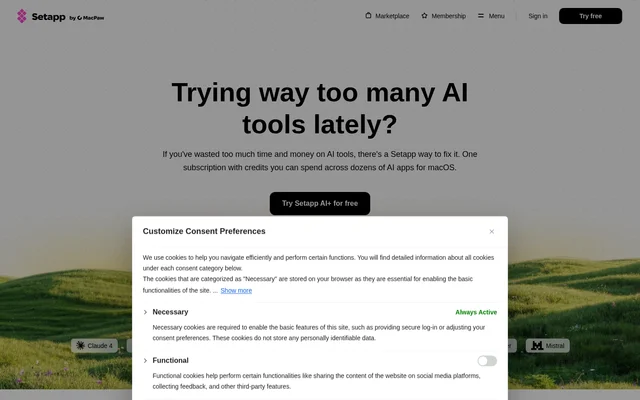
Setapp is an app subscription service with an AI credits plan for using different AI tools across its collection of Mac apps. Setapp brings together tools for writing, coding, document questions, transcription, meetings, and email. The collection is intended for people who want to explore and use multiple AI apps through a subscription.
Setapp presents Setapp AI+ as a way to choose a credits plan based on usage needs and spend those credits across different tools. The subscription also includes non-AI apps. Although the collection centers on macOS, the page identifies selected tools that are available on iOS or the web.
What Setapp can do
Setapp provides access to specialized apps rather than describing a single assistant for every task. The listed tools cover document research, text creation, coding workspaces, transcription, meeting support, and email drafting. Each app has its own stated workflow, such as uploading PDFs, highlighting text, or reviewing automatically generated email replies.
- Setapp includes PDF Pals for document questions and searches across multiple PDFs.
- Setapp includes Elephas for generating text in different styles and rewriting.
- Setapp includes WhisperTranscribe for transcribing recordings and creating written content.
- Setapp includes Spellar AI for meeting summaries, action items, and task tracking.
- Setapp includes Ready to Send for email reply drafts with custom response styles.
- Setapp includes Maestri for running and connecting coding agents on a canvas.
- Setapp includes BoltAI for shortcut-based summaries and key takeaways from highlighted text.
How Setapp works
Setapp uses a subscription and credits workflow: users choose a credits plan based on their needs, then use credits across different AI tools. Setapp states that no API keys are needed. The membership includes app updates, helpful documentation, and customer support, while the page provides a free-trial entry point.
Setapp apps provide task-specific ways to work. PDF Pals involves installing the app, uploading a document, and asking questions. BoltAI uses highlighted text and a shortcut to display commands. Ready to Send generates replies to incoming emails and saves them as drafts for users to review and send.
Who Setapp is for
Setapp serves Mac users who work with different AI tools for writing, coding, research, and routine communication. The page specifically describes academic articles, occasional emails, large PDF documents, meetings, and recorded audio or video. Selected apps extend access beyond Mac: Elephas, Spellar AI, and TypingMind list iOS support, while Ready to Send is web-based.
- Setapp supports writers generating or revising articles and emails.
- Setapp supports developers arranging coding agents, terminals, notes, and diagrams.
- Setapp supports document readers asking questions across PDFs.
- Setapp supports people turning recordings into blog posts, podcast notes, and social content.
Setapp pricing and plans
Setapp lists Setapp AI+ starting at $22.99/mo plus tax, with a 7-day free trial and cancellation available anytime. The plan includes 20+ AI tools and access to 300+ non-AI apps. Users select a credits plan according to how often they use AI tools, and those credits can be spent across different apps.
Setapp strengths and limitations
Setapp combines access to specialized AI tools with included updates, documentation, and 24/7 customer support. The absence of an API-key requirement removes that setup step for users. The collection covers several work categories, but ongoing access is paid, AI use depends on a credits plan, and the listed apps have different platform availability.
- Setapp requires a paid subscription beyond the free trial.
- Setapp ties AI usage to the selected credits plan.
- Setapp primarily lists Mac apps, with iOS and web support limited to selected listings.
Setapp FAQ
What is Setapp?
Setapp is an app subscription service whose Setapp AI+ plan offers credits for using different AI tools in a collection of Mac apps. Setapp includes tools for writing, coding, PDF questions, transcription, meeting notes, email replies, and AI chat.
Is Setapp free?
Setapp offers a 7-day free trial for Setapp AI+, but ongoing access is paid. Setapp AI+ starts at $22.99/mo plus tax and includes AI tools, access to 300+ non-AI apps, app updates, and customer support.
How do Setapp AI credits work?
Setapp lets users choose a credits plan based on their needs and use those credits across different AI tools in the app collection. Setapp presents this shared subscription model as an alternative to managing multiple AI subscriptions, accounts, and renewals.
What can you use Setapp for?
Setapp can be used for generating and rewriting text, asking questions about PDFs, transcribing recordings, summarizing meetings, drafting email replies, and working with coding agents. Setapp provides these capabilities through apps including Elephas, PDF Pals, WhisperTranscribe, Spellar AI, Ready to Send, and Maestri.
Does Setapp require API keys?
Setapp states that no API keys are needed for its AI app offering. Setapp includes app updates, documentation, and 24/7 customer support alongside the subscription, with credits available to use across different AI tools.
Which platforms does Setapp support?
Setapp focuses on AI apps for macOS, while some listed apps also support other platforms. Setapp lists Elephas, Spellar AI, and TypingMind for Mac and iOS, and identifies Ready to Send as a web app.
From the community
No reviews yet
Be the first to review this tool. What you write helps the next person choose.