What is Speech to Text?
Speech to Text is an AI transcription tool that turns the audio in a file or YouTube video into text. The website credits @fastfourierai as the creator. Speech to Text is for people who have a recording they want in written form. The page presents YouTube as a source of audio, so the stated purpose of submitting a video link is to get text based on the audio in the video.
What Speech to Text can do
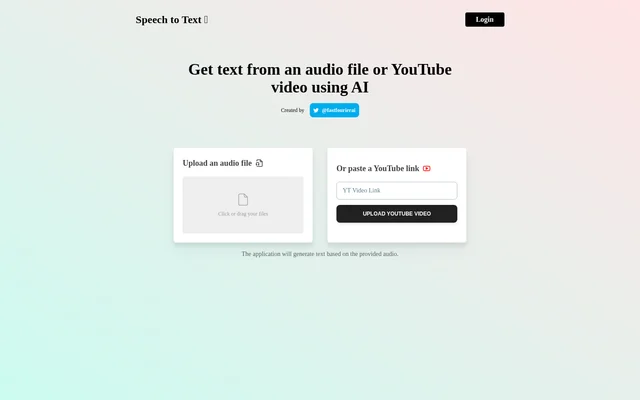
Speech to Text generates text from the audio a user supplies. The page organizes the tool around the source of that audio. A recording stored as an audio file goes into the upload area, while a recording available in a YouTube video is submitted through the link field. The stated result is generated text in either case. The click and drag options are different ways to supply the same kind of file input.
- Speech to Text generates text from audio using AI.
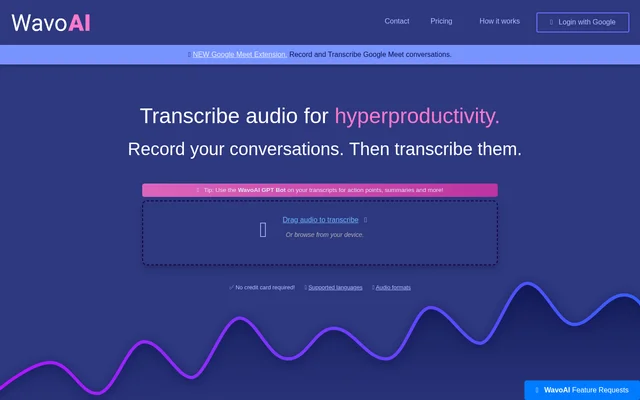
- Speech to Text accepts an audio file through a clickable upload area.
- Speech to Text supports dragging an audio file into the upload area.
- Speech to Text accepts a pasted YouTube video link.
How Speech to Text works
Speech to Text presents separate controls for the file and link workflows. For a file, the upload area can be clicked to select an audio file or used as a place to drop the file. For a video, the page labels the field YT Video Link and provides an Upload Youtube Video button. The workflow differs in how the source is supplied, but the page describes the result for both paths as text generated from the provided audio.
Who Speech to Text is for
Speech to Text is for people who already have recorded audio and want to work with the spoken material as text. Someone who has saved the recording as an audio file can use the file upload. Someone who has the address of a YouTube video can supply the link instead. The page does not name a profession or industry, so the audience is best described by the task: turning recorded speech into text.
- Generate text from a saved audio recording.
- Generate text from the audio in a YouTube video.
- Use a YouTube link when the available source is a video rather than an audio file.
Speech to Text strengths and limitations
Speech to Text gives users a choice between uploading an audio file and submitting a YouTube link. That choice is useful when a recording is available in one form but not the other. The file upload also offers a choice between clicking the upload area and dragging the file into it. The scope shown on the page is narrower than the product name alone might suggest: the listed inputs are recordings supplied as audio files or through YouTube.
Getting started with Speech to Text
Speech to Text starts with a choice about where the recording is available. With an audio file, the relevant control is the upload area, where a file can be selected or dropped. With a YouTube video, the starting point is the video link, which goes in the YT Video Link field before the Upload Youtube Video button is used. In both cases, the purpose of supplying the recording is to generate text from its audio.
Speech to Text FAQ
What is Speech to Text?
Speech to Text is an AI transcription tool that generates text from an audio file or a YouTube video. The website provides an upload area for audio files and a separate field for YouTube links.
Can Speech to Text transcribe a YouTube video from a link?
Speech to Text can generate text from the audio of a YouTube video submitted by link. The website provides a YT Video Link field and an Upload Youtube Video button for this workflow.
How do you upload an audio file to Speech to Text?
Speech to Text accepts audio files through a clickable upload area that also supports drag and drop. A user can select a file by clicking the area or drag the audio file into it.
Who is Speech to Text for?
Speech to Text is for people who want written text from an audio recording or the speech in a YouTube video. The choice between uploading a file and pasting a link depends on how the recording is available.
Is Speech to Text free?
Speech to Text does not state on the page whether the tool is free or paid. The page describes how to provide an audio file or YouTube link but does not list prices or plans.
From the community
No reviews yet
Be the first to review this tool. What you write helps the next person choose.