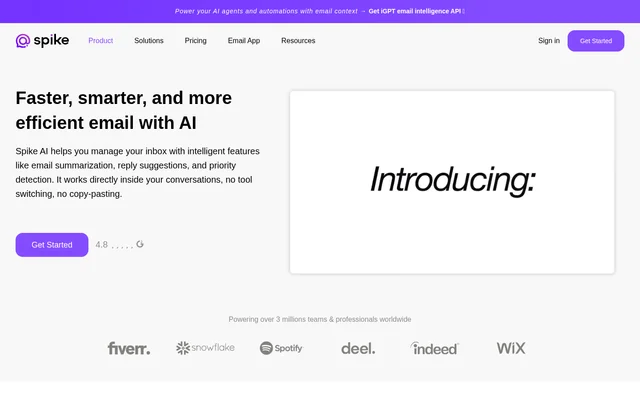
What is Spike?
Spike is a conversational email app with an AI-powered feed for reviewing and managing inbox messages. The feed presents summary previews and puts message actions in the same view. Spike is intended for people who want to see what an email is about and decide what to do with it without opening the message first. The page focuses on the inbox feed rather than describing every part of the email app.
What Spike can do
Spike lets users move from reviewing a message summary to handling the message from the feed. Summary previews provide a way to check what a message is about. The available actions serve different purposes: replying lets the user respond, marking a message as read updates its read status, and archiving lets the user file it away. The page describes all of these actions as available without opening the email.
- Spike shows message summary previews in the inbox feed.
- Spike lets users respond to emails from the feed.
- Spike lets users archive emails from the feed.
- Spike lets users mark emails as read from the feed.
How the Spike inbox feed works
Spike puts summary previews and inbox actions in a single feed. A user can look at a summary first, then reply, archive the email, or mark it as read depending on what the message needs. The workflow described on the page does not require the user to open the original message before taking any of those actions. A reply can be handled from the same view used to preview the summary.
Who Spike is for
Spike is for people who want to review incoming email and decide which messages need a response and which can be marked as read or archived. The feed can be used for a quick inbox review when the user wants to check summaries and handle messages in the same place. The page presents this as a general inbox workflow rather than one tied to a particular job or industry.
- Check an email summary before deciding whether to reply.
- Respond to a message during an inbox review.
- Archive a message or mark it as read from the feed.
Spike pricing and desktop access
Spike provides a desktop app download link in its software listing, which names Windows and MacOS as operating systems. The supplied feature page does not state whether downloading or using Spike costs money. The page also does not describe plan names or say whether access to the AI-powered feed varies by plan. The download listing identifies a way to obtain the desktop app, but does not establish its pricing.
Spike feed strengths and what the page does not explain
Spike combines message previews and common inbox actions in the same view. The main benefit shown on the page is that a user can check a summary and act on the message without opening it. The page establishes that users can respond from the feed, but does not say whether Spike drafts those responses. Replying from the feed is a stated capability; automated reply writing is not described.
Spike FAQ
What is Spike?
Spike is a conversational email app with an AI-powered inbox feed. Spike lets users preview message summaries and respond, archive, or mark emails as read directly from the feed without opening individual messages.
Can you reply to email from the Spike feed?
Spike lets users reply to email directly from the inbox feed without opening the message. The same feed shows message summary previews and also lets users archive emails or mark them as read.
Who is Spike for?
Spike is for people who want to review and manage email without opening each message. Its inbox feed lets users preview summaries before deciding whether to reply, archive a message, or mark it as read.
Does Spike list pricing on its AI feature page?
Spike does not state pricing or plan details on the supplied AI feature page. The software listing gives a desktop app download link, but the page does not say whether the AI-powered feed is free or requires a paid plan.
Which desktop operating systems does Spike list?
Spike lists Windows and MacOS as operating systems in its software listing. The listing includes a desktop app download link, while the feature page describes an AI-powered inbox feed for previewing summaries and taking actions on messages.
From the community
No reviews yet
Be the first to review this tool. What you write helps the next person choose.