What is Steve.AI?
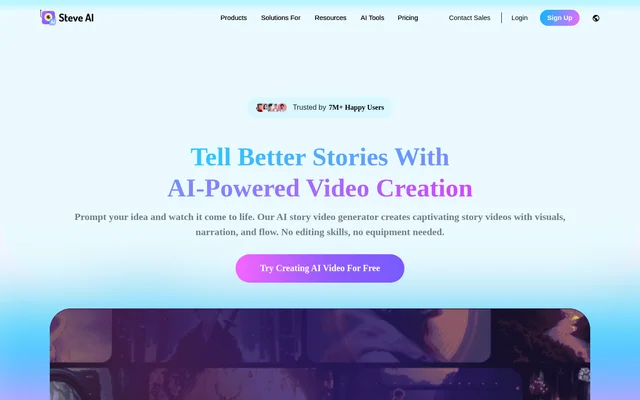
Steve.AI is an AI video creation tool that converts ideas and existing content into videos with visuals, narration, and structured storytelling. Steve.AI serves creators, marketing teams, educators, and businesses producing content without editing skills or production equipment. The website identifies Steve.AI as a product from the makers of Animaker Inc.
Steve.AI supports animated, generative AI, live-action, talking head avatar, and faceless video formats. These options cover different production needs, from a narrated story to an explainer or promotional video. Access includes an online creation tool and an iOS app, with free and paid plans.
What Steve.AI can do
Steve.AI combines content generation, narration, and visual effects within its video creation workflow. Steve.AI accepts both new ideas and existing material, including blog content, podcast transcripts, notes, scripts, audio, and images. The available features support longer storytelling projects as well as animated shorts for social media.
- Steve.AI turns a described idea into a script and finished video.
- Steve.AI converts text, scripts, audio, and images into videos.
- Steve.AI uses multiple AI voices to create conversational narration.
- Steve.AI adds zooms, camera movement, kinetic text, and motion trails.
- Steve.AI converts tweets, images, and blogs into animated shorts.
- Steve.AI provides AI video translation for 10+ languages.
How Steve.AI works
Steve.AI starts with a prompt or source material supplied by the user. For idea-based creation, the prompter builds a script and turns the idea into a finished video. Other workflows begin with text, a script, audio, or an image, allowing existing content to become a new video.
Steve.AI provides an iOS app for creating and editing videos away from a desktop. Once a video is ready, users select Download to save the result. The free plan includes limited local downloads and direct publishing to YouTube, while paid plans expand export options and download allowances.
Who Steve.AI is for
Steve.AI is designed for people creating marketing, educational, training, and entertainment content, including beginners without video-editing experience. Steve.AI also addresses creators growing YouTube channels and teams promoting products. The range of styles supports both on-camera alternatives, such as faceless videos, and character-led storytelling.
- Steve.AI helps marketers produce promotional videos and UGC ads.
- Steve.AI helps educators create explainers and learning materials.
- Steve.AI supports training and onboarding content for workplace teams.
- Steve.AI helps creators make social shorts and faceless YouTube videos.
- Steve.AI supports storytelling videos and children's content.
Steve.AI pricing and plans
Steve.AI offers a free plan listed at $0 with 1200 seconds of AI videos and 200 credits for AI and stock media generation. The website also describes monthly credits for trying text-to-video, prompt-to-video, and other features. Free access supports video creation and downloading, subject to local download limits.
Steve.AI lists Starter, Pro, and Generative AI subscriptions, alongside a custom enterprise plan available by contacting the provider. Starter includes 1080p output, while Pro and Generative AI list 2K output. The paid plan cards include watermark-free videos and unlimited exports. Flexible add-ons and FlexiCredits provide additional generative credits, power-ups, or premium assets.
Steve.AI strengths and limitations
Steve.AI brings several source formats, video styles, voice options, and motion effects into one creation tool. The free plan provides a way to test the workflow before paying, while the iOS app supports mobile work. Steve.AI also states GDPR compliance, ISO 27001 certification, and third-party risk management through CyberGRX.
- Steve.AI restricts local downloads on the free plan.
- Steve.AI requires a paid plan for watermark-free exports and higher-resolution output.
- Steve.AI subscriptions include defined video-minute, media, and generative-credit allowances.
Steve.AI FAQ
What is Steve.AI?
Steve.AI is an AI video creation tool that turns prompts, scripts, text, audio, and images into videos with visuals and narration. Steve.AI supports animated, generative AI, live-action, talking head avatar, and faceless video formats for creators and business teams.
Is Steve.AI free?
Steve.AI offers a free plan for creating and downloading videos, with monthly credits and limited local downloads. The listed free allowance includes 1200 seconds of AI videos and 200 credits for AI and stock media generation. Paid subscriptions add premium options and expanded allowances.
Who is Steve.AI for?
Steve.AI is for content creators, marketers, educators, and learning and development teams. Steve.AI supports use cases including social media videos, YouTube content, product promotions, explainers, training, onboarding, and children's storytelling without requiring editing skills or production equipment.
Does Steve.AI have a mobile app?
Steve.AI has an iOS app that supports creating and editing videos on the go. The website positions the app for busy creators who need to work away from a desktop and produce quick social media content.
How do you download videos from Steve.AI?
Steve.AI provides a Download option once a video is ready. Free users receive limited local downloads and direct publishing to YouTube. Paid plans offer HD exports, watermark-free videos, and higher download limits; the subscription cards also list unlimited video exports.
What security standards does Steve.AI state?
Steve.AI states GDPR compliance, ISO 27001 certification, and third-party risk management through CyberGRX. The website describes these measures as supporting data privacy, information security management, and protection for users' content and projects.
From the community
No reviews yet
Be the first to review this tool. What you write helps the next person choose.