What is SummarAIze?
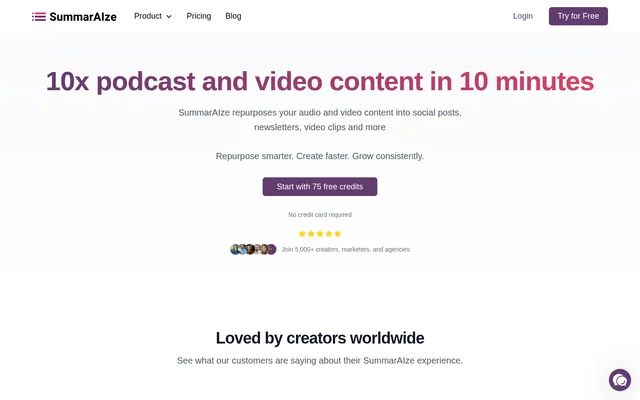
SummarAIze is an AI content repurposing tool that converts audio and video recordings into written content and short clips. SummarAIze serves creators, podcasters, marketers, small teams, and agencies that want to reuse podcasts, webinars, and interviews across different publishing channels. Generated formats include social posts, newsletters, blogs, transcripts, captions, and YouTube assets.
SummarAIze combines transcription, content generation, brand settings, and asset sharing in a centralized dashboard. Rather than generating the same output for every recording, SummarAIze uses selected templates and saved brand context to shape the results. Access begins with free trial credits, while ongoing subscriptions provide monthly credit allowances.
What SummarAIze can do
SummarAIze generates multiple content formats from an original recording and supports additional requests through Ask SummarAIze. Brand kits define voice, tone, target audience, keywords, and writing rules, while templates determine the outputs for particular content types or publishing platforms. SummarAIze also supports content generation using context from multiple recordings.
- SummarAIze creates LinkedIn posts, Twitter/X posts, and Instagram captions.
- SummarAIze generates YouTube titles and SEO descriptions.
- SummarAIze drafts blog posts and newsletters.
- SummarAIze produces speaker-labeled transcripts, subtitles, and timestamps.
- SummarAIze creates short clips, pull quotes, and chapter breakdowns.
- SummarAIze refines assets and generates variations through chat.
How SummarAIze works
SummarAIze starts with a brand kit describing the recording's tone, audience, and content type. Users then select or install templates to control what gets generated and upload their source recording. SummarAIze accepts direct uploads and sources from Google Drive, Dropbox, Zoom, and YouTube, supports multilingual recordings, and accepts files up to 10GB.
SummarAIze presents generated assets in a dashboard where users can view, customize, and share results. Ask SummarAIze accepts natural-language requests for additional content or revisions based on the recording. Shareable links provide access for clients, team members, and collaborators without requiring recipients to log in.
Who SummarAIze is for
SummarAIze targets solo creators and side projects as well as marketers, podcasters, small teams, agencies, and high-volume users. Saved brand kits and customizable templates support recurring content workflows, while shareable results links support client delivery and collaboration. Unlimited team members are included without per-seat fees.
- Podcasters can turn episodes into transcripts, social posts, and emails.
- Marketers can repurpose webinars into blogs and newsletter drafts.
- Creators can generate YouTube titles, descriptions, and short clips.
- Agencies can share generated assets with clients through results links.
SummarAIze pricing and plans
SummarAIze provides 75 free trial credits without requiring a credit card. Creator costs $29/month for 350 credits, Content Manager costs $59/month for 800 credits, and Business costs $149/month for 2,500 credits. Monthly and annual billing options are listed. Higher plans add faster or priority support, and Business includes early access to new features.
SummarAIze charges 1 credit per minute of transcription and 1 credit per generated asset. Regenerating content or sending an Ask SummarAIze message also costs 1 credit. Users who exhaust their allowance can upgrade or buy a one-time credit pack. Previously generated content remains accessible after cancellation.
SummarAIze strengths and limitations
SummarAIze brings transcription, branded content generation, and sharing into a single workflow. Unlimited brand kits, templates, and team members support different content types and collaborative work without per-seat fees. However, unlimited content assets per upload do not remove usage charges: transcription, generated assets, revisions, and chat requests all consume credits.
- SummarAIze applies a 10GB upload limit.
- SummarAIze requires additional credits or an upgrade when an allowance runs out.
- SummarAIze charges credits for regeneration and chat requests as well as initial outputs.
SummarAIze FAQ
What is SummarAIze?
SummarAIze is an AI content repurposing tool that turns audio and video recordings into social posts, blog posts, newsletters, transcripts, captions, and short clips. SummarAIze supports workflows based on podcasts, webinars, and interviews for creators, marketers, podcasters, and agencies.
Is SummarAIze free?
SummarAIze offers a free trial with 75 credits and no credit card requirement. Paid subscriptions start at $29/month for the Creator plan with 350 credits. SummarAIze also offers Content Manager and Business plans with larger monthly credit allowances.
How does SummarAIze use credits?
SummarAIze uses 1 credit per minute of transcription and 1 credit per generated asset. Regenerating an asset or sending an Ask SummarAIze message also uses 1 credit. Users can upgrade their subscription or buy a one-time credit pack when their credits run out.
Can SummarAIze import recordings from cloud tools?
SummarAIze supports uploads from Google Drive, Dropbox, Zoom, and YouTube links, alongside direct file uploads. SummarAIze accepts files up to 10GB and supports multilingual recordings, with templates controlling which content assets are generated from each upload.
Can SummarAIze match a brand's voice?
SummarAIze uses brand kits to save voice, tone, target audience, keywords, speaker names, and writing rules. SummarAIze includes unlimited brand kits and customizable templates, allowing users to apply different settings to podcasts, webinars, interviews, and other content types.
Can teams and clients access SummarAIze results?
SummarAIze includes unlimited team members without per-seat fees and provides shareable results links for collaborators and clients. SummarAIze does not require recipients to log in to view shared results, and previously generated content remains accessible after cancellation.
From the community
No reviews yet
Be the first to review this tool. What you write helps the next person choose.