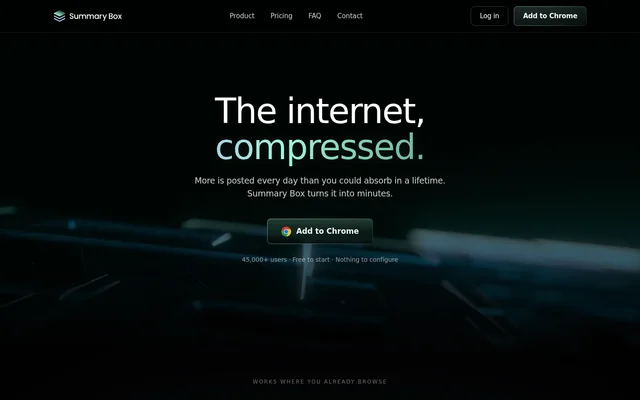
What is Summary Box?
Summary Box is an AI feed reader and research assistant delivered through a Chrome browser extension. Summary Box reads content from existing logged-in feeds and condenses posts, videos, threads, and comments into a personalized digest. The service is aimed at readers who want to follow their interests and subscriptions without reviewing every item individually.
Summary Box combines feed selection with research assistance rather than providing summaries alone. Digest cards include reasons for their selection, while roundups connect information across sources. A concierge panel also offers research errands drawn from the reader’s profile and feeds, with source references attached to answers.
What Summary Box can do
Summary Box organizes reading around personalized feeds, source-backed answers, and compressed explanations. Supported feed sources include YouTube, Reddit, X, LinkedIn, Hacker News, and Substack. Summary Box also summarizes individual pages and documents, allowing readers to move between a broad digest and a focused question about selected material.
- Summary Box produces digest cards with a reason for each selection.
- Summary Box connects related material through cross-source roundups.
- Summary Box summarizes articles and PDFs.
- Summary Box provides YouTube breakdowns with timestamps.
- Summary Box researches highlighted text through a right-click action.
- Summary Box returns answers with clickable source references.
- Summary Box supports topic feeds and interest-based prioritization.
How Summary Box works
Summary Box uses a ghost browser window on the user’s own machine to access feeds through existing sessions. Summary Box can therefore read subscriptions and logged-in threads without requiring accounts to be reconnected. Clicking the extension icon opens a panel containing the digest, cross-source roundups, and concierge research options.
Summary Box personalizes results using what the reader reads, skips, saves, asks, and revisits. Each inferred preference has a supporting source, and the reader can correct profile facts. Those corrections inform the digest, suggested research errands, and chat. Citation highlighting connects an answer back to its source material.
Who Summary Box is for
Summary Box is for Chrome users who follow multiple feeds, investigate topics, or compare information spread across posts and discussions. The website illustrates research into home-office purchases and developments in AI agents. Summary Box supports these tasks by bringing together reviews, comments, and source references rather than presenting isolated summaries.
- Summary Box helps subscription readers catch up across their logged-in feeds.
- Summary Box supports product comparisons using reviews and discussion comments.
- Summary Box helps readers investigate developments across topic-specific sources.
- Summary Box turns selected page text into a sourced research question.
Summary Box strengths and limitations
Summary Box combines logged-in feed access with explanations for digest selections and editable personalization. Clickable references make the source material available alongside research answers. Access and coverage have boundaries: the listed browser environment is Chrome, the full-product trial requires payment details, and financial sites are permanently excluded from agent browsing.
- Summary Box lists Chrome as the operating environment.
- Summary Box requires a card for the full-product trial.
- Summary Box permanently blocks banks, brokerages, and other financial sites.
Summary Box FAQ
What is Summary Box?
Summary Box is a Chrome extension with an AI agent that reads logged-in feeds and creates personalized digests. Summary Box also connects stories across sources, suggests research errands, summarizes content, and answers questions with clickable source references.
Is Summary Box free?
Summary Box offers a first feed free without an account. Summary Box also provides a 5-day full-product trial requiring a card on file, followed by paid access. The page states that cancellation before day 5 avoids payment.
Which sites does Summary Box work with?
Summary Box names YouTube, Reddit, X, LinkedIn, Hacker News, and Substack as feed sources. Summary Box accesses feeds through existing browser sessions on the user’s machine, while financial sites, including banks and brokerages, are permanently blocked.
Can Summary Box summarize PDFs and YouTube videos?
Summary Box includes article and PDF summaries, page or link compression, and YouTube breakdowns with timestamps. Summary Box also reads videos, threads, and comments behind feeds to produce digest cards and roundups that connect information across sources.
How does Summary Box personalize its digest?
Summary Box learns from content the reader reads, skips, saves, asks about, and revisits. Summary Box attaches a supporting source to each inferred preference and allows profile corrections, which inform the digest, suggested research errands, and chat.
From the community
No reviews yet
Be the first to review this tool. What you write helps the next person choose.