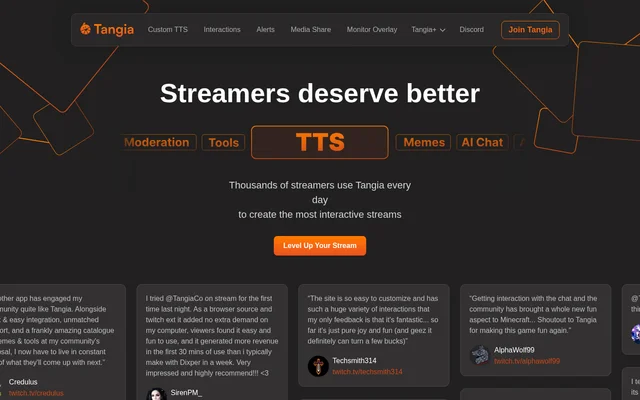
What is Tangia?
Tangia is a livestream interaction tool that combines AI text-to-speech, conversational characters and viewer-triggered media. Tangia is designed for streamers who want chat to participate in what happens on screen and through audio. The website describes custom voices, a ready-made voice library, memes, soundbites and generated images as ways to create interactive stream moments. Tangia also includes alerts and media sharing, bringing several audience interaction formats into the same streaming workflow.
What Tangia can do
Tangia supports both ready-made content and streamer-created interactions. Tangia TTS Studio turns a streamer's own voice into TTS, while custom AI personas give chat a character to engage with. Viewers can also contribute clips or image prompts rather than relying only on text messages and existing media.
- Tangia provides 150+ hand-crafted TTS voices.
- Tangia lets streamers pair custom TTS with an AI persona.
- Tangia offers AI characters that chat can converse with.
- Tangia includes a curated library of thousands of memes.
- Tangia turns approved Twitch clips into playable soundbites.
- Tangia displays generated images and reads their prompts through TTS.
- Tangia alerts can trigger TTS messages, interactions and videos.
- Tangia starts dance parties when a Bit/Token goal is reached.
How Tangia works
Tangia works with any streaming software that has a browser source. For soundbites, a viewer grabs a Twitch clip from the stream and trims the clip in the extension or viewer page. The streamer or a moderator then approves the submission, making the soundbite available as an interaction anyone can send. For image generation, viewers send an interaction through the extension or viewer page, and the resulting image plays on stream with the prompt read aloud.
Who Tangia is for
Tangia is aimed at streamers who want viewers to influence stream content through voices, conversations, images and clips. Tangia also provides moderation-related functions: moderators can approve soundbites, and media sharing includes moderator access. Twitch-specific features include clip submissions and interaction discounts for Twitch subscribers, while general software compatibility depends on browser-source support.
- Tangia helps streamers create a recognizable custom TTS voice.
- Tangia lets chat participate in conversations with AI characters.
- Tangia lets viewers turn stream moments into approved soundbite interactions.
- Tangia supports community sharing of custom interactions.
Tangia pricing and TangiaPass
Tangia presents TangiaPass as a way to get additional benefits, including extra custom TTS slots and discounts on interactions for Twitch subscribers. Tangia also describes earning REP when shared custom interactions are used, alongside affiliate and partner benefits such as early feature access. The supplied page does not state subscription prices, identify a free tier or explain which capabilities require a particular plan.
Tangia strengths and limitations
Tangia brings multiple interaction formats together, including custom speech, conversational characters, generated images and viewer-submitted clips. Tangia's browser-source compatibility allows use with streaming software that meets that requirement, while soundbite approval gives streamers and moderators control over submitted clips. The described workflow still depends on compatible streaming software and an approval step before a new viewer-submitted soundbite becomes available.
- Tangia requires browser-source support in the streaming software.
- Tangia soundbite submissions cannot become available until a streamer or moderator approves them.
- Tangia does not disclose pricing or detailed plan boundaries in the supplied page.
Tangia FAQ
What is Tangia?
Tangia is an interactive livestream tool that combines AI text-to-speech, AI characters, memes, soundbites and image generation. Tangia helps streamers let viewers contribute audio, conversations and visual content during a stream.
Can Tangia turn your voice into TTS?
Tangia can turn a streamer's own voice into text-to-speech through Tangia TTS Studio. Tangia also offers 150+ hand-crafted TTS voices and lets streamers add an AI persona to custom TTS for chat conversations.
What streaming software does Tangia support?
Tangia works with any streaming software that has a browser source, according to the website. Tangia also describes an extension and viewer page for submitting soundbites and image-generation interactions.
How do Tangia soundbites work?
Tangia lets viewers grab a Twitch clip from a stream and trim the clip in the extension or viewer page. Tangia makes the soundbite available as an interaction after the streamer or a moderator approves the submission.
Can viewers generate images with Tangia?
Tangia lets viewers send an image-generation interaction through the extension or viewer page. Tangia then plays the generated image on stream and reads the accompanying prompt aloud using text-to-speech.
Does Tangia list its pricing?
Tangia does not list prices in the supplied website text. Tangia describes TangiaPass benefits, including extra custom TTS slots and Twitch subscriber interaction discounts, but does not specify plan costs or establish whether a free tier is available.
From the community
No reviews yet
Be the first to review this tool. What you write helps the next person choose.