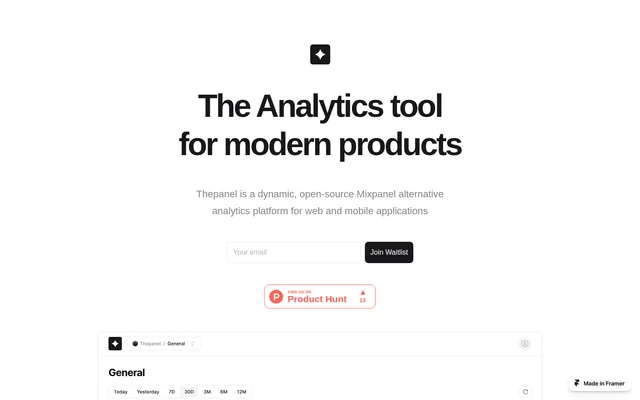
What is Thepanel?
Thepanel is an open-source product analytics tool for monitoring and analyzing user behavior. Thepanel records interactions such as clicks and form submissions so teams can see what users do in real time. Custom dashboards provide a way to choose which data to display and how to arrange it, while the AI features are intended to surface patterns and trends.
What Thepanel can do
Thepanel combines event tracking, dashboard customization, and AI-assisted analysis. Event tracking captures individual interactions, while dashboards let users arrange data around the questions they want to answer. Thepanel also offers ways to bring in data from other sources, including previously collected Mixpanel data.
- Thepanel tracks clicks and form submissions in real time.
- Thepanel lets users rearrange dashboards with drag and drop.
- Thepanel connects data sources through Segment integrations.
- Thepanel supports migration from Mixpanel exports.
- Thepanel offers predictive analytics and automated insights.
How Thepanel works with events and data sources
Thepanel supports both newly tracked interactions and data brought in from other sources. Segment integrations connect data from different sources for analysis in a unified view. Thepanel also describes support for data from databases and web services. For users moving from Mixpanel, the page identifies an export-based migration feature but does not describe the steps involved.
Thepanel lets users organize key data in a custom dashboard by moving elements with drag and drop. The dashboard layout can reflect what the user wants to analyze, while the AI features serve a different purpose: generating automated insights and supporting predictive analysis.
Who Thepanel is for
Thepanel is suited to teams that want to see how people interact with a website or product, as well as users who need to bring data from different sources into one analytics view. Thepanel is also relevant to teams moving from Mixpanel that want to bring existing data with them rather than rely only on newly tracked events.
- Monitor clicks and form submissions as they happen.
- Arrange key data in a dashboard tailored to an analysis question.
- View data from different sources together through Segment.
- Bring existing Mixpanel data into Thepanel.
Thepanel pricing and open-source access
Thepanel is presented as open source, but the product page does not state prices or describe free or paid plans. The page includes an invitation to join and lists @thepaneldev as a contact. The open-source description emphasizes the ability to customize the tool rather than specifying how access is provided or what it might cost.
Strengths and limitations of Thepanel
Thepanel combines real-time event data and customizable dashboards with several ways to bring in existing data. The clearest examples on the product page are click and form submission tracking, drag-and-drop layouts, Segment integrations, and migration from Mixpanel. The description of predictive analytics and automated insights is less specific: the page states what those features are intended to do but does not show what the outputs look like.
Thepanel FAQ
What is Thepanel?
Thepanel is an open-source product analytics tool for tracking user interactions and visualizing data. Thepanel monitors events such as clicks and form submissions in real time, supports customizable dashboards, and offers AI features for predictive analytics and automated insights.
Is Thepanel free?
Thepanel is described as open source, but its product page does not say whether access is free or paid. The page invites visitors to join without listing prices or plan details.
What events can Thepanel track?
Thepanel can track clicks and form submissions in real time. The product page presents these as examples of user interactions that can be monitored and analyzed, rather than as a complete list of supported event types.
Does Thepanel integrate with Segment?
Thepanel offers Segment integrations to connect data from different sources and view it together for analysis. Thepanel also describes support for data from databases and web services.
Can I migrate from Mixpanel to Thepanel?
Thepanel describes an export feature for migrating data from Mixpanel. The feature is intended to help users bring their existing Mixpanel data into Thepanel for analysis, though the product page does not give migration instructions.
What AI features does Thepanel offer?
Thepanel offers AI support for predictive analytics and automated insights. The product page describes these features as a way to uncover patterns and trends in data, without specifying the types of predictions or insights available.
From the community
No reviews yet
Be the first to review this tool. What you write helps the next person choose.