What is WriteSmart?
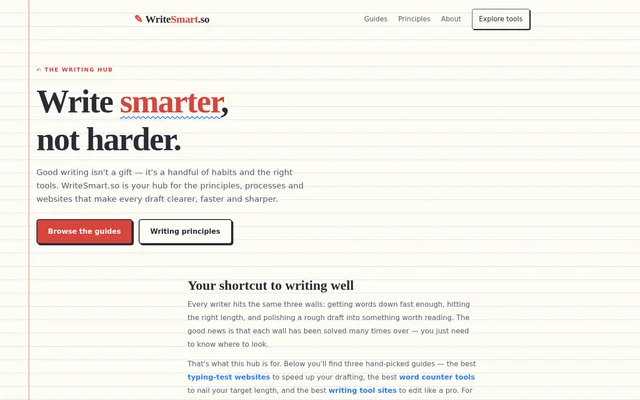
WriteSmart is a writing resource hub that helps writers find guides and reference sites for drafting, checking length, and editing. The page organizes its recommendations around familiar writing problems: getting words down quickly enough, reaching the right length, and turning a rough draft into something worth reading.
WriteSmart presents a curated route to other writing resources rather than describing a standalone writing application. The page combines guides to categories of tools with named reference sites. Readers can use those recommendations to identify resources for a particular task, from counting characters to looking up grammar or citation guidance.
What WriteSmart can do
WriteSmart brings together guides for different parts of the writing process and explains what selected external resources provide. The recommendations cover typing practice, length checks, language references, and readability. The capabilities described belong to the linked resources, while WriteSmart serves as the hub that points readers toward them.
- WriteSmart highlights typing-test website guides for faster drafting.
- WriteSmart points to word counter guides for meeting target lengths.
- WriteSmart features writing tool guides for editing drafts.
- WriteSmart recommends WordCountTool.com for word counts, character counts, and keyword density.
- WriteSmart directs grammar, citation, and style questions to Purdue OWL.
- WriteSmart lists Merriam-Webster for dictionary, thesaurus, and usage references.
- WriteSmart identifies Hemingway Editor as a resource for readability grades and dense-sentence flags.
How WriteSmart works
WriteSmart gives readers a task-based starting point: choose a guide about typing tests, word counters, or writing tools according to the problem at hand. The page then points to named external resources with short descriptions of their functions. This structure supports finding a relevant resource without presenting those external functions as WriteSmart features.
WriteSmart specifically recommends WordCountTool.com for quick word and character counts and Purdue OWL for grammar and citation questions. The trusted-resource list also includes Merriam-Webster and Hemingway Editor. The supplied page describes these destinations but does not provide a WriteSmart installation process, account workflow, or built-in document editing interface.
Who WriteSmart is for
WriteSmart is for writers looking for practical resources to address drafting speed, document length, and revision. The recommendations also cover language and academic reference needs through dictionary, grammar, citation, and style resources. The page frames these needs broadly, without limiting its guides to a particular profession or writing format.
- WriteSmart helps writers find typing-test resources when drafting speed is a concern.
- WriteSmart helps writers locate counting tools when a draft must meet a target length.
- WriteSmart points writers toward editing and readability resources for revising rough drafts.
- WriteSmart directs readers with citation or grammar questions toward Purdue OWL.
WriteSmart strengths and limitations
WriteSmart connects specific writing problems with clearly named resource types and destinations. The page distinguishes counting, reference, and readability tasks instead of treating editing as a single activity. Its scope is resource discovery: the supplied text supports describing a curated writing hub, not an AI writing generator or an integrated editing suite.
- WriteSmart relies on external destinations for the described counting, reference, and readability functions.
- WriteSmart does not describe a built-in editor on the supplied page.
- WriteSmart does not state pricing or account requirements on the supplied page.
WriteSmart FAQ
What is WriteSmart?
WriteSmart is a writing resource hub with hand-picked guides to typing-test websites, word counter tools, and writing tool sites. WriteSmart also points readers to external references for grammar, citation, vocabulary, and readability.
Who is WriteSmart for?
WriteSmart is for writers seeking help with drafting speed, target length, and polishing rough drafts. WriteSmart also lists resources for readers who need grammar explanations, citation guidance, dictionary definitions, synonyms, or usage notes.
Which writing resources does WriteSmart recommend?
WriteSmart recommends WordCountTool.com, Purdue OWL, Merriam-Webster, and Hemingway Editor. WriteSmart describes these resources as covering word and character counts, keyword density, grammar, citation, style, dictionary and thesaurus references, usage notes, and readability checks.
Does WriteSmart have a word counter?
WriteSmart points readers to WordCountTool.com for quick word and character counts rather than describing a built-in counter. WriteSmart also highlights a guide to word counter tools for writers trying to meet a target length.
Can WriteSmart help with grammar and citations?
WriteSmart directs readers to Purdue OWL for grammar and citation questions. WriteSmart lists Purdue OWL as a reference for grammar, citation, and style, rather than describing its own grammar checker or citation generator.
From the community
No reviews yet
Be the first to review this tool. What you write helps the next person choose.