What is Zawa?
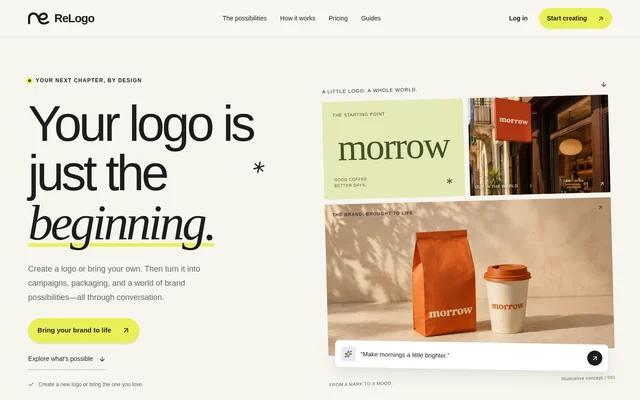
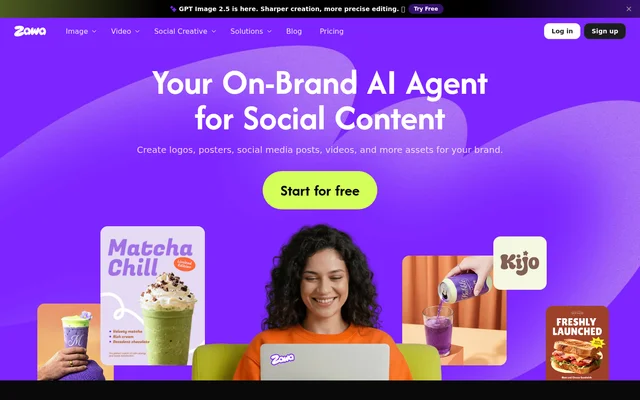
Zawa is an AI design tool for small businesses that need brand assets and recurring visual content for social media, stores, and product listings. Formerly called X-Design, Zawa combines brand identity tools with image and video creation. A business can use Zawa to create a logo and a brand guide, then use the same brand assets for materials such as menus, posters, and social posts. The brand guide includes color palettes, typography, and usage rules.
What Zawa can do
Zawa supports both creating new visuals and editing existing media. A business can generate a poster or a short video, or start with an existing photo and remove its background, extend the image, or improve its resolution. Zawa also offers product photography tools that place products in realistic settings. For video, Zawa lists generation from text or images alongside editing tools such as video enhancement, background removal, and remixing.
- Zawa generates logos and brand guides.
- Zawa creates menus, flyers, posters, and social media posts.
- Zawa creates mockups for menus, posters, and packaging.
- Zawa turns phone photos into product images.
- Zawa generates video from text prompts or images.
How Zawa works
Zawa stores brand assets in a brand kit and applies them across projects, so businesses can reuse those assets rather than set them up for every new design. Poster layouts are available as editable layered files, allowing changes after generation. Zawa subscriptions and credits work across the web workspace and the iOS and Android apps, although features can differ by platform. Teams can also contact sales about integrating the Enterprise API into an existing workflow.
Who Zawa is for
Zawa is aimed at small businesses that need a consistent look across printed materials, social feeds, and business listings. Zawa describes poster layouts for restaurants, cafés, and retailers, and highlights examples such as restaurant menus and bar event flyers. The product photography tools suit businesses working from phone photos. Zawa lists social media, Google Maps, and menus as places where the resulting product images can be used.
- Create a restaurant menu and matching promotional visuals.
- Make a cocktail flyer or event poster for a bar.
- Produce product photos for social media or Google Maps.
- Preview a brand on packaging with visual mockups.
Zawa pricing and plans
Zawa offers a Free plan with tool-specific limits and no card required. Plus, Pro, and Max are paid subscription tiers, and the pricing page offers monthly and yearly billing. Zawa uses credits for AI features, and subscribers can buy more credits for generative tools after reaching their plan quota. The custom Enterprise API is available through sales and offers tailored image and video tools, dedicated capacity, and private models.
Strengths and limitations of Zawa
Zawa combines brand asset reuse and editable posters with everyday tasks such as product photo editing and social video creation. That combination is useful when a business needs several formats to share the same brand assets. Usage is not uniform across tools: basic image utilities have high limits on paid plans, while generative tools have monthly quotas. Businesses that rely on a particular model or mobile feature should check the plan and platform limits.
- Free plan limits vary by tool, and some video models are not included.
- Paid generative tools are subject to monthly quotas.
- Free and paid features may vary by platform.
- Credits purchased for API use cannot be used in the apps or web workspace.
Zawa FAQ
What is Zawa?
Zawa is an AI design tool for creating brand assets, images, and videos. Zawa can generate logos, menus, posters, social media posts, product photos, and mockups, and its brand kit stores assets for reuse across projects.
Is Zawa free?
Zawa has a Free plan with no card required and usage limits that vary by tool. Zawa also offers paid Plus, Pro, and Max subscriptions, with monthly and yearly billing options and higher usage limits for AI tools.
Who is Zawa for?
Zawa is designed for small businesses such as restaurants, cafés, and retailers. These businesses can use Zawa to create menus, posters, product photos, packaging mockups, and social media visuals that use the same brand assets.
Can Zawa turn phone photos into product photography?
Zawa can turn basic phone photos into product images and place products in realistic settings. Zawa describes the resulting images as suitable for social media, Google Maps, menus, and other channels.
Can Zawa keep designs on-brand?
Zawa uses a reusable brand kit to apply stored brand assets across projects. Zawa also creates brand guides with palettes, typography, and usage rules, and generates posters as layered files that can be edited after creation.
Does Zawa have an API?
Zawa offers a custom Enterprise API for teams that want AI image and video tools in an existing workflow. Zawa lists dedicated capacity and private models as enterprise options. Credits purchased for API use are separate from web and app credits.
From the community
No reviews yet
Be the first to review this tool. What you write helps the next person choose.