What is ZekAI?
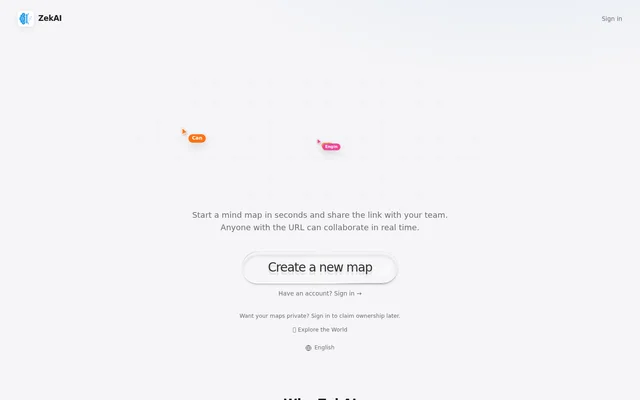
ZekAI is a collaborative mind mapping web app for teams that want to brainstorm on the same board in real time. Users create a map and share its link, allowing anyone with the URL to view and edit together. Collaboration does not require accounts or invitations.
ZekAI combines mind map content with tools for discussing and presenting ideas. A shared board can contain notes, drawings, images, files, and links, while live cursors show participants working together. The interface is available in English, Turkish, German, French, and Arabic.
What ZekAI can do
ZekAI supports both the content of a mind map and the conversations around it. Users can arrange ideas with AI assistance, start with templates, or add their own visual material. Communication tools include comments, voice chat with noise cancellation, and live screen sharing.
- ZekAI lets collaborators edit the same board in real time.
- ZekAI uses a description of a plan to arrange the board with AI.
- ZekAI provides ready-made templates for starting a map.
- ZekAI supports nodes, notes, images, files, links, and timers.
- ZekAI includes pen drawing, emoji stamps, and disappearing ink.
- ZekAI provides live cursors, comments, voice chat, and screen sharing.
How ZekAI works
ZekAI starts with a new mind map created through the web app. The map creator shares the board URL with collaborators, who can immediately view and edit the same map. This link-based workflow removes the need to set up collaborator accounts or send invitations before brainstorming.
ZekAI lets users describe what they are planning and have AI arrange the board, or choose a ready-made template instead. During collaboration, participants can add content, draw annotations, comment, speak, and share their screens. Users can sign in later to claim map ownership; the page also directs users who want private maps to sign in.
Who ZekAI is for
ZekAI is for teams that want to map ideas together and discuss them while working on a shared visual board. The combination of link-based editing, notes, drawings, and communication tools supports collaborative brainstorming and planning. Participants can contribute written ideas, supporting files, or visual annotations in the same map.
- ZekAI supports team brainstorming through shared nodes and notes.
- ZekAI supports visual planning with AI-assisted layouts and templates.
- ZekAI supports discussions through comments, voice chat, and screen sharing.
- ZekAI supports quick annotations with drawings, emoji stamps, and disappearing ink.
ZekAI strengths and limitations
ZekAI brings real-time editing and team communication into a shared mind mapping workflow. No-account participation makes the initial collaboration process straightforward, while AI-assisted layouts and templates provide different ways to begin. Link-based access also has an important boundary: anyone holding the map URL can view and edit the board.
- ZekAI grants viewing and editing access to anyone with the map link.
- ZekAI requires signing in for users who want private maps.
- ZekAI requires signing in to claim map ownership later.
ZekAI FAQ
What is ZekAI?
ZekAI is a collaborative mind mapping web app where teams create boards and brainstorm together in real time. ZekAI supports shared editing, AI-assisted layouts, notes, drawings, comments, voice chat, and screen sharing.
Do ZekAI collaborators need an account?
ZekAI does not require collaborators to have an account: anyone with a map link can view and edit immediately. ZekAI also lets users sign in later to claim ownership of a map.
What can you put on a ZekAI mind map?
ZekAI maps can include nodes, notes, freehand drawings, images, files, links, comments, and timers. ZekAI also supports voice chat and live screen sharing, along with emoji stamps and disappearing ink for annotations.
How does ZekAI use AI?
ZekAI uses AI to arrange a board based on a description of what the user is planning. ZekAI also offers ready-made templates as another way to start a mind map.
Which languages does ZekAI support?
ZekAI provides its interface in English, Turkish, German, French, and Arabic. ZekAI is a web app for collaborative mind mapping, with shared-link access that lets participants view and edit maps without accounts.
Can ZekAI maps be private?
ZekAI directs users who want private maps to sign in, and users can sign in later to claim ownership. ZekAI otherwise allows anyone with a map URL to view and edit the shared board.
From the community
No reviews yet
Be the first to review this tool. What you write helps the next person choose.