What is Zoviz?
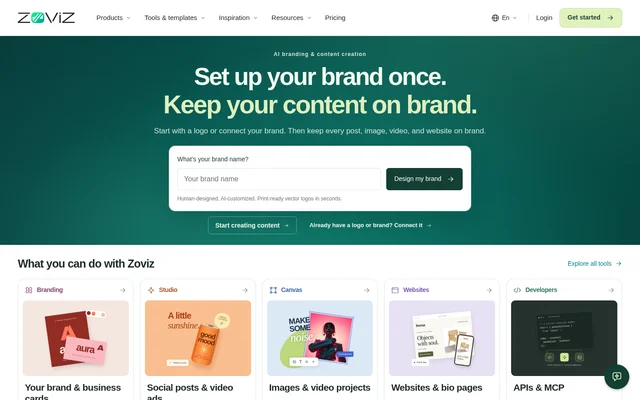
Zoviz is an AI branding and content creation platform for businesses, product brands, and personal brands. Zoviz combines logo design with tools for making social content, ads, images, videos, and websites. A user can begin by customizing a human-designed logo or by connecting an existing brand. A Brand Profile gives those tools a shared reference for the brand’s audience, voice, colors, and fonts.
What Zoviz can do
Zoviz covers both brand setup and the production of everyday marketing materials. The logo tools produce editable vectors, and matching designs span print materials, social graphics, and business stationery. For campaigns, Zoviz can generate images from written descriptions, create product video ads, and assemble Canvas clips into a finished video. Website tools cover business sites, link-in-bio pages, and digital business cards.
- Customize a human-designed vector logo.
- Download logos in SVG, PNG, or JPG format.
- Edit the text, colors, and layout of prepared designs.
- Generate images from written descriptions.
- Assemble Canvas clips in the video editor.
- Build and publish a website without coding.
How Zoviz works
Zoviz offers two ways to create content. Studio guides users through a series of steps after they choose an output, such as a social post or product video. Canvas gives users a workspace to connect prompts, product photos, and image or video tools into workflows they can refine and reuse.
Zoviz uses the Brand Profile to guide new creations. The profile records what the brand does, who it serves, and how it should look and sound. Developers can also add Zoviz tools to an app or AI assistant through the API and MCP integrations described on the site.
Who Zoviz is for
Zoviz is for businesses creating a visual identity, product brands preparing promotional content, and people managing a personal brand. A business can make a logo and apply matching colors and fonts to stationery and social designs. A product brand can make a video ad for a launch, while a personal brand can share a link-in-bio page or a digital business card.
- Prepare a logo, business cards, and email signature.
- Create Instagram posts and Reels for a promotion.
- Make a product video for a launch.
- Publish a link-in-bio page or digital business card.
Zoviz strengths and limitations
Zoviz lets users reuse a brand’s visual and writing preferences while choosing how much control they want over content creation. Studio provides a guided process, while Canvas supports workflows that users assemble themselves. Logo exports include full-color and monochrome variants and transparent backgrounds. Brand Profile updates apply to future creations, so changing the profile does not revise anything already created.
- Brand Profile changes do not revise existing content.
- Previously created websites do not inherit later Brand Profile changes.
Getting started with Zoviz
Zoviz lets users start by entering a brand name to design a logo or by connecting a brand they already have. Users can set up a Brand Profile without a logo by recording what the brand does, who it serves, and its preferred voice, colors, and fonts. From there, users can customize a prepared design, make content in Studio, build a Canvas workflow, or start a website.
Zoviz FAQ
What is Zoviz?
Zoviz is an AI branding and content creation platform for making logos, social posts, images, videos, and websites. Zoviz uses a Brand Profile to carry details such as the brand's audience, voice, colors, and fonts into new content.
Can you use Zoviz with an existing logo?
Zoviz lets users connect an existing logo or brand instead of creating a new logo. Users can also set up a Brand Profile without a logo and record what the brand does, who it serves, and how it should look and sound.
What is the difference between Zoviz Studio and Canvas?
Zoviz Studio guides users through making posts, ads, images, and videos, while Zoviz Canvas lets users build their own image and video workflows. In Canvas, users can connect inputs such as product photos and prompts with video tools and reuse the workflow.
What file formats can Zoviz export for logos?
Zoviz offers logo downloads in SVG, PNG, and JPG formats. The logo files are available in full-color and monochrome versions, with transparent backgrounds also available for placements that need them.
Does Zoviz have an API or MCP integration?
Zoviz offers API and MCP integrations for developers who want to add Zoviz tools to an app or AI assistant. The product page presents these integrations separately from Studio and Canvas.
From the community
No reviews yet
Be the first to review this tool. What you write helps the next person choose.