Best AI Image Generator in 2026: 5 Paid Tools Compared
Midjourney is the best AI image generator for most people in 2026. Adobe Firefly is safer for commercial work, Ideogram is best for text, and Recraft is best for vectors.
Midjourney is the best AI image generator for most people in 2026, with plans from US$10 a month. Adobe Firefly is the safer choice for commercial work and UK or EU businesses, Ideogram is best when you need readable text in images, Leonardo.Ai suits power users who want control, and Recraft is best for vectors and brand graphics.
Some links on this page may become affiliate links; it never changes our ranking. How we pick: see below. Prices checked 29 October 2026.
At a glance
| Tool | Best for | Entry paid price | Standout | Watch out for |
|---|---|---|---|---|
| Midjourney | Best overall image quality and style | US$10/mo (Basic) | Strong aesthetics, video, Relax mode from US$30 | No free plan; images are public below Pro |
| Adobe Firefly | Commercial work, beginners, UK/EU teams | US$9.99/mo (Standard) | Adobe models plus partner models (Google, OpenAI, Flux) in one place | Credits go quickly; partner-model outputs are your call |
| Ideogram | Text in images, posters, logos | US$20/mo (Plus; US$15/mo annual) | Private generation and unlimited slow-queue use on paid plans | Edits, upscales and partner models still cost credits |
| Leonardo.Ai | Power users and game or concept art | US$12/mo (Essential) | Token rollover bank, team plans, API | Token system and plan terms are harder to read |
| Recraft | Vectors, icons and brand graphics | US$12/mo monthly (Basic) | Vector output and reusable custom styles | Credits do not roll over; pricing docs are inconsistent |
1. Midjourney: best AI image generator overall
Midjourney is a subscription image (and now video) generator that is still the one most designers reach for when they want a distinctive, polished look from a short prompt. It is the pick for most people because the entry price is low and the ceiling on quality is high. Its plans are Basic at US$10 a month, Standard at US$30, Pro at US$60 and Mega at US$120, with annual billing about 20% cheaper (US$96, US$288, US$576 and US$1,152 a year). Those figures come from a September 2026 breakdown of Midjourney's help-centre page at DIY AI, because Midjourney's own documentation blocked automated access when we checked, so confirm on the day you buy.
You pay in GPU time rather than image counts: roughly 3.3 hours of Fast time on Basic, 15 on Standard, 30 on Pro and 60 on Mega, with extra Fast time at US$4 an hour. Relax mode (slower, effectively unlimited) starts at Standard, which is the real reason many regular users skip Basic. Pro adds Stealth mode, so your work is not public by default, and raises the number of Fast jobs you can run at once.
Commercial use is simple until you are a big company. Midjourney's terms say businesses with more than US$1,000,000 in gross annual revenue need Pro or Mega, which matters to agencies and in-house teams.
Pros
- Image quality and range of styles that other tools in this list struggle to match without heavy prompting
- Cheapest route to a serious subscription at US$10 a month
- Relax mode on Standard makes high-volume exploring affordable
- Video generation is included on the same plans
Cons
- No free plan that we could confirm, so you pay before you know whether you like it
- Images are public by default; privacy needs Pro at US$60 a month
- GPU-hours are harder to budget than a simple image count
- Companies above US$1m revenue must be on Pro or Mega
Pricing: Basic US$10/month (US$96/year), Standard US$30 (US$288/year), Pro US$60 (US$576/year), Mega US$120 (US$1,152/year), as of 29 October 2026. Extra Fast hours cost US$4. Check currency and VAT at checkout if you are in the UK or EU.
Best for: Anyone who wants the best-looking results for illustration, concept art, social posts and mood boards, and does not mind learning prompt craft.
2. Adobe Firefly: best for commercial work and beginners
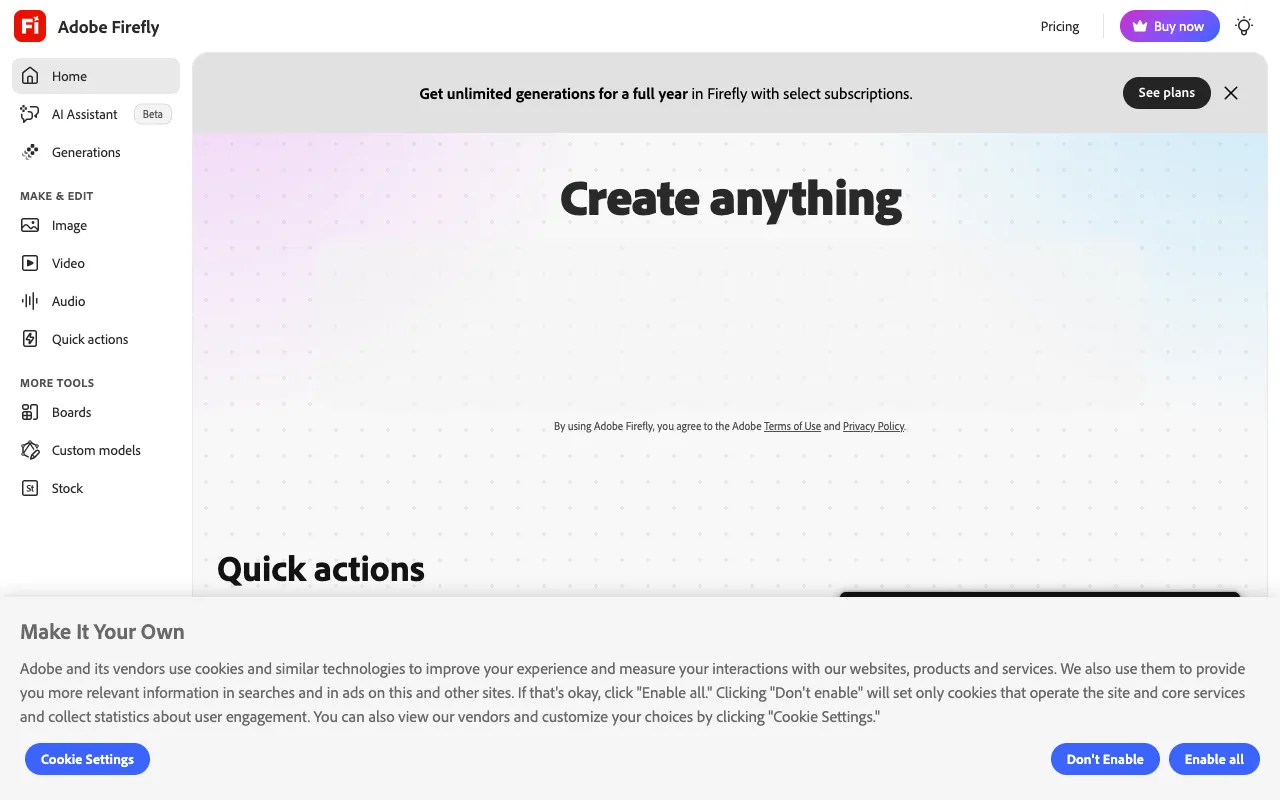
Adobe Firefly is Adobe's AI studio for images, video and audio, and the easiest on-ramp for people who already live in Adobe tools. Its homepage describes access to "30+ AI models" in one place, and Adobe's plans page says individual plans include partner models from Google, OpenAI, Flux and others alongside Adobe's own. You can browse it in our Adobe Firefly directory entry.
The individual plans are Standard at US$9.99 a month (2,000 generative credits, up to 20 five-second videos), Pro at US$19.99 (4,000 credits, up to 40 videos), Pro Plus at US$49.99 (10,000 credits) and Premium at US$199.99 (50,000 credits, unlimited use of the Firefly Video Model). Team plans are priced per licence.
The commercial story is Firefly's strongest card. Adobe says outputs from its own Firefly models are safe for commercial use, and that eligible enterprise customers can get IP indemnification for select outputs. The limits: indemnification is not listed per plan, and partner-model content is your responsibility to judge.
Pros
- Adobe's stated commercial-safety position for its own models, with enterprise indemnification
- Partner models from Google, OpenAI and Flux in the same workspace
- Lowest-friction option if you already use Photoshop or Express
- Standard image features such as Generative Fill are unlimited on individual plans
Cons
- 2,000 credits on Standard disappear quickly once you use video or premium models
- Indemnification is an enterprise matter, not an individual-plan perk
- Partner-model outputs carry a responsibility caveat
- Image style is less distinctive than Midjourney at the same price
Pricing: Standard US$9.99/month, Pro US$19.99, Pro Plus US$49.99, Premium US$199.99, all billed monthly on the individual plans page, as of 29 October 2026. The page shows US dollars; UK and EU visitors should expect local currency and tax at checkout.
Best for: Beginners, marketing teams, and UK or EU businesses wanting a clear commercial-use position.
3. Ideogram: best for text inside images
Ideogram is an AI image generator best known for putting readable text into pictures, which makes it the practical choice for posters, social graphics, packaging mock-ups and logo concepts. Its official documentation at docs.ideogram.ai (Ideogram's main pricing page blocked automated access) lists a Free plan with 30 credits a week, Plus at US$20 a month with 2,400 credits, Pro at US$60 a month with 7,500 credits, and Team at US$30 per user with a two-user minimum. Annual billing drops Plus to US$15 a month and Pro to US$42.
Credits behave in an unusual way that you should understand before paying. When monthly credits run out, Plus, Pro and Team users can keep generating with Ideogram models in a slower queue with no limit, but custom models, partner models, reference-image generations, edits and upscales still need credits. Free-plan images are public; paid-plan images stay private until published.
The documentation links to the Terms of Service for commercial rights rather than stating them, so read those terms before using output in client work.
Pros
- Strong at legible text, which many generators still fumble
- Unlimited slow-queue use on paid plans after credits run out
- Private generation from Plus; clear free tier for testing
- Pro adds batch generation
Cons
- Edits, upscales and reference-image work still burn credits
- Free plan images are public and credits are small (30 a week)
- Commercial terms sit in the ToS, not on the pricing page
- Plus at US$20 is double Midjourney Basic
Pricing: Plus US$20/month (US$15/month billed yearly), Pro US$60/month (US$42 billed yearly), Team US$30 per user (US$20 yearly), prices before tax, as of 29 October 2026.
Best for: Designers and small businesses that need text-heavy graphics such as posters, thumbnails and logo ideas.
4. Leonardo.Ai: best for power users who want control
Leonardo.Ai is a generative art platform aimed at people who want to tweak models, styles and workflows rather than type one prompt and accept the result. Canva announced its acquisition of Leonardo.Ai on 30 July 2024 (Decrypt report), and reports at the time said it would continue to operate independently.
Leonardo's own pricing page blocked automated access, so these plan figures come from a third-party tracker last edited 5 June 2026 (eesel), cross-checked against several other trackers: Free gives 150 tokens a day; Essential is US$12 a month for 8,500 tokens; Premium is US$30 for 25,000; Ultimate is US$60 for 60,000. A rollover "bank" lets unused tokens carry over up to a cap per plan, which is friendlier than most rivals. Team plans start at US$72 a month for three seats, annual billing saves up to 20%, and paid subscribers are described as owning their generations for commercial use.
The trade-off is clarity: tokens, rollover caps and model-specific costs take longer to understand than a flat monthly allowance.
Pros
- Token rollover bank is generous compared with use-it-or-lose-it systems
- Team plans and an API for studios and product builders
- Free plan gives a daily token allowance for testing
- Owned by Canva since 2024, so it is not a tiny independent start-up
Cons
- Token costs vary by model and feature, which makes budgeting harder
- We could not read the official pricing page automatically, so confirm figures
- Free-tier creations are public
- Less recognisable aesthetic than Midjourney out of the box
Pricing: Essential US$12/month, Premium US$30, Ultimate US$60, as of 29 October 2026 per third-party trackers; annual billing saves up to 20%. Prices exclude tax.
Best for: Power users, game artists and studios who want control, team seats or an API.
5. Recraft: best for vector graphics and brand design
Recraft is a design-focused image generator that calls itself "a top-ranked text-to-image model and design platform" and puts vector generation, reusable custom styles and mock-ups at the front of its homepage. Its current model on the homepage is Recraft V4.1 Flash.
According to Recraft's paid plans documentation, Basic is US$12 a month (US$10 annual) for 1,000 credits, Pro starts at US$20 a month for 2,000 credits (US$16 annual) and scales to US$160 for 16,000, and Teams starts at US$22 per seat. Annual billing is "up to" 20% cheaper. The documentation contains inconsistencies, including one Teams tier where the annual price exceeds the monthly price, so check the live pricing page.
Commercial rights are clear: paid plans include private generation and commercial rights while you are subscribed, whereas free-plan images belong to Recraft, appear in a public gallery and are not licensed for commercial use (pricing page). Monthly credits reset each cycle and do not roll over, but top-up credits never expire.
Pros
- Vector and brand-style tools suit logos, icons and illustration systems
- Clear commercial-rights wording on paid plans
- Top-up credits never expire
- Entry price is close to Midjourney Basic
Cons
- Subscription credits reset monthly with no rollover
- Pricing documentation contains conflicting figures
- Free plan cannot be used commercially
- Less suited to photoreal or painterly art than Midjourney
Pricing: Basic US$12/month (US$10/month annual); Pro from US$20/month (US$16/month annual) for 2,000 credits, as of 29 October 2026 per Recraft's docs.
Best for: Brand designers and small businesses that need editable vector-style assets and consistent house styles.
How we compared these tools
We compared these tools by reading each vendor's published pricing, help and legal pages on 29 October 2026, plus independent trackers where a vendor page blocked automated access. We did not run side-by-side image tests or benchmarks, and we say so where a figure came from a third party.
Weighting: price transparency and entry cost (25%), commercial-use clarity (25%), what happens when allowances run out (20%), range of use (15%) and lock-in (15%). Some vendors grant commercial rights only while you stay subscribed, so we looked for that wording.
How to choose
- If you want the best-looking results from short prompts, pick Midjourney.
- If you work for clients and need the clearest commercial-use story, pick Adobe Firefly.
- If you make posters, thumbnails or logos with words in them, pick Ideogram.
- If you want model control, team seats or an API, pick Leonardo.Ai.
- If you need vector icons and consistent brand styles, pick Recraft.
- If you are on a tight budget, start with Midjourney Basic, Firefly Standard or a free tier before upgrading.
- If you also need video, see our AI video generator comparison; for layout work, see the graphic design tools guide.
Frequently asked questions
What is the best AI image generator in 2026?
Midjourney is the best AI image generator for most people in 2026 because plans start at US$10 a month and the output quality is hard to beat. Adobe Firefly is a better choice if commercial-use clarity matters more, and Ideogram is better if you need legible text inside images.
Can I use AI-generated images commercially?
It depends on the plan. Midjourney requires Pro or Mega for companies above US$1,000,000 in revenue. Recraft grants commercial rights on paid plans only. Adobe says its own Firefly model outputs are safe for commercial use, but partner-model content is your responsibility. Free-plan images are usually public and often not licensed for commercial use.
Which AI image generator is cheapest?
Adobe Firefly Standard (US$9.99 a month) and Midjourney Basic (US$10 a month) are the cheapest paid entries here, followed by Leonardo.Ai Essential (US$12) and Recraft Basic (US$12 monthly). Ideogram Plus starts at US$20 a month, or US$15 billed annually. Free tiers exist at Ideogram, Leonardo.Ai and Recraft.
Which AI image generator is best for text in images?
Ideogram is the one best known for legible text, so we recommend it for posters, social graphics and packaging concepts. Recraft also advertises design-ready typography. We did not run text-accuracy tests, so try a few prompts on a free tier before paying.
Do AI image generator credits roll over?
Mostly not. Midjourney Fast time, Ideogram credits and Recraft subscription credits all reset at renewal. The exceptions are Recraft top-up credits, which never expire, and Leonardo.Ai, whose trackers describe a rollover bank up to a plan cap. Check the credit rules before buying annually.
Is there a free AI image generator worth using?
Ideogram gives 30 credits a week, Leonardo.Ai 150 tokens a day and Recraft has a free plan, but free outputs are public and, at Recraft at least, not licensed for commercial use. We found no Midjourney free plan. Treat free tiers as a way to test before paying.
More from the directory: see Adobe Firefly, the tool comparison page, the image and video category, and our guides to the best AI video generators and best graphic design tools.