What is AI Blaze?
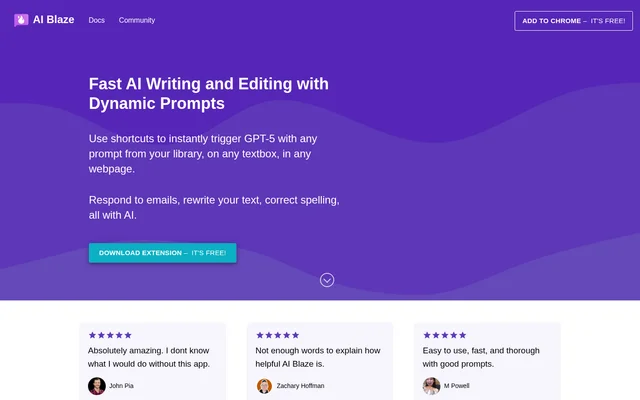
AI Blaze is an AI writing and editing extension that brings saved GPT-5 prompts into textboxes on webpages. AI Blaze serves people composing emails, messages, and responses to inquiries, as well as teams that want to share prompts. The website offers a free extension download and a dashboard link.
AI Blaze combines a prompt library with shortcuts, so users can trigger a chosen prompt where they are writing. The stated editing tasks include correcting spelling, changing tone, shortening messages, and translating text. Prompts can be customized rather than being limited to a fixed rewriting instruction.
What AI Blaze can do
AI Blaze supports both message composition and editing through prompts that users can customize. Beyond rewriting text, AI Blaze includes dynamic prompt inputs and shared libraries for collaborative use. These capabilities connect saved instructions with message content, user selections, and other inputs available when a prompt is used.
- AI Blaze triggers GPT-5 prompts through shortcuts in webpage textboxes.
- AI Blaze writes replies to emails, messages, and inquiries.
- AI Blaze changes tone, shortens text, corrects spelling, and translates text.
- AI Blaze supports text fields, dropdown menus, date and time, and clipboard content.
- AI Blaze synchronizes shared team prompts in real time.
How AI Blaze works
AI Blaze uses an extension and a prompt library as the basis for its writing workflow. A user triggers a saved prompt with a shortcut in a webpage textbox. For replies, the message text can be included in the prompt, or AI Blaze can detect the message automatically.
AI Blaze lets users customize prompts with fields and contextual inputs. Text fields and dropdown menus provide user input, while date and time and clipboard content can also be included. The prompts dynamically adjust based on that input, supporting variations within a saved prompt.
Who AI Blaze is for
AI Blaze is for people handling written communication on webpages and teams maintaining shared AI prompts. The source highlights replies to emails, messages, and inquiries, alongside revisions to existing text. Team members can create new prompts together or edit existing prompts in a shared library.
- AI Blaze helps message writers draft responses to incoming inquiries.
- AI Blaze helps users make messages shorter or more professional.
- AI Blaze helps teams collaborate on reusable prompt libraries.
AI Blaze pricing and access
AI Blaze is offered with free access: the website labels both getting started and downloading the extension as free. AI Blaze also provides a link to a dashboard. The supplied page does not describe separate subscription plans, usage allowances, or differences between free and paid features.
AI Blaze strengths and stated scope
AI Blaze combines in-textbox shortcuts, customizable dynamic prompts, and shared libraries. These capabilities support writing where users already compose messages and allow teams to maintain prompts together. The supplied page focuses on webpage textboxes and extension access; no additional deployment options or detailed compatibility requirements are described.
AI Blaze FAQ
What is AI Blaze?
AI Blaze is an AI writing and editing extension that triggers GPT-5 prompts through shortcuts in webpage textboxes. AI Blaze supports message replies, text rewriting, spelling correction, translation, and customizable prompt libraries.
Is AI Blaze free?
AI Blaze offers free access and a free extension download, according to the website. The supplied page also links to a dashboard but does not describe subscription tiers or usage limits.
Can AI Blaze rewrite and translate messages?
AI Blaze can rewrite messages to sound more professional, shorten text, correct spelling, and translate text into another language. AI Blaze also lets users customize the prompt for the writing task.
How do AI Blaze dynamic prompts work?
AI Blaze dynamic prompts adjust based on user input and can include text fields, dropdown menus, date and time, and clipboard content. Users can customize these prompts and trigger them through shortcuts.
Can teams share prompts in AI Blaze?
AI Blaze lets teams share a prompt library, create new prompts together, and edit existing prompts. AI Blaze synchronizes all shared prompts in real time to support collaborative prompt maintenance.
Can AI Blaze automatically detect a message for a reply?
AI Blaze can automatically detect message text when generating a response to an email, message, or inquiry. Users can also include the message text explicitly as part of their prompt.
From the community
No reviews yet
Be the first to review this tool. What you write helps the next person choose.