What is Checkget?
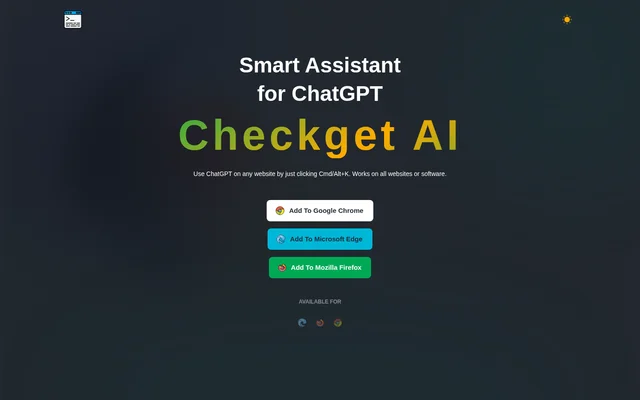
Checkget is a ChatGPT assistant for using AI assistance while working on websites. Checkget provides browser extensions for Google Chrome, Microsoft Edge and Mozilla Firefox, with keyboard shortcuts for opening the assistant on Mac and Windows. The stated tasks include replying to emails, explaining code and working with written content without copying and pasting text into a separate conversation.
Checkget combines question answering with text transformation rather than focusing on a single writing task. The website describes automatic recognition of different scenarios after a user selects text and invokes the assistant. Access is offered through a free Personal plan and paid subscriptions, with plan-specific limits on requests and conversation rounds.
What Checkget can do
Checkget supports tasks that range from understanding existing material to changing how a passage is written. The website lists information finding, explanations, summaries, translations and language corrections alongside rewriting controls. Checkget also offers tone and style changes, allowing selected text to be adjusted for a different presentation without requiring a separate copy-and-paste workflow.
- Checkget answers questions and finds information.
- Checkget explains code and other selected material.
- Checkget summarizes and translates text.
- Checkget corrects spelling and grammatical errors.
- Checkget makes text longer or shorter.
- Checkget rephrases text and changes its tone of voice.
How Checkget works
Checkget is available through browser installation links for Chrome, Edge and Firefox. Users can select text on a website and press Command+K on Mac or Alt+K on Windows to open the assistant. Checkget describes recognizing the context of the selected material, including email replies and code explanations, so users do not need to copy and paste text between websites.
Checkget states that everything users send is encrypted. Checkget also offers a local mode that communicates directly with ChatGPT after an API key is set. The page describes this as an alternative communication mode, not as an offline model. A dark theme is available for users who prefer a darker interface.
Who Checkget is for
Checkget is suited to browser users whose work involves reading, editing or responding to text. The examples on the page cover email and code, while the listed text tools also support summarization, translation and rewriting. Checkget brings these tasks into the website workflow through selected text and a keyboard shortcut.
- Checkget helps email users compose replies.
- Checkget helps people understand selected code.
- Checkget helps readers summarize or translate passages.
- Checkget helps writers adjust grammar, tone and text length.
Checkget strengths and limitations
Checkget combines website access, browser support and several text-processing tasks in a single assistant. The free plan provides an entry point for question answering and writing assistance, while paid plans increase usage allowances and add GPT-4 access. The main constraints are the plan-based request and conversation limits, plus the API key setup required for local mode.
- Checkget limits daily requests and conversation rounds by plan.
- Checkget reserves listed GPT-4 access for paid subscriptions.
- Checkget requires an API key to use local mode.
Checkget FAQ
What is Checkget?
Checkget is a ChatGPT browser assistant for answering questions, explaining code and editing text on websites. Checkget supports Chrome, Edge and Firefox and opens through a keyboard shortcut, allowing users to work with selected text without copying and pasting.
Is Checkget free?
Checkget offers a free-forever Personal plan with 30 requests per day, 5 rounds of conversation and GPT-3.5 support. Checkget also lists paid Pro, Premium and Ultimate plans with higher usage allowances and GPT-4 access.
Which browsers does Checkget support?
Checkget provides installation links for Google Chrome, Microsoft Edge and Mozilla Firefox. Checkget can be opened from a website with Command+K on Mac or Alt+K on Windows, including after selecting text for assistance.
What can Checkget do with selected text?
Checkget can summarize, translate, correct spelling or grammar, rephrase text, change tone and make passages longer or shorter. Checkget also describes recognizing scenarios such as replying to an email or explaining code after users select text and invoke the assistant.
How does Checkget local mode work?
Checkget local mode communicates directly with ChatGPT after the user sets an API key. Checkget also states that submitted content is encrypted. The local mode description refers to direct ChatGPT communication rather than offline processing.
From the community
No reviews yet
Be the first to review this tool. What you write helps the next person choose.