What is AI Engine?
AI Engine is a WordPress AI plugin from Meow Apps that combines visitor chatbots, content generation, and conversational site management. AI Engine serves site owners who want to add chatbots without coding, writers working inside the WordPress editor, and developers connecting AI services to site workflows. A free version provides core tools, while Pro adds knowledge bases, forms, and advanced capabilities.
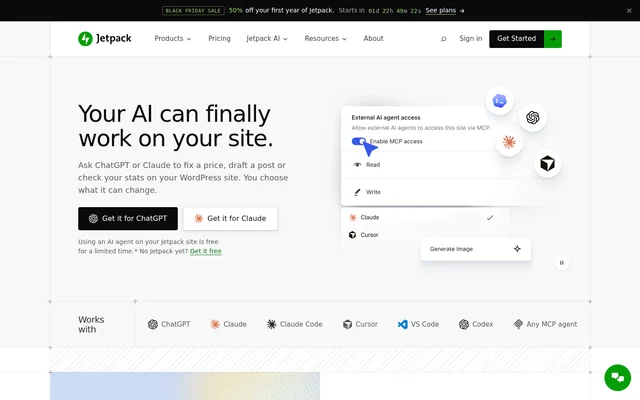
AI Engine also provides a built-in MCP server that allows ChatGPT, Claude, Cowork, and other MCP-aware agents to work on a WordPress site. AI Engine separates this connector from provider-based chatbot usage: the MCP connection needs no API key, while chatbots use the site's own provider credentials.
What AI Engine can do
AI Engine combines tools for visitor conversations, editorial work, and agent-driven site administration. AI Engine supports OpenAI, Claude, Gemini, Mistral, Perplexity, and OpenRouter, with providers switchable at any time. Pro extends the core tools with content grounding, additional input types, and broader access to WordPress functions and supported plugins.
- AI Engine displays chatbots as popups, inline elements, or full-screen interfaces.
- AI Engine helps write, rewrite, translate, and generate images inside the WordPress editor.
- AI Engine provides a Workspace chat application with folders and search.
- AI Engine Pro builds knowledge bases from WordPress content and PDFs.
- AI Engine Pro creates AI forms with text, image, audio, and file inputs.
- AI Engine exposes internal and REST APIs for external workflows.
How AI Engine works
AI Engine brings a user's AI account and API keys into WordPress for provider-based features, with a local model also listed as an option. Chatbots can be configured through customization tools and a shortcode builder. AI Engine's REST API supports n8n, Make, and custom scripts, while chatbots can also call other MCP servers.
AI Engine connects to ChatGPT and Claude through their listed directories, followed by signing in to the WordPress site. Connected assistants can write, edit, and organize posts, pages, and media. Other Meow Apps plugins, including SEO Engine, Media Cleaner, Media File Renamer, and Social Engine, register tools that the assistant can use.
Who AI Engine is for
AI Engine supports WordPress users who need visitor-facing AI, editorial assistance, or integrations with AI agents. No-code chatbot setup addresses site owners without programming experience, while APIs and Pro function calling address developers building custom workflows. Content-aware chatbots and knowledge bases provide a way to answer questions using a site's own material.
- Site owners can add visitor chatbots without writing code.
- Content creators can draft and revise material in the WordPress editor.
- Developers can connect n8n, Make, custom scripts, and custom APIs.
- Site administrators can use ChatGPT or Claude to organize posts, pages, and media.
AI Engine pricing and plans
AI Engine offers a free version and a Pro version starting at $59/year. Free tools include chatbots, image generation, content generation, Workspace, editor copilot, APIs, and the WordPress MCP server. Pro adds AI forms, content-aware knowledge bases, cross-site chatbots, an editor sidebar assistant, realtime audio conversations, advanced MCP tools, and usage controls.
AI Engine does not add a markup to provider tokens; users pay their AI provider directly for usage. AI Engine's MCP server is free and unlimited, requires no separate account or API key, and uses the ChatGPT or Claude plan the user already has. Workspace apps for iPhone, iPad, and Android are also free.
AI Engine strengths and limitations
AI Engine brings chatbot setup, editorial tools, and MCP access into the same WordPress plugin. Provider switching and direct provider billing offer flexibility, while the free MCP connector provides conversational site management without an API key. AI Engine still has explicit technical requirements, and several knowledge, automation, and administrative features are reserved for Pro.
- AI Engine requires WordPress 6.0+ and PHP 8.1+.
- AI Engine's provider-based features require an API key or a local model.
- AI Engine Pro is required for content-aware knowledge bases and AI forms.
Getting started with AI Engine
AI Engine users can begin by checking the WordPress and PHP requirements, then connecting an AI provider account and keys for chatbot or content features. The shortcode builder supports adding a chatbot to a site. For mobile Workspace access, users scan a QR code to access conversations, folders, and models stored on their WordPress site.
AI Engine FAQ
What is AI Engine?
AI Engine is a WordPress plugin from Meow Apps that provides visitor chatbots, AI writing and image tools, and an MCP server. AI Engine supports conversational site management through ChatGPT, Claude, and other MCP-aware agents.
Is AI Engine free?
AI Engine has a free version with chatbots, content tools, Workspace, APIs, and an MCP server. AI Engine Pro starts at $59/year. Provider-based features use the user's own credentials, and AI provider usage is paid separately.
Does AI Engine require an API key?
AI Engine uses the site's own API keys for provider-based chatbots and AI tools, with a local model also listed as an option. AI Engine's free MCP server requires no API key and uses the user's existing ChatGPT or Claude plan.
Can AI Engine answer questions from website content?
AI Engine Pro can ground chatbot answers in a site's own content. AI Engine Pro also builds knowledge bases from WordPress content and PDFs for semantic search and smart recommendations; these content-aware features are not included in the free version.
Does AI Engine integrate with n8n or Make?
AI Engine provides a REST API for n8n, Make, and custom scripts, alongside an internal API. AI Engine also supports chatbots that call other MCP servers, while Pro function calling can trigger WordPress functions, WooCommerce, or custom APIs.
What does AI Engine require to run?
AI Engine requires WordPress 6.0+ and PHP 8.1+. AI Engine's provider-based features also require an API key from an AI provider or a local model, while the MCP connector for ChatGPT and Claude requires no API key.
From the community
No reviews yet
Be the first to review this tool. What you write helps the next person choose.